How do I record production on the Shop Floor?
At the order's last station, record how many were made, their lot or serial numbers, and the components used.
Production is recorded at the last station of a manufacturing order — the card there carries a Produce button. Recording it puts the finished goods into stock and closes the order.
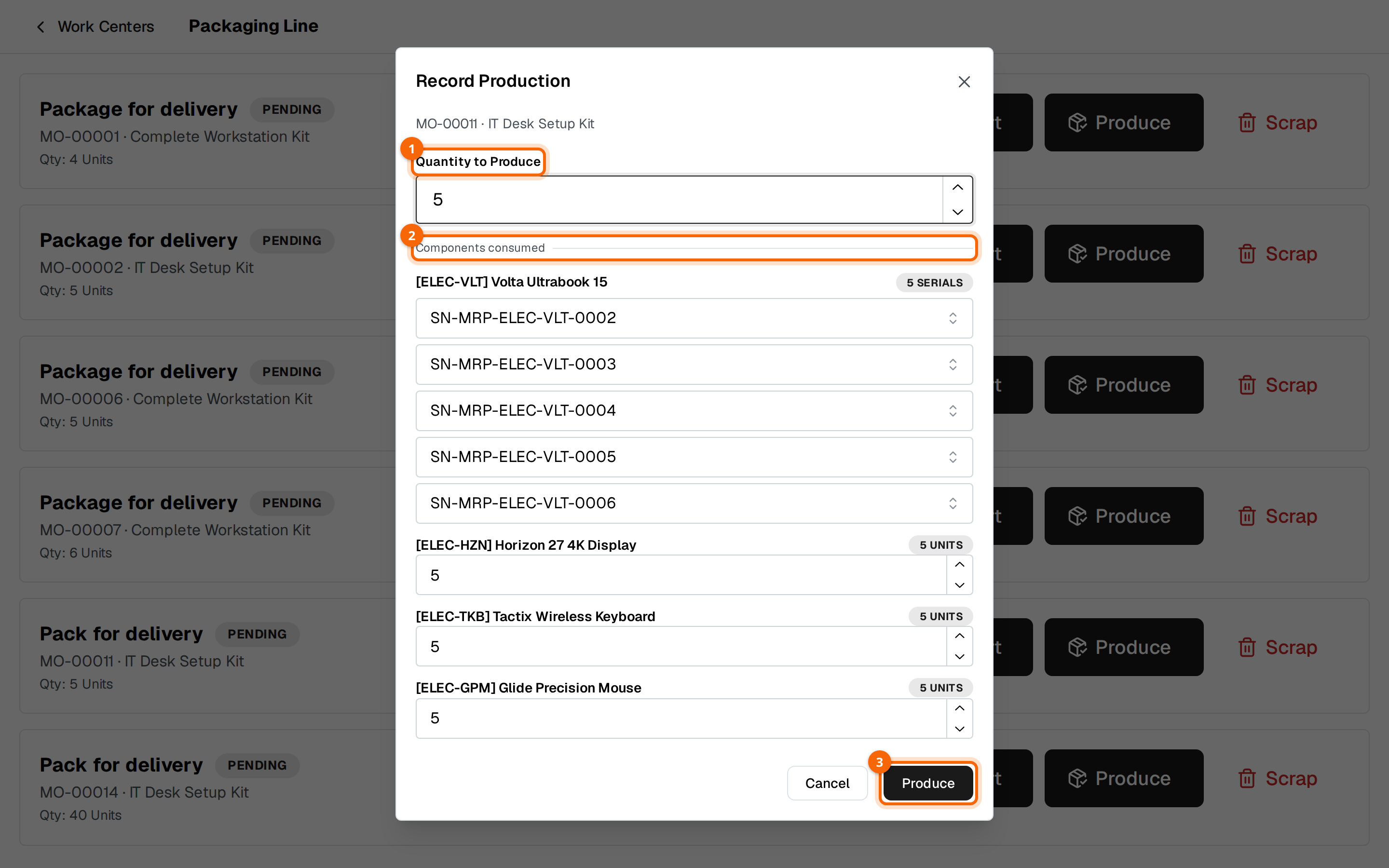
- On the last work order of the order, tap Produce. Record Production opens.
- Quantity to Produce starts at what is left to make. Change it if you made fewer — the rest stays on a new order to finish later.
- For a product tracked by lot, enter the Lot Number; for one tracked by serial, a Serial Number Prefix to number the units from.
- Under Components consumed, check what you used: the components of this station and any the bill of materials doesn't assign to a station. For tracked components, pick the lot or the serials you used.
- Tap Produce. Production recorded. confirms it.
Producing finishes every work order of the order that is still open and marks the manufacturing order done, exactly like Produce in Manufacturing. See How do I record production and finish an order?
Was this article helpful?