How do I run a work order on the Shop Floor?
Start, pause, resume and finish a work order at your station, and read its instructions.
At a work center the Shop Floor lists every open work order, in the order they should be worked. Each card shows the work order, its status, the manufacturing order and product it is for, and the quantity.
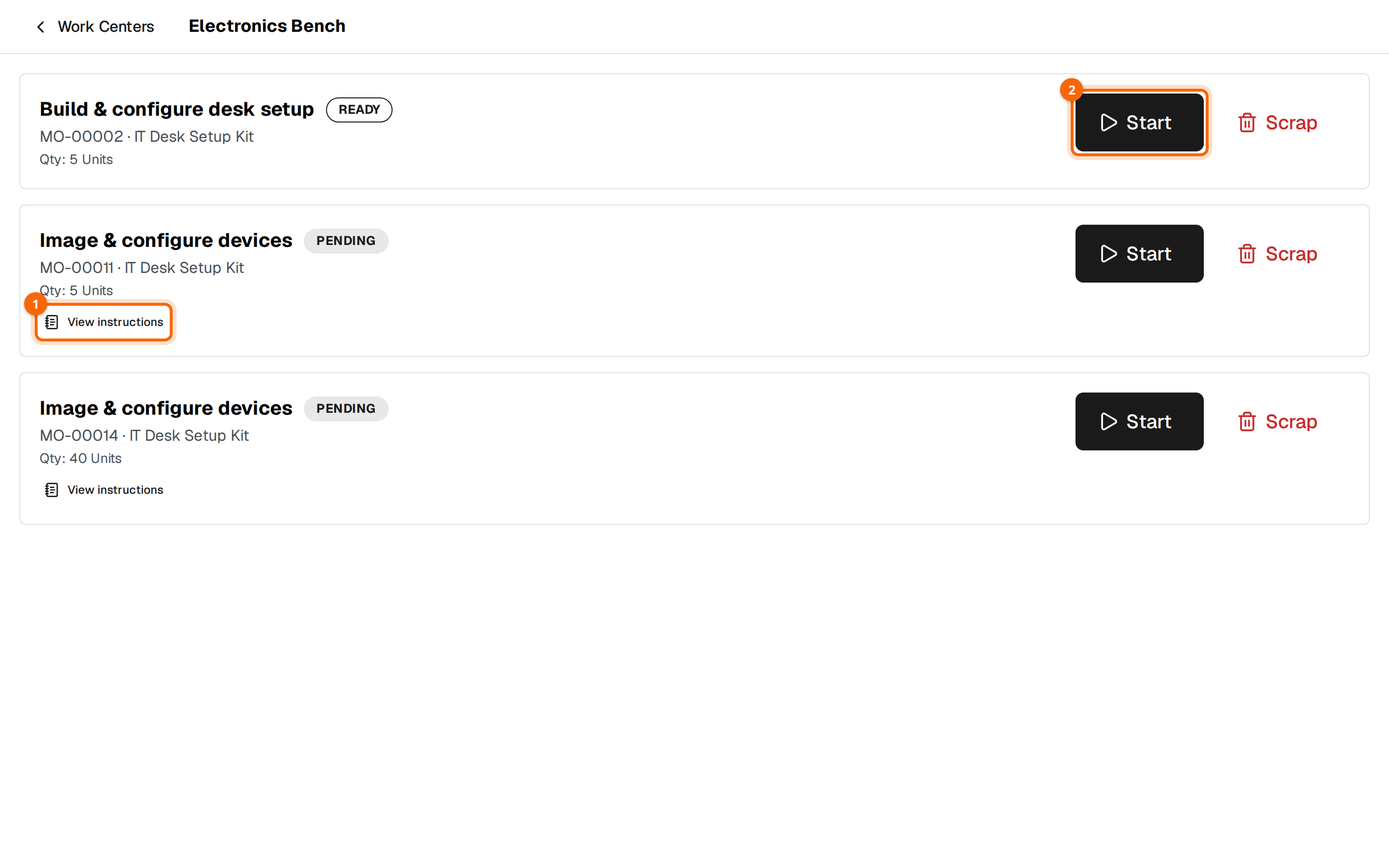
- View instructions (1) opens the operation's work instructions, and its document if it has one (Open in new tab shows the document full size).
- Start (2) begins the work order and starts its timer. A work order that has to wait for another operation can't start until that one is finished — the Shop Floor tells you which.
- Pause stops the timer for a break or a problem; Resume carries on.
- Done finishes the work order. The components the bill of materials assigns to this operation are counted as used, and the next operation becomes ready at its own work center.
The time between start and done (less any pauses) is recorded on the work order, and is what the order's actual cost is worked out from. Tap Work Centers at the top to go back to the list of stations.
Finishing a work order doesn't make the product: the last station of the order records production. See How do I record production on the Shop Floor?
Was this article helpful?