How do I keep track of the workshop?
See what is waiting, on the bench, ready and overdue at a glance, and analyse your repairs over time.
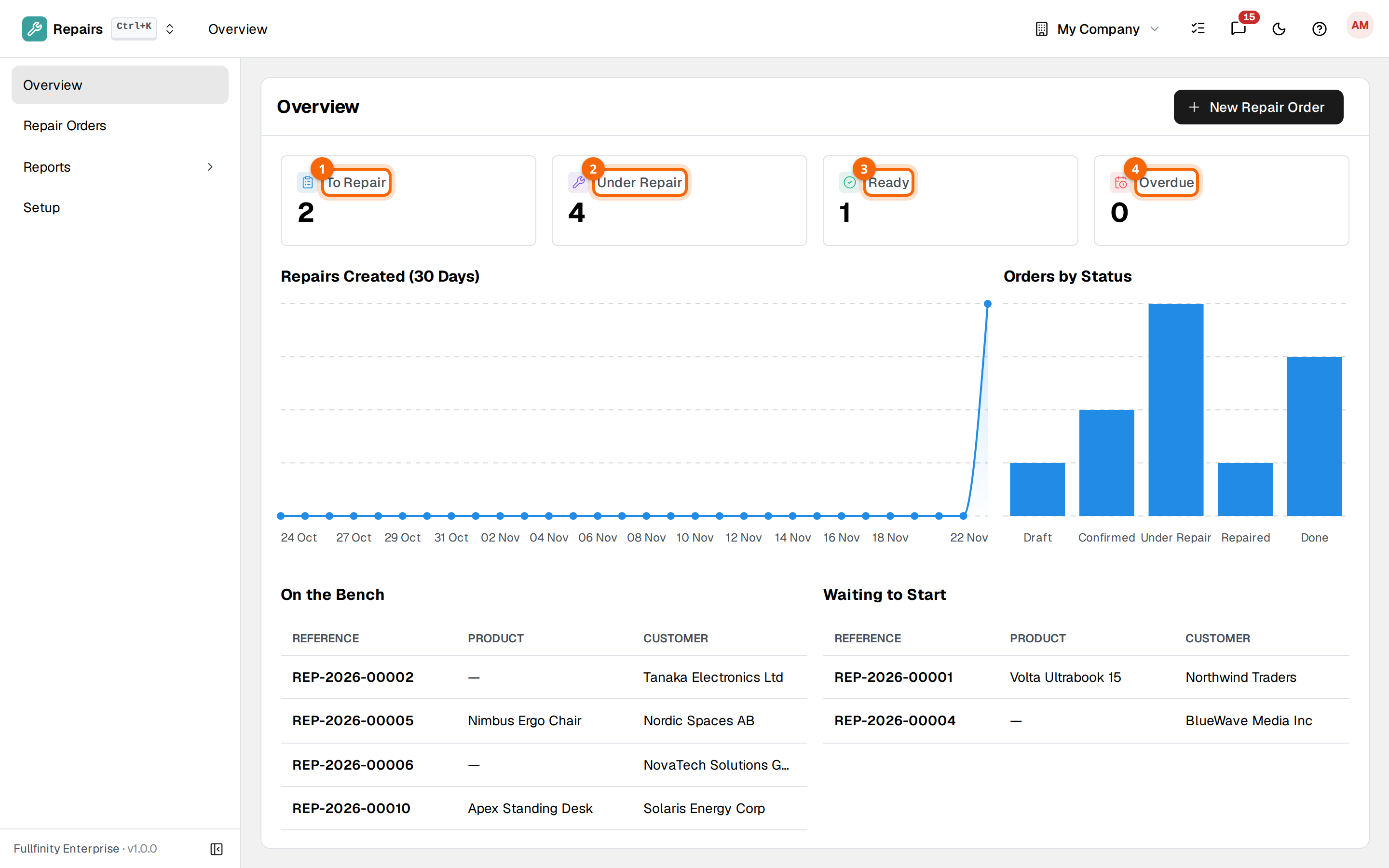
Repairs → Overview is the workshop at a glance.
- The cards count repairs To Repair (1) (confirmed, not started), Under Repair (2), Ready (3) (repaired, waiting to be closed) and Overdue (4) (past their scheduled date and not finished). Click a card to list those repairs.
- On the Bench and Waiting to Start list the repairs in progress and those still to start. Click one to open it.
- New Repair Order starts a new one.
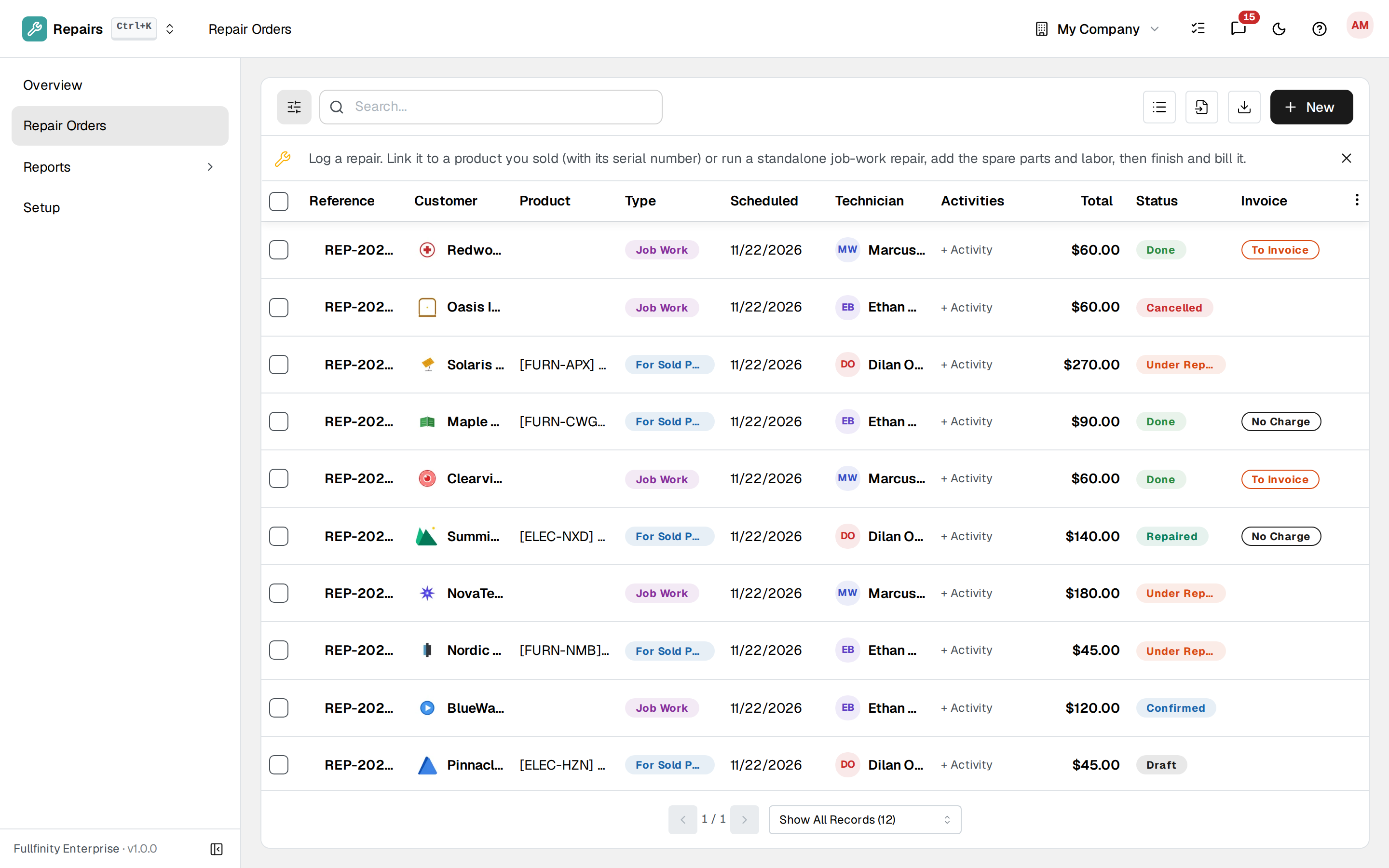
The repair list
Repairs → Repair Orders lists every repair with its status and invoice status side by side; switch to Kanban for a card per repair. Use the filters — My Repairs, Open, To Invoice, Under Warranty — or group by Technician or Customer.
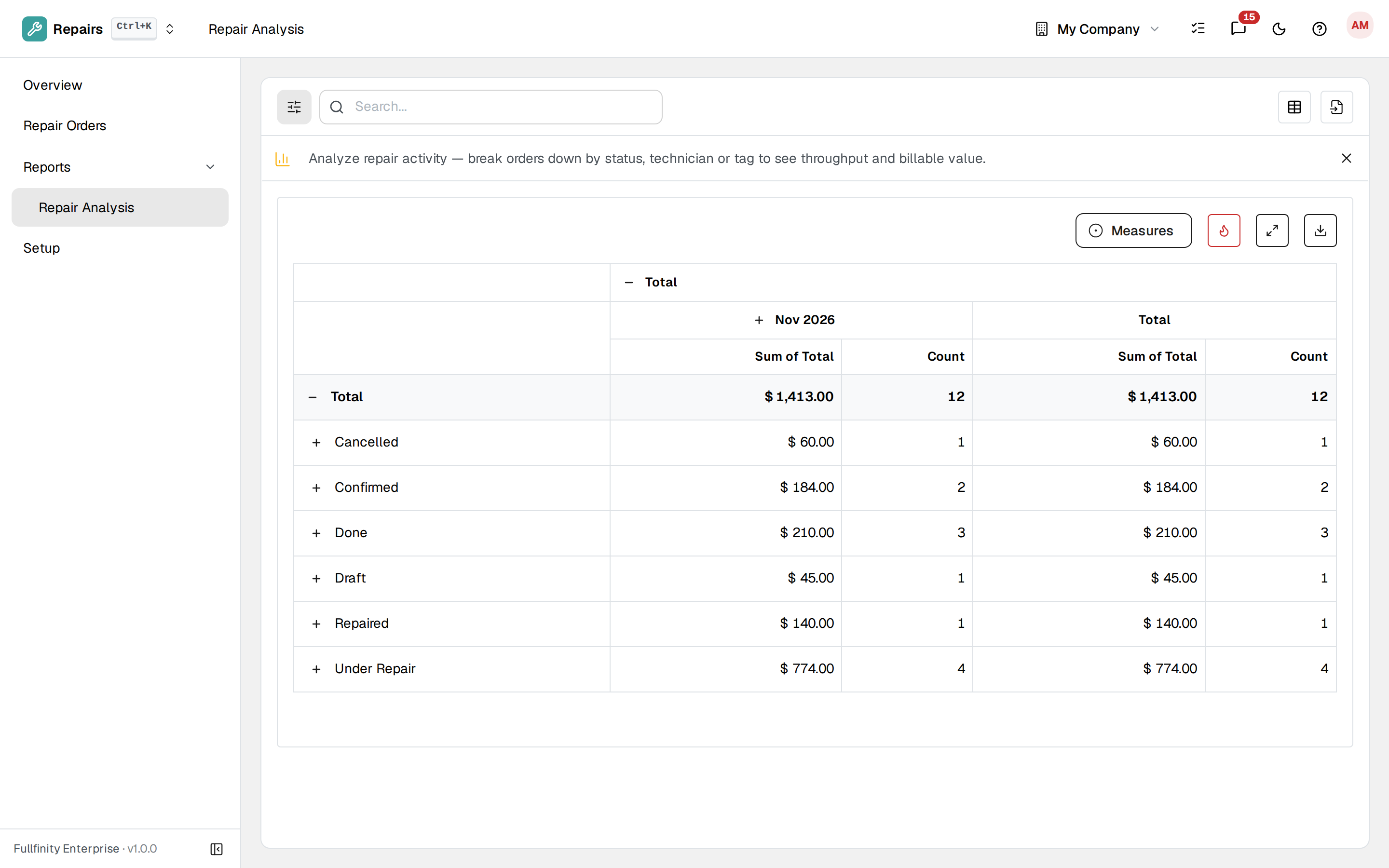
Analyse your repairs
Repairs → Reports → Repair Analysis breaks repairs down by status and month with their total value. Change the rows to technician, customer or tag to compare them.
Related: How do I save a search?
Was this article helpful?