How do I repair an item under warranty?
Mark a repair as under warranty so its parts and labor are not billed, while still charging for anything the warranty doesn't cover.
A warranty repair still uses parts and time — you want them on record, and taken from stock — but the customer doesn't pay for them.
- Open the repair order and switch on Under Warranty (1).
- Every part and labor line now has Billable (2) cleared — lines you add later too. Switch Under Warranty off again and they become billable.
- If something isn't covered (damage the warranty excludes, say), tick Billable on that line. You then invoice just that line.
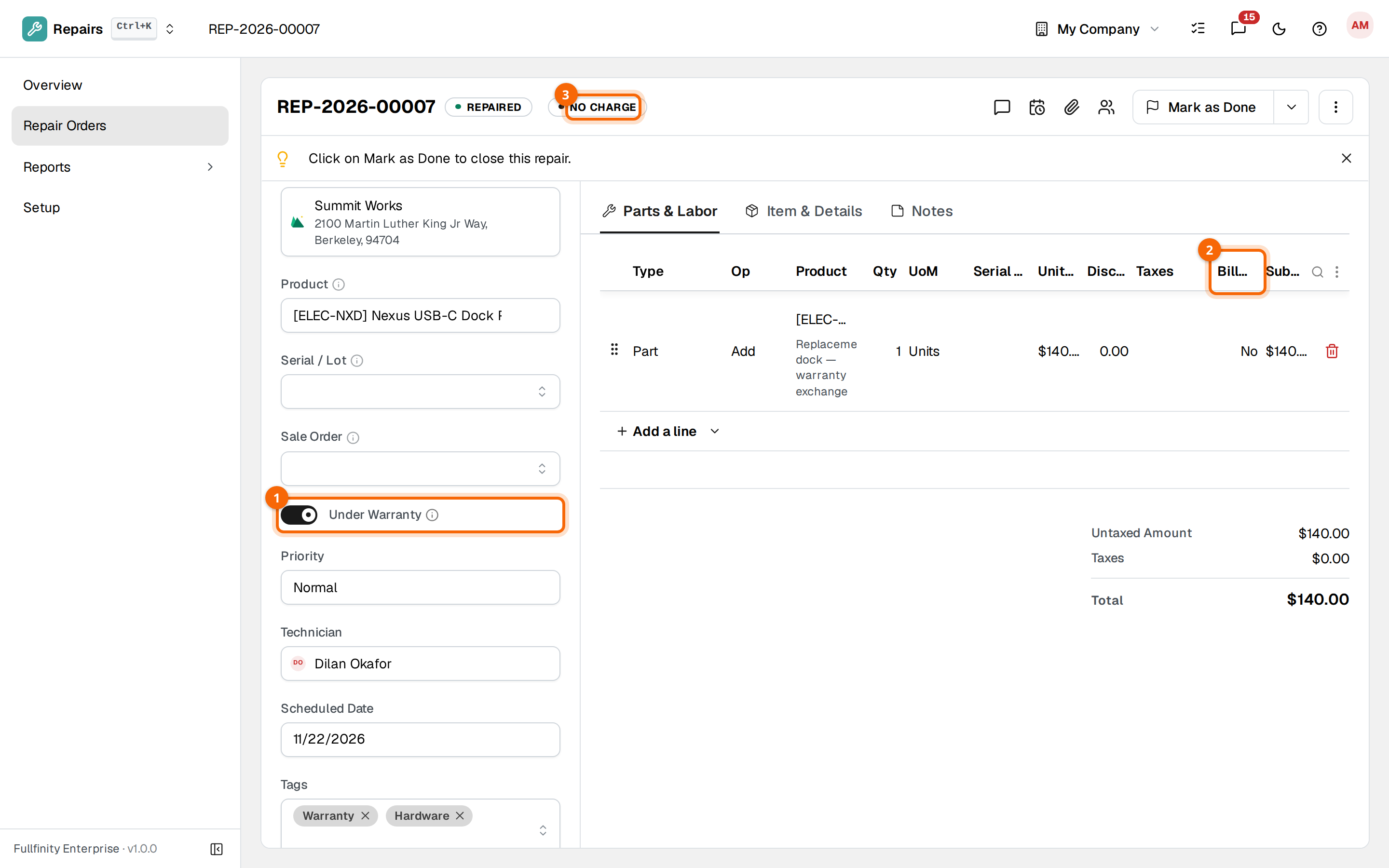
When no line is billable, the repair's invoice status reads No Charge (3) and no Create Invoice button appears. A line that has already been invoiced keeps the way it was billed even if you change the warranty afterwards.
Related: How do I invoice a repair?
Was this article helpful?