How do I run an automation and follow its participants?
Start an automation, enrol people by hand when it is Manual, see where each participant is, and stop it.
Run it
Open the automation and click Run. It needs at least one step with the Beginning trigger, and a Dedup Field the target model really has. The status becomes Running, and Running Since records when it first ran — On Creation and On Save automations only enrol records from that moment on.
Every few minutes the automation enrols newly matching records and moves each participant along: when a step's wait is over, its trigger is checked and its action taken.
A Manual automation enrols nobody by itself: click Enrol Now to take in everyone who matches at that moment. Click it again later for the people who have matched since — nobody is enrolled twice.
Follow the participants
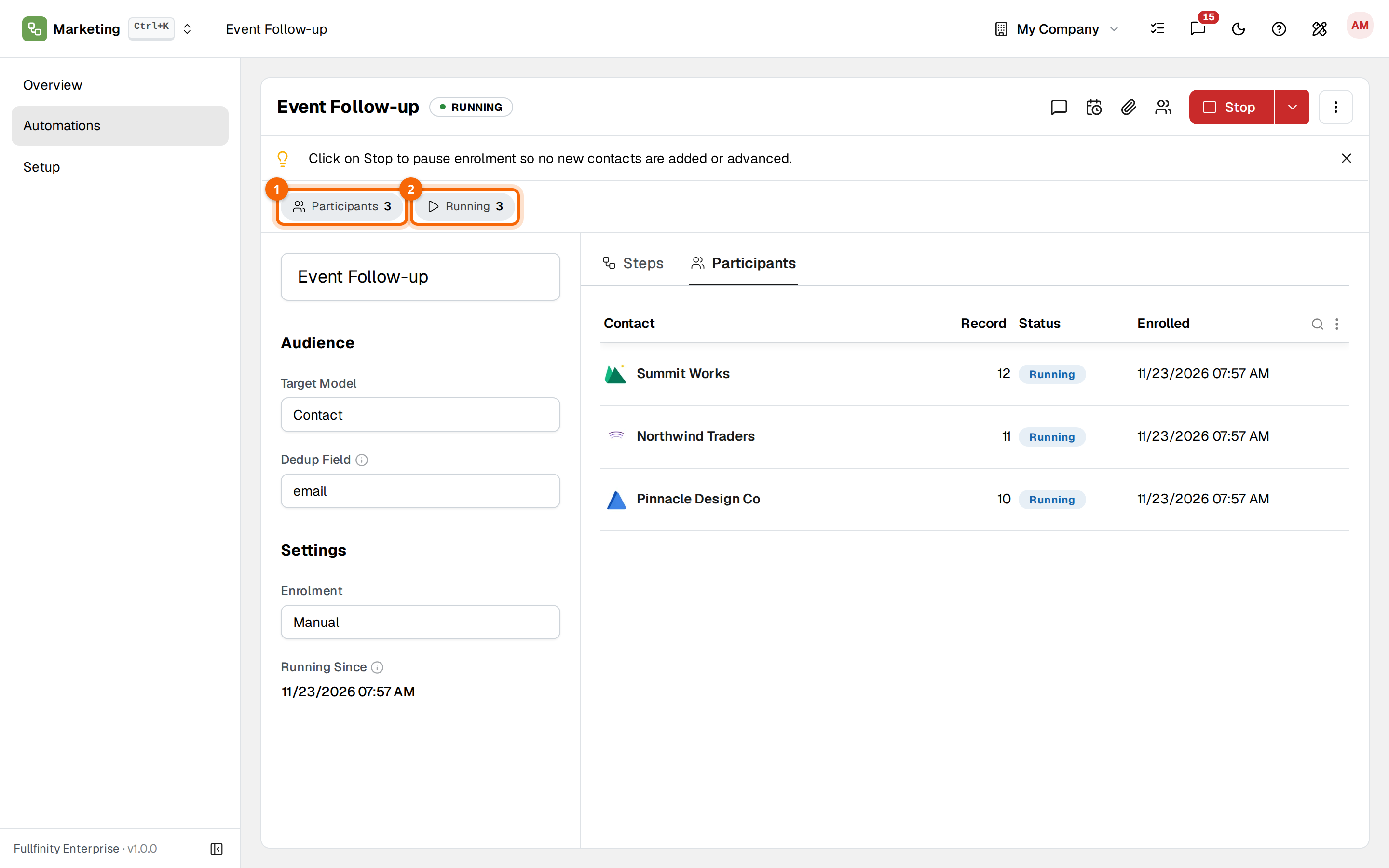
- Participants — everyone ever enrolled.
- Running — still on their way through the steps.
- Completed — reached the end of every path they were on.
A participant is Unlinked if the record they were enrolled from was deleted. The canvas shows, on each step, how many participants are waiting at it and how many have passed it.
For all automations together, go to Marketing → Overview: how many are enrolled and running, and each automation's Completed %.
Stop or change it
- Stop pauses it: nobody is enrolled or moved on. Run continues from where everyone was.
- You can add and change steps while it runs; participants follow the new steps when they reach them.
The emails it sends
Each send step's campaign also appears under Campaigns → Campaigns, named after the automation and the step, with its opens and clicks. It is sent only by the automation: Send Now on it is refused. Campaigns' unsubscribe links and suppression list apply to it like any other.