How do I set up Inventory and choose its features?
Switch on only the warehouse features you need — lots, packages, extra warehouses, storage locations, routes and batch picking — and decide how stock gets reserved.
Inventory works out of the box with one warehouse and one stock location. Everything else is a feature you switch on when your business needs it, so screens stay simple until then.
Open the Inventory settings
- Go to Inventory → Setup. The Inventory tab opens.
- Switch on the features you need under Features, then click Save.
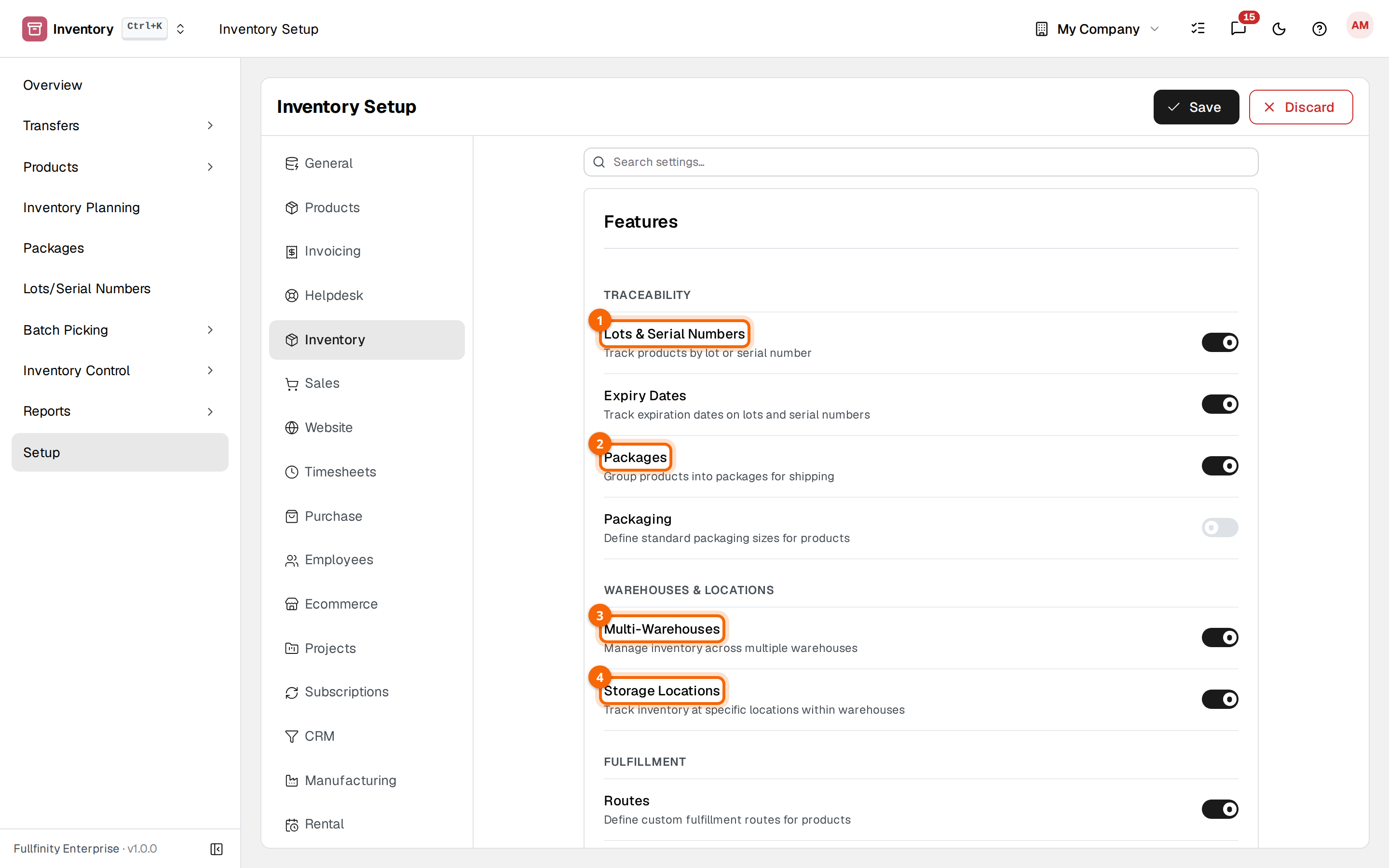
What each feature adds
| Feature | Switch it on when… |
|---|---|
| Lots & Serial Numbers | You need to know which batch or which individual unit went where. Adds the Lots/Serial Numbers menu and a Tracking choice on each product. |
| Expiry Dates | You sell perishable goods. Appears once lots are on. |
| Packages | You pack goods into boxes or pallets and want to track them. Adds the Packages menu and Put in Pack on transfers. |
| Packaging | You buy or sell in standard pack sizes, such as a box of 12. |
| Multi-Warehouses | You keep stock in more than one building. |
| Storage Locations | You want to know which shelf or bin stock sits in, not just which warehouse. |
| Routes | Goods should flow through several steps (receive, check, put away) or follow product-specific routes. |
| Batch Picking | Pickers collect several orders in one walk. Adds the Batch Picking menu. |
| Shipping Methods | You charge for delivery on quotes and in your online store. |
Decide when stock is reserved
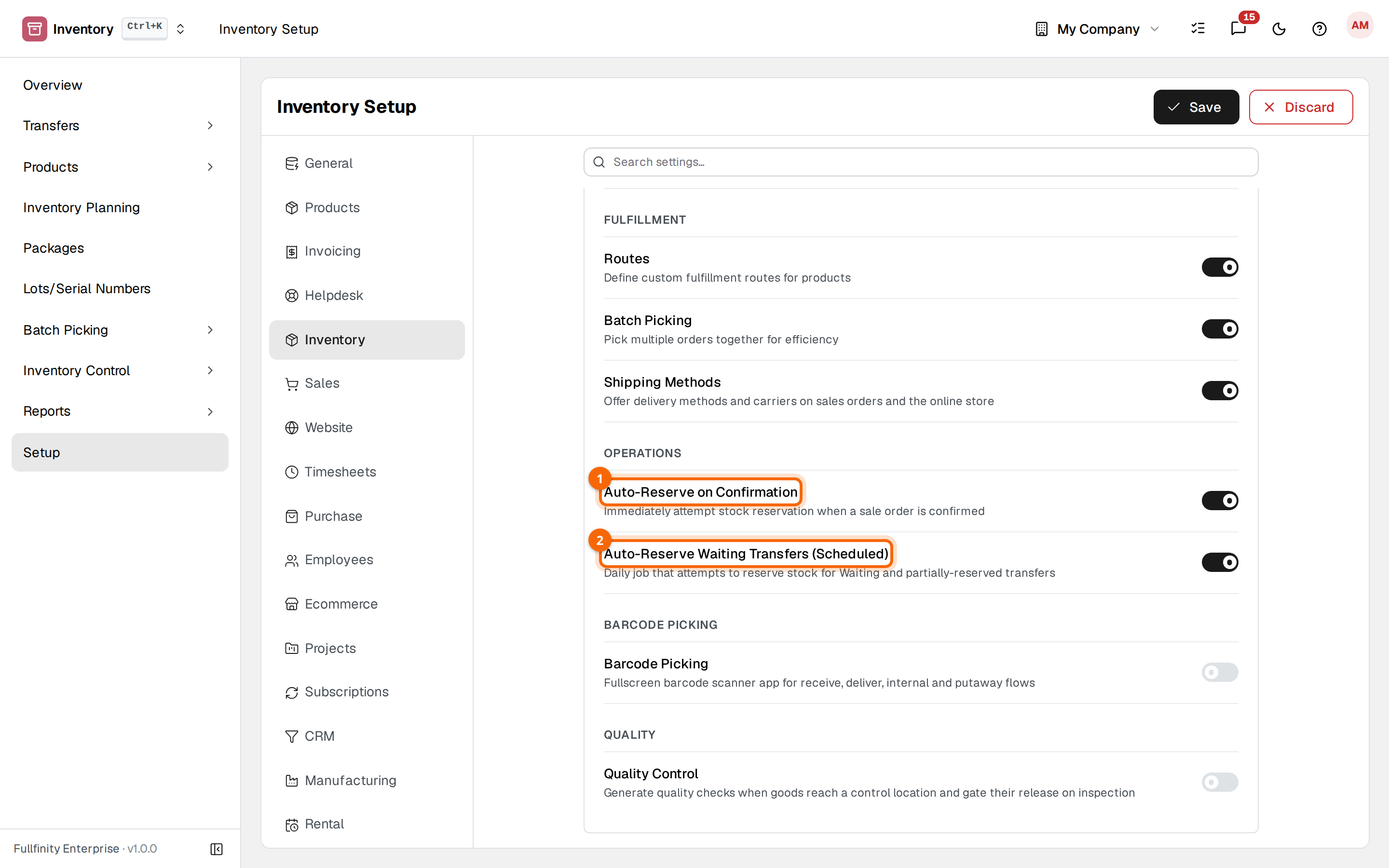
Two settings under Operations control when stock is set aside for customer deliveries:
- Auto-Reserve on Confirmation — reserve stock the moment a sales order is confirmed. When it's off, the delivery starts as Waiting and you reserve it yourself.
- Auto-Reserve Waiting Transfers (Scheduled) — once a day, try again to reserve stock for deliveries that are still short.
The Setup links
The Setup panel at the bottom of the tab opens the reference lists Inventory uses: Transfer Types, Adjustment Reasons, and — once the matching feature is on — Warehouses, Locations, Routes, Storage Rules and Package Types.
Was this article helpful?