How do I scrap damaged goods?
Take damaged, expired or defective stock out of inventory and record why.
A scrap order removes stock you can't sell and records why, and what it cost you.
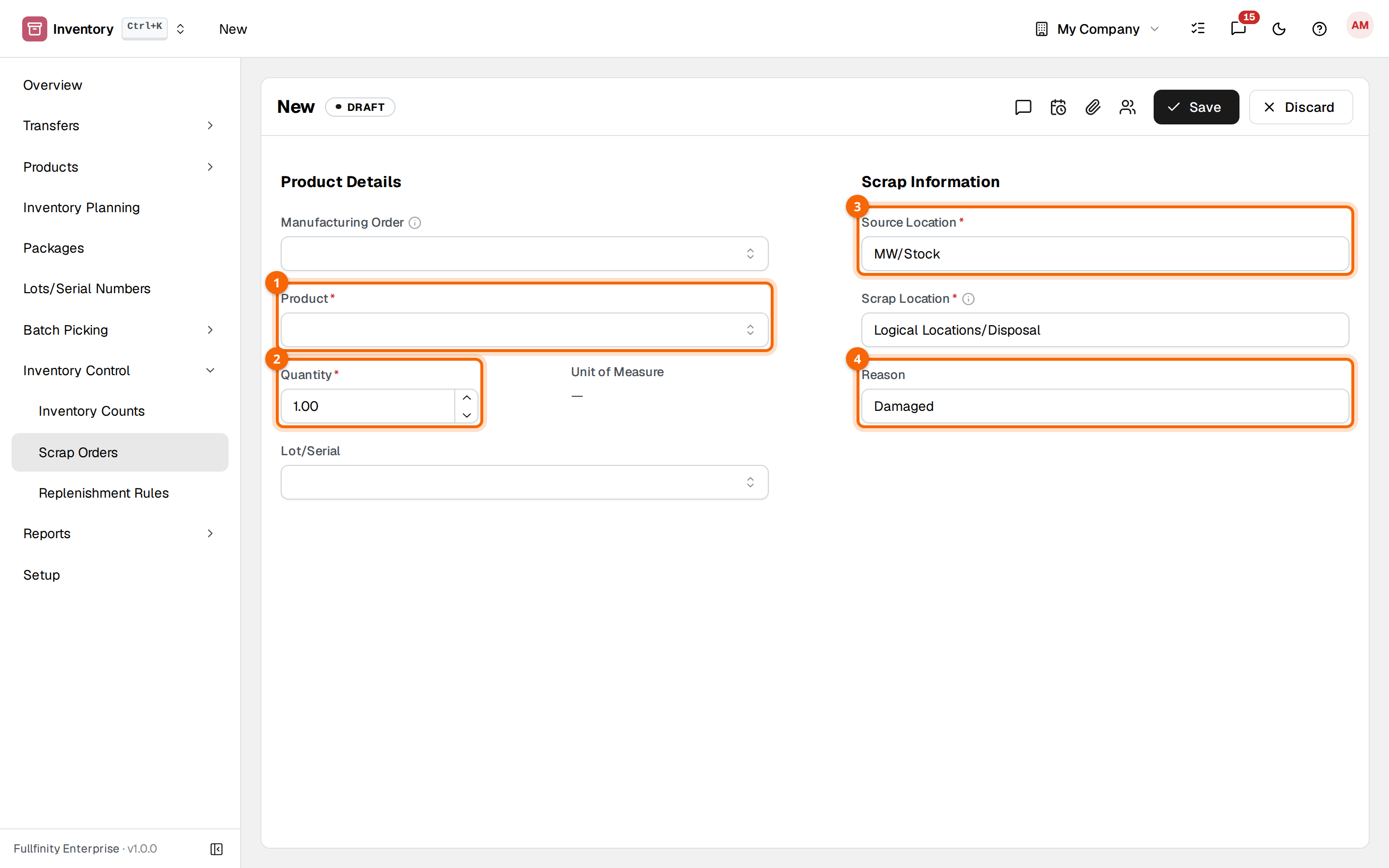
- Go to Inventory → Inventory Control → Scrap Orders and click New.
- Choose the Product (1) and the Quantity (2). For a tracked product, pick the Lot/Serial.
- Check the Source Location (3) the goods are taken from. The Scrap Location is where scrapped goods are recorded as going.
- Pick a Reason (4): Damaged, Expired, Defective, Obsolete or Other.
- Click Save, then Scrap.
What happens next
- The scrap order moves to Done and the stock leaves the source location. Its Total Cost shows the value lost.
- If there isn't enough unpacked stock at the source location, the scrap is refused with the quantity available.
- Click View Transfer Move to see the stock movement it recorded.
Was this article helpful?