How do I follow a project's progress and profitability?
See open and overdue work across projects on the Overview, and each project's progress, logged hours, cost and margin.
Two places tell you how your projects are doing: the Overview for all of them at once, and each project's own figures.
Across all projects: the Overview
Go to Projects → Overview.
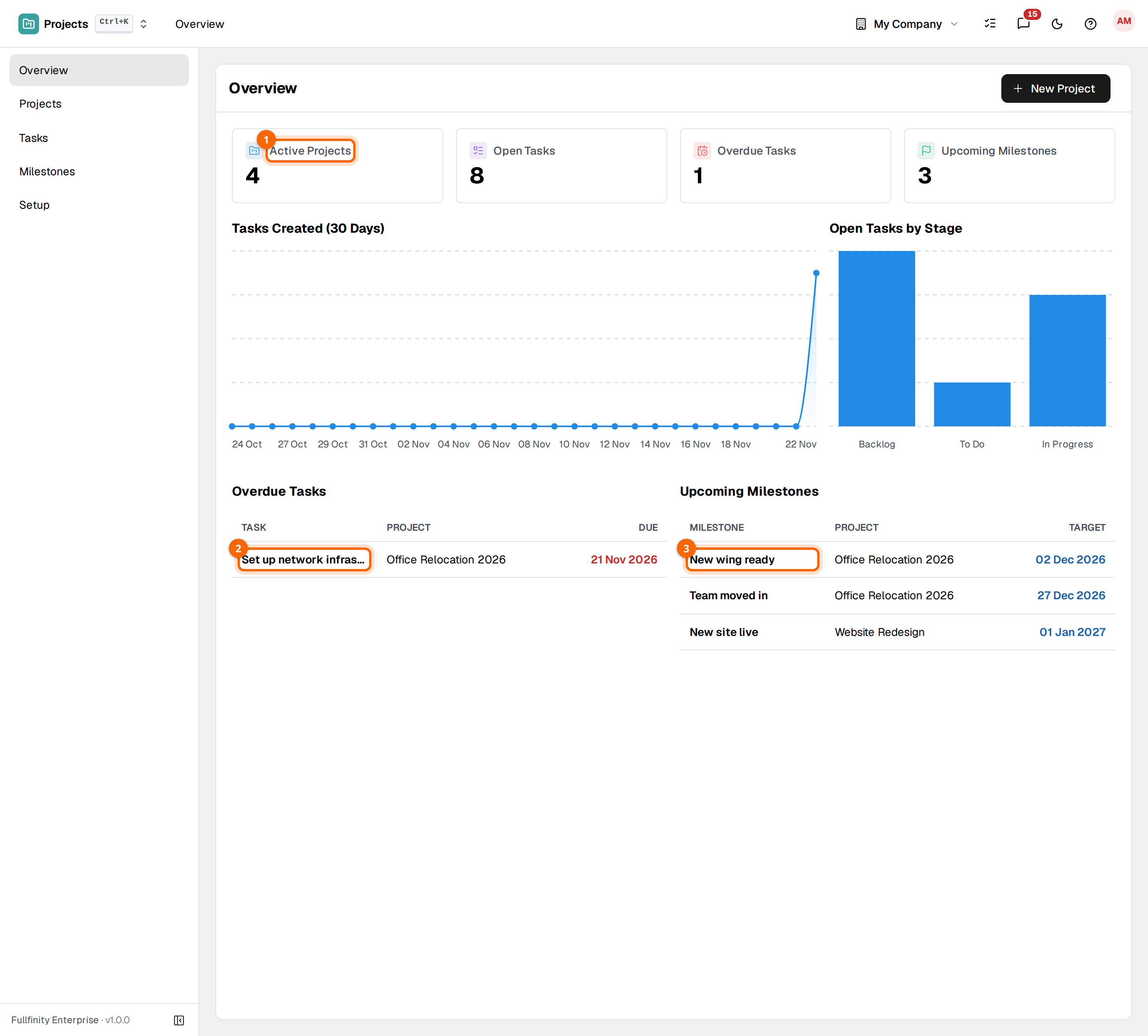
- Active Projects, Open Tasks, Overdue Tasks and Upcoming Milestones — click a counter to see the records behind it.
- Overdue Tasks — open tasks past their deadline, oldest first. Click one to open it.
- Upcoming Milestones — the next milestones not yet reached. Click one to open it.
New Project at the top starts a project straight from here.
The charts show how many tasks were created over the last 30 days and how the open ones are spread over the stages.
One project: progress
Each card in Projects → Projects shows the project's progress — the average Progress % of its tasks — and how many tasks it has.
One project: cost and margin
Open the project and look at its Details tab. Project managers see:
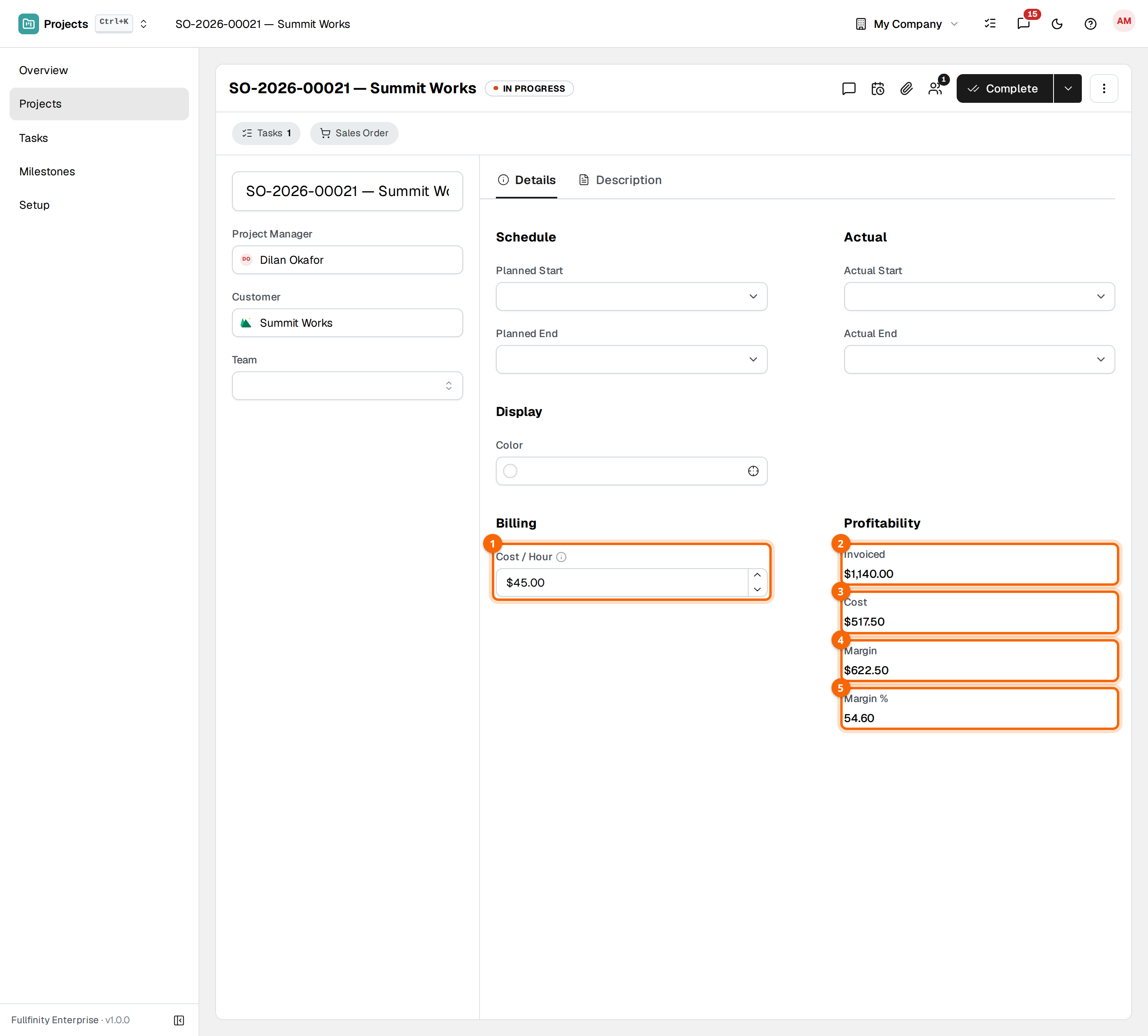
- Cost / Hour — what an hour of your team's time costs you. Enter it once per project.
- Invoiced — what has been invoiced to the customer for the project's tasks.
- Cost — every hour logged on the project times the Cost / Hour.
- Margin and Margin % — what is left of the invoiced amount after the cost.
Was this article helpful?