How do I see how the field team is doing?
Today's jobs, who is in the field and what is overdue at a glance, and an analysis of jobs over time.
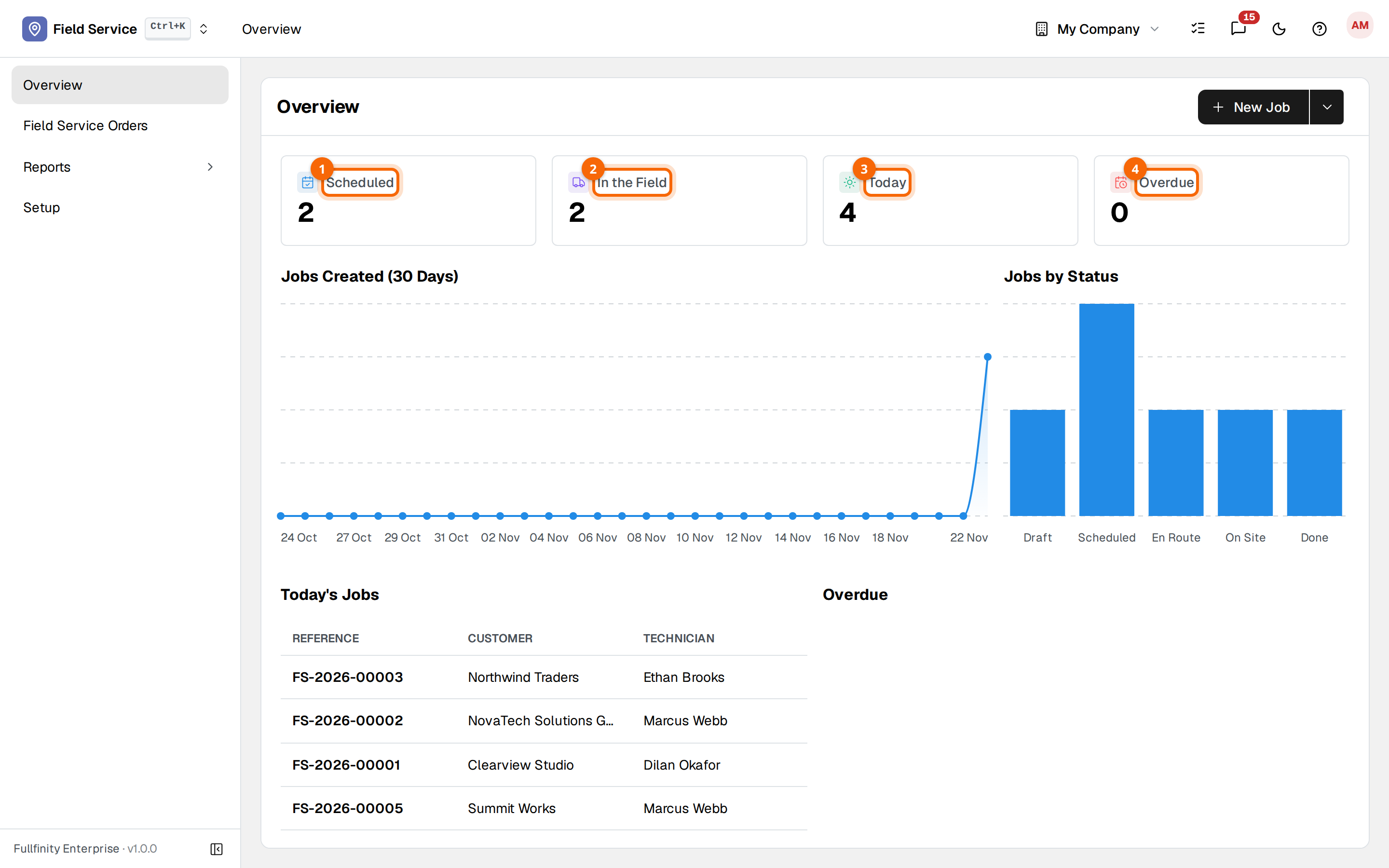
Field Service → Overview shows the day's work.
- The cards count jobs Scheduled (1), In the Field (2) (on the way or on site), for Today (3), and Overdue (4) (past their time and not done). Click a card to list them.
- Today's Jobs lists each of today's jobs with its technician; click one to open it.
- New Job starts a job and Dispatch Map opens the map.
Analyse your jobs
Field Service → Reports → Job Analysis breaks jobs down by status and month with their value. Change the rows to technician, team or tag to compare them.
Related: How do I dispatch jobs on the board, calendar and map?
Was this article helpful?