How do I enter a bill from a supplier?
Record a vendor bill so you can track and pay what your business owes.
A vendor bill records what you owe a supplier. It works like a customer invoice, the other way round.
1. Create the bill
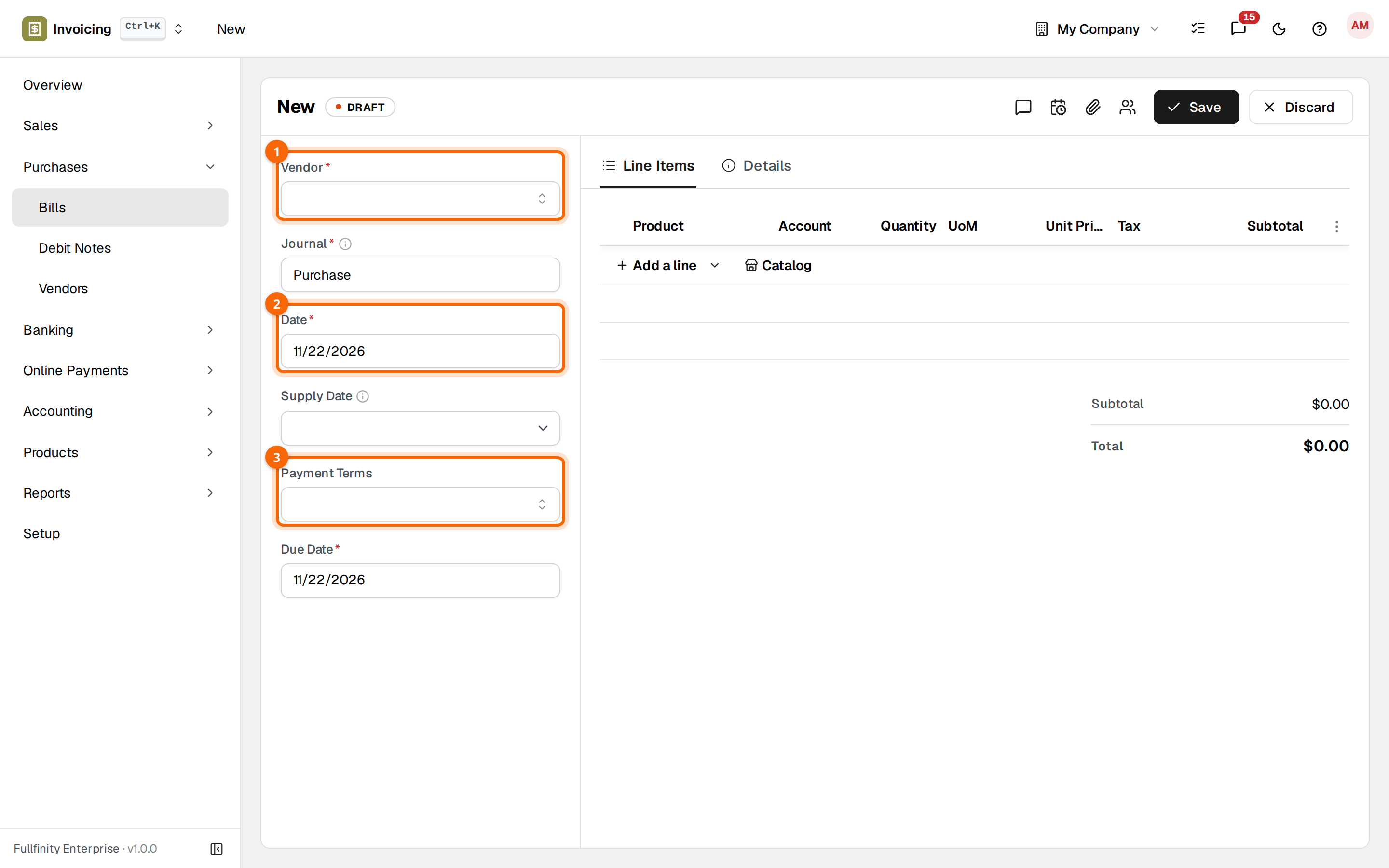
Go to Purchases → Bills and click New. Fill in:
- Vendor — the supplier billing you.
- Date — the bill's date.
- Payment Terms — optional; the Due Date follows from them. The vendor's own terms fill in when they have some.
2. Add the supplier's reference
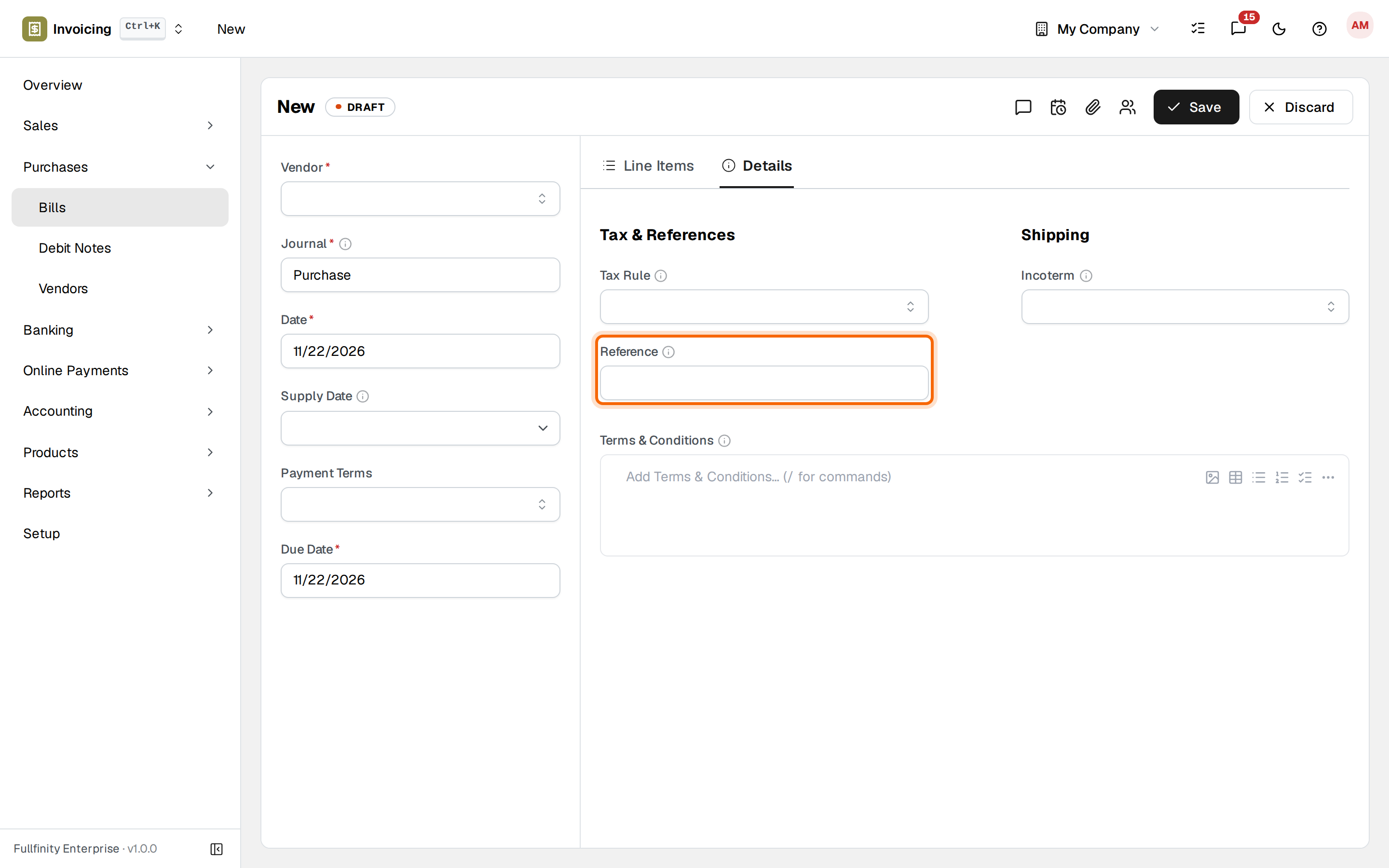
On the Details tab, enter the supplier's own invoice number in Reference, so you can match the bill to their paperwork later.
3. Add the lines and post
- On Line Items, add what you were charged: product, quantity, unit price and tax. Products bring their cost and Vendor Taxes.
- Click Post. The bill gets its number (e.g. BILL-00004) and its journal entry, and shows Unpaid.
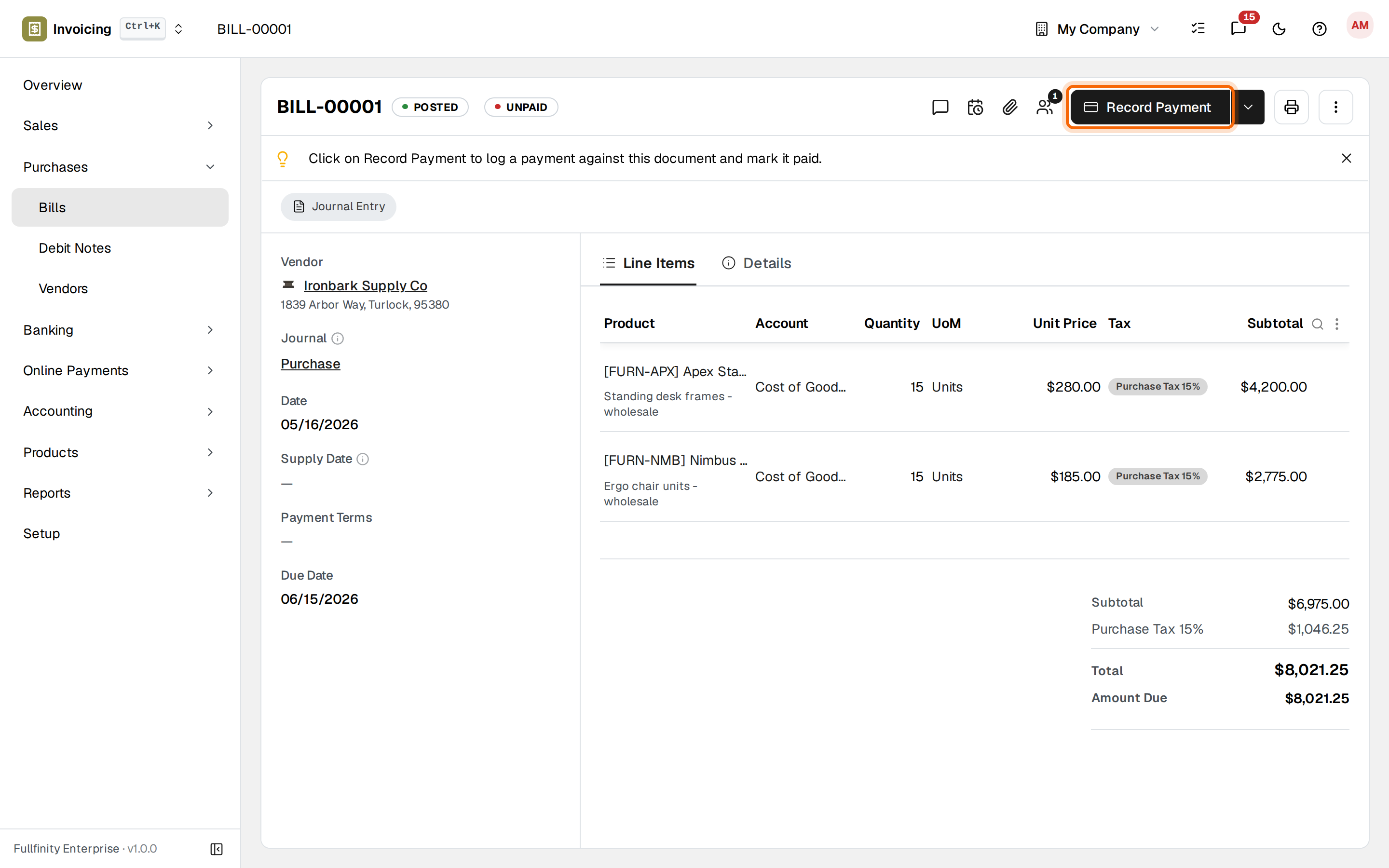
When you pay the supplier, click Record Payment — see How do I pay vendor bills? To correct a posted bill, see How do I record a debit note from a vendor?
Was this article helpful?