How do I set up invoicing before I start billing?
Choose your localization, fiscal year, default taxes and payment terms, and the reference data invoicing relies on.
Before you raise your first invoice, a few minutes in Setup makes everyday billing faster and more consistent. Most of these settings are defaults: set them once and new invoices, bills and products start with them.
1. Open the Invoicing settings
In the Invoicing app, click Setup at the bottom of the left menu. The Invoicing tab opens.
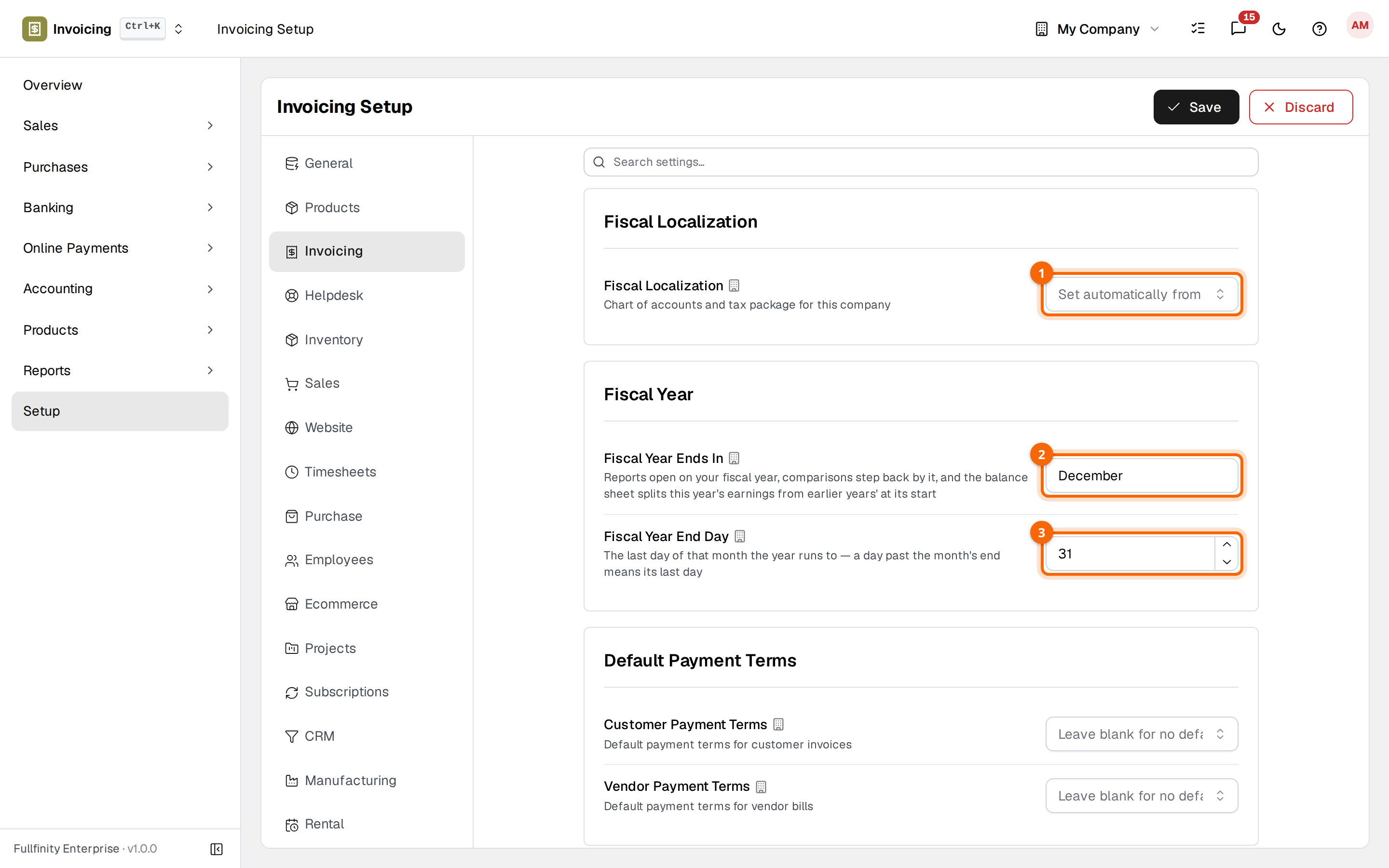
2. Check your localization and fiscal year
- Fiscal Localization — the chart of accounts and tax package for your company's country. It is set automatically from your company's country.
- Fiscal Year Ends In — the month your financial year ends in.
- Fiscal Year End Day — the last day of that month. Reports open on your fiscal year, and comparisons step back by it.
3. Set your default payment terms and taxes
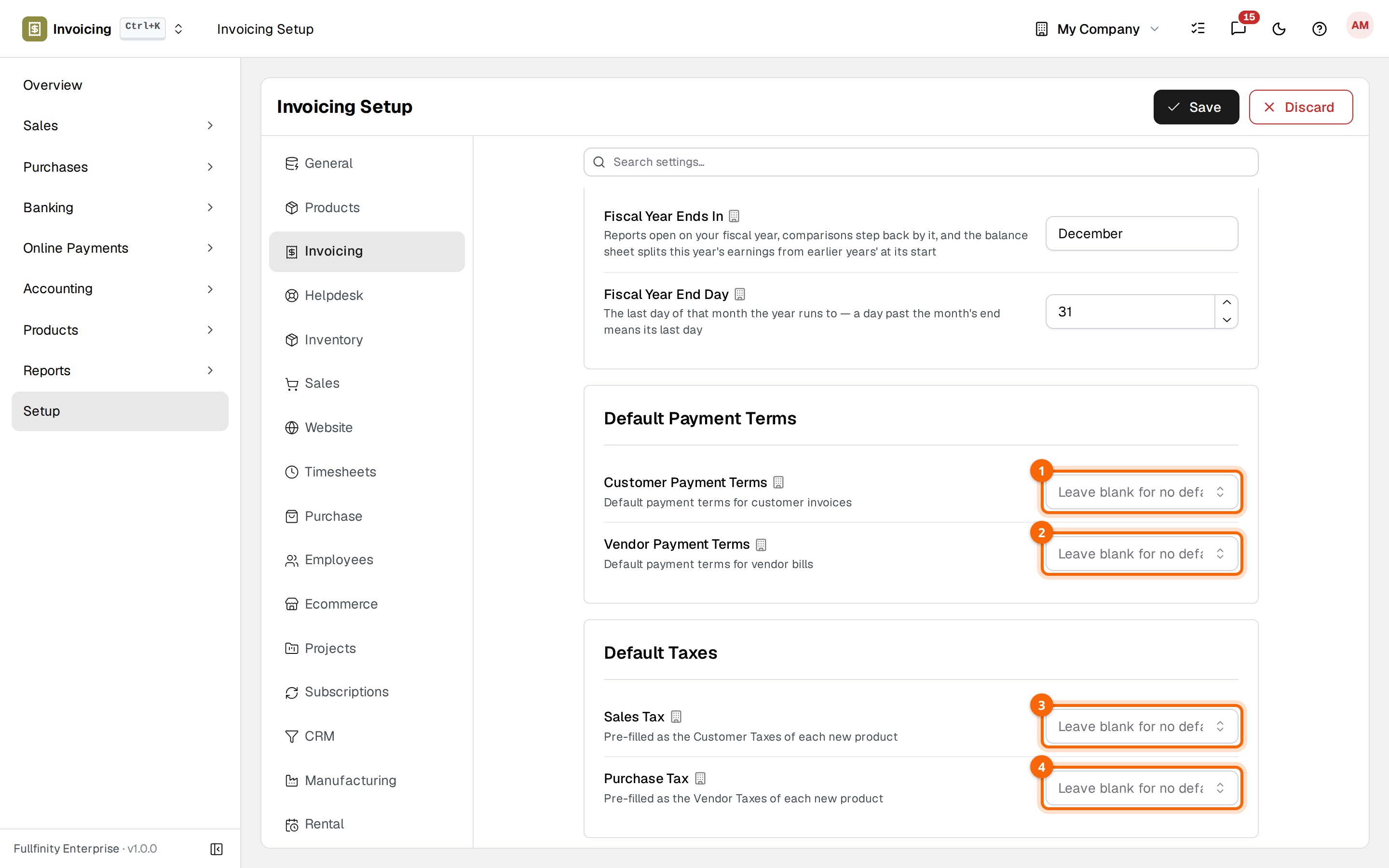
- Customer Payment Terms — the terms a new customer invoice starts with, when the customer has no terms of their own.
- Vendor Payment Terms — the same for new vendor bills.
- Sales Tax — the tax a new product gets in its Customer Taxes.
- Purchase Tax — the tax a new product gets in its Vendor Taxes.
Under Invoice Content, Terms & Conditions is the text printed on new invoices.
4. Switch on what you need
The Features panel has Multi-Currency (bill and get paid in other currencies) and Dimensions (track income and expenses by department, project or location). Click Save after changing anything on this tab.
5. Reference data you manage
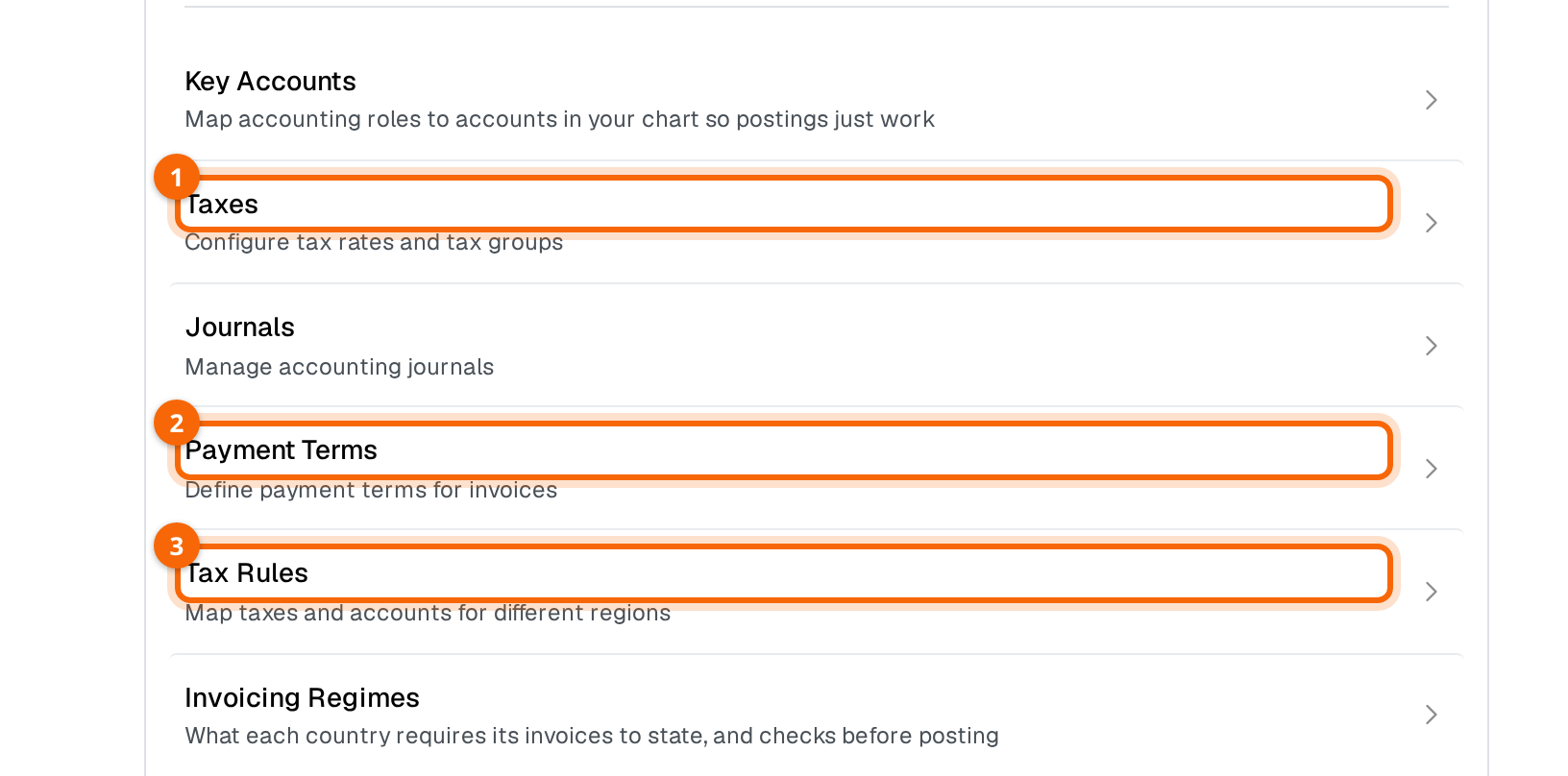
The Setup panel at the bottom of the tab links to the building blocks invoicing draws on:
| Link | What it's for |
|---|---|
| Key Accounts | Which account each kind of posting uses — receivables, income, exchange gains and losses, and so on. Your fiscal localization fills these in. |
| Taxes | The tax rates you charge and pay. |
| Journals | The books invoices and payments post to, such as Sales, Purchase and Bank. |
| Payment Terms | Reusable terms such as 30 Days that set due dates. |
| Currencies | The currencies you bill in and their rates. Shown once Multi-Currency is on. |
| Tax Rules | Rules that swap taxes for some customers, such as exports. |
| Invoicing Regimes | What each country requires its invoices to state, and what is checked before an invoice is posted. |
| Country Groups | Regions such as the EU that a tax rule can apply to as one. |
| Incoterms | Standard international delivery terms. |
| Tax Report Boxes | The boxes of your country's tax return. |
Related: Set up taxes · Set up payment terms · Create and post your first invoice