How do I pay vendor bills?
Record the payment of one bill, or pay several bills of a supplier with one payment.
When you pay a supplier, record the payment against their bills so they show as Paid and drop out of what you owe.
Pay one bill
- Open the posted bill from Purchases → Bills and click Record Payment.
- Check the Amount (the full amount due, or less for a part-payment), the Date you paid and the Payment Method it left from.
- Click Record Payment.
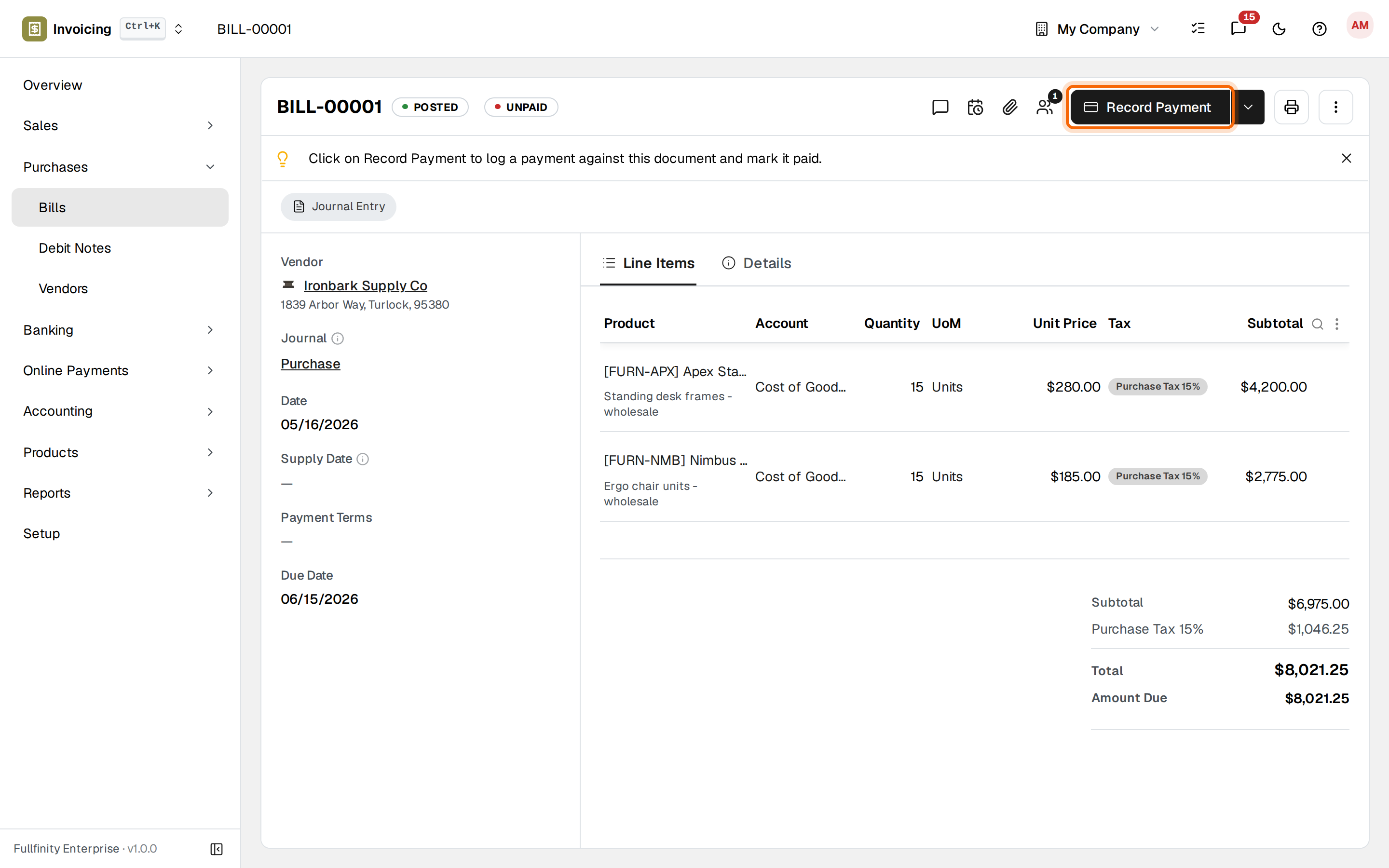
The bill moves to Paid or Partially Paid, and the payment appears in its Payment History and in Banking → Payments.
Pay several bills of one supplier at once
- In Purchases → Bills, tick the posted bills you're paying — all from the same supplier and company, in your company currency.
- Click Register Payment.
- Check each bill's Allocation, the Payment Date and Payment Method, and click Record Payment.
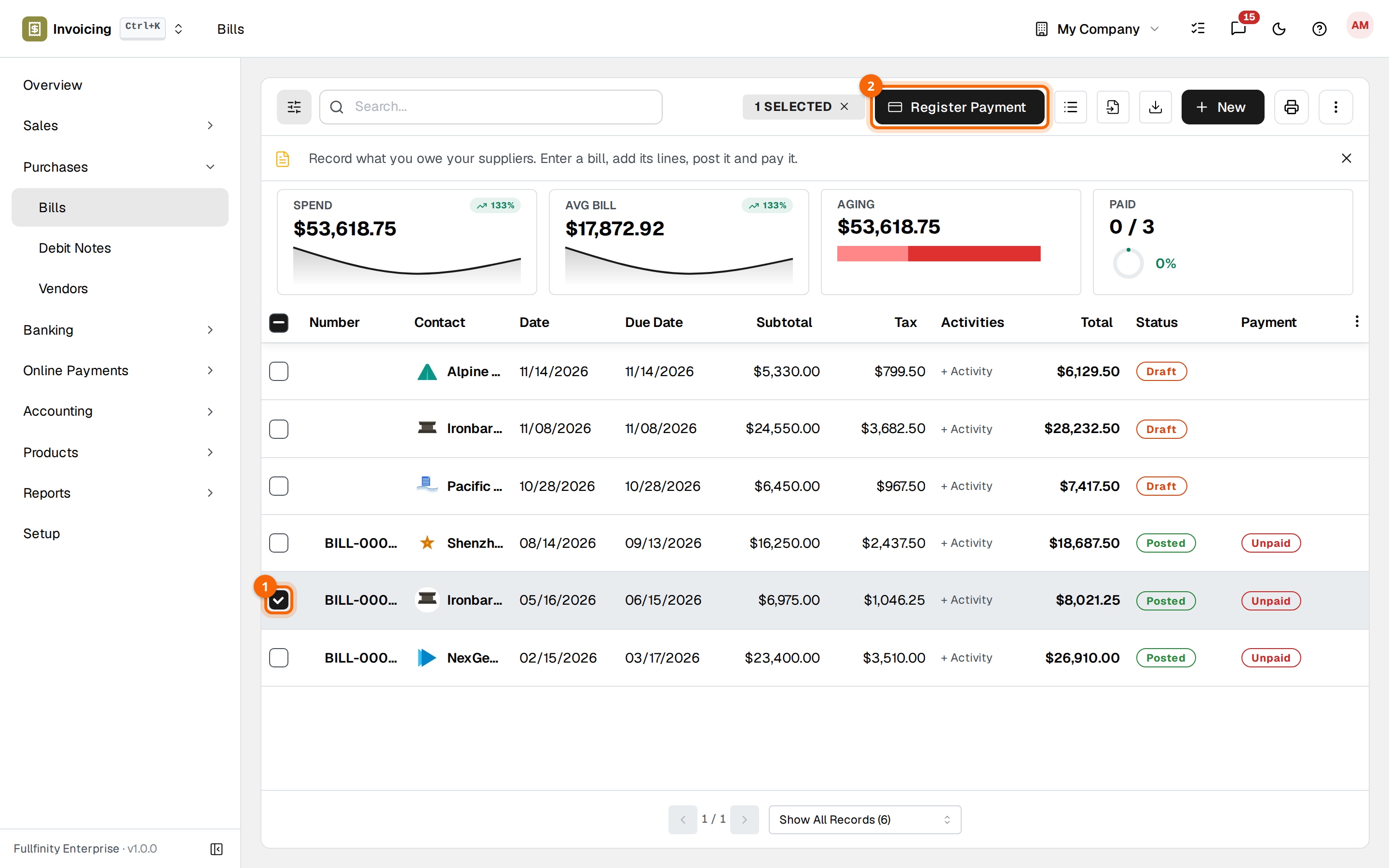
Tick a debit note from the same supplier as well and it's deducted first, so you pay only the net amount. The panel's Direction reads Pay and the supplier's name.
Was this article helpful?