How do I moderate lesson discussions?
Approve learners' comments before they appear, or mark unwanted ones as spam.
Learners can comment under every lesson. Comments are signed with the learner's own name: only signed-in learners can post, and on a course that needs enrolling, only those enrolled in it.
Hold comments for approval
In Learning → Setup, switch on Moderate Discussion (it appears while Lesson Discussion is on). New comments then wait as Pending, and the learner is told their comment will appear once it is approved. Without it, comments are Approved and appear at once.
Review comments
Open the course and go to its Discussion tab: every comment with its Author, Lesson and Status.
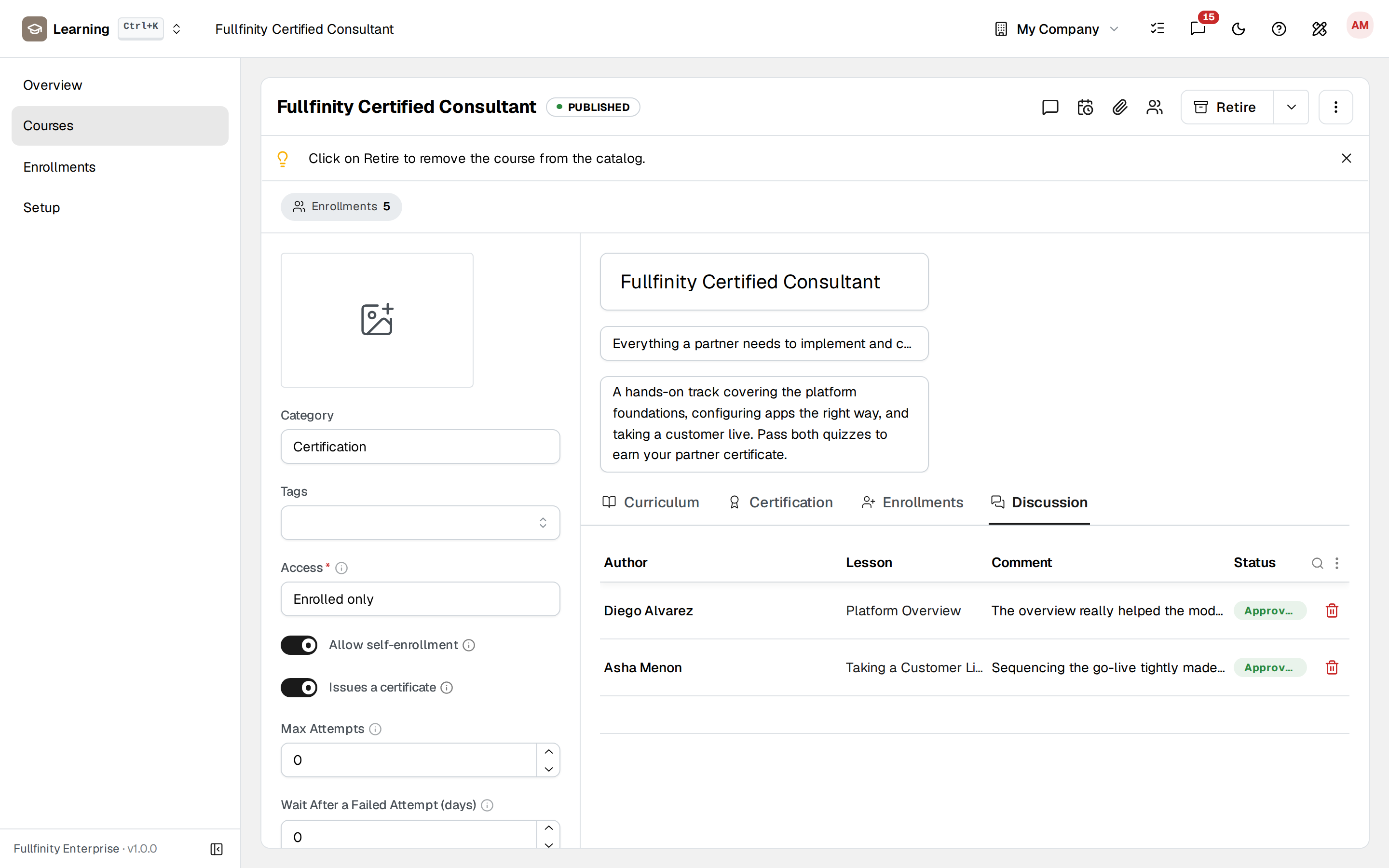
Click a comment to open it, then:
- Approve — on a pending comment. It appears under the lesson.
- Mark Spam — it is hidden from the lesson for good.
Only approved comments are shown to learners.
Was this article helpful?