How do I see how a campaign did?
Read a campaign's opens, clicks, bounces and unsubscribes, see each recipient, and compare campaigns on the Overview.
Every email a campaign sends is tracked: whether it was delivered, opened, clicked, bounced, or made the reader unsubscribe. The figures update every few minutes while people read.
On the campaign
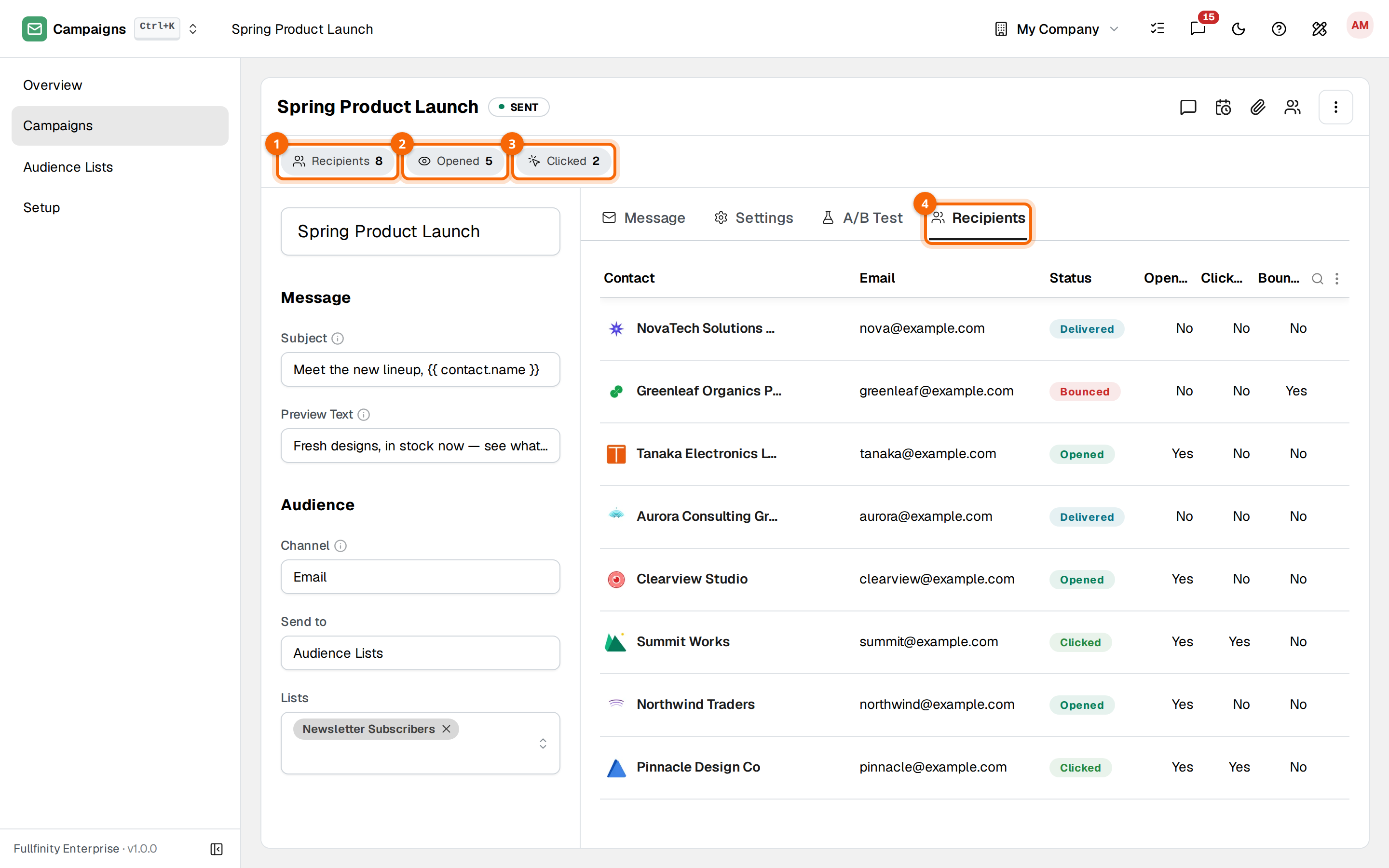
- Recipients — how many it was sent to.
- Opened — how many opened it.
- Clicked — how many clicked a link in it.
- The Recipients tab lists every person with their Status.
Click one of the buttons to open just those recipients. In that list, the Bounced, Unsubscribed, Failed and Opened or Clicked filters find the people who need attention or who engaged.
| Status | Meaning |
|---|---|
| Outgoing | Waiting in the queue. |
| Sent / Delivered | Left your mail server / reached their inbox. |
| Opened / Clicked | They opened it / clicked a link. |
| Bounced | Their mail server refused it. |
| Unsubscribed | They unsubscribed using this campaign's link. |
| Failed | It could not be sent, or the campaign was cancelled first. |
The Campaigns list shows each campaign's Open % and Click % side by side. Rates are worked out of the emails that were delivered.
All campaigns together
Go to Campaigns → Overview.
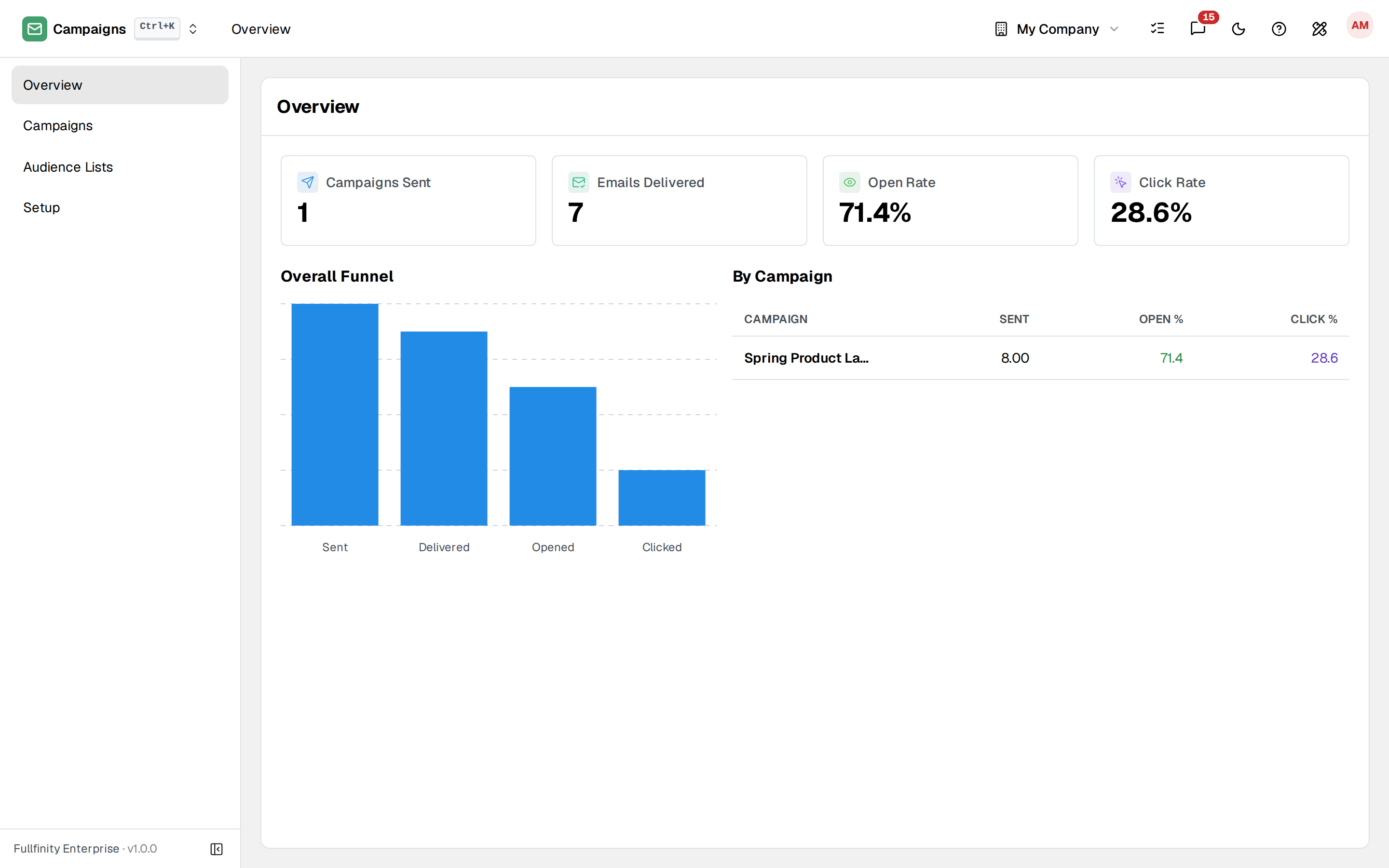
The cards add up every sent campaign. Overall Funnel shows how many emails were delivered, opened and clicked, and By Campaign compares the most recent campaigns — click one to open it.