How do I find my cards and what is overdue?
Filter a board to your cards, open or overdue ones, and see every board's cards in one list.
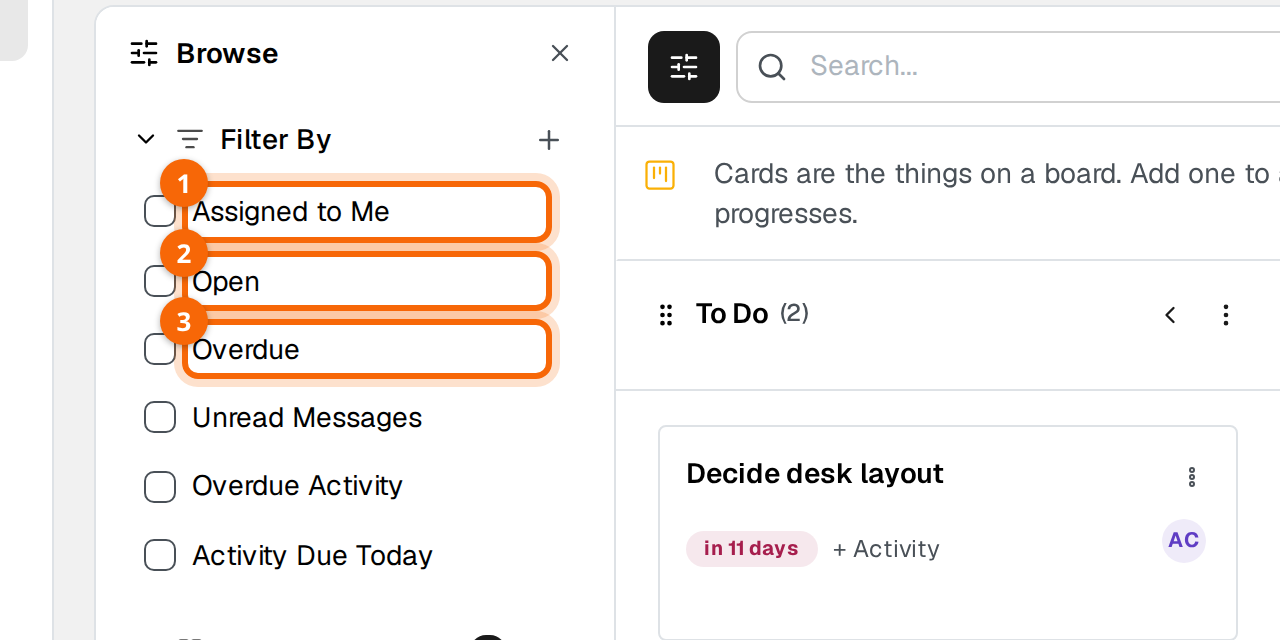
On an open board, the filters in the Browse panel — the button to the left of the search bar — narrow the cards:
- Assigned to Me — cards you are an assignee on.
- Open — cards not yet in a finishing column.
- Overdue — open cards whose due date has passed.
Switch the board to the list view to see the cards as rows with their Column, Assignees and Due Date.
In Boards → Boards, My Boards shows the boards you own or are a member of, and Team Boards those every colleague can open.
Was this article helpful?