How do I start an employee's appraisal?
Create the appraisal, start it so the employee and manager can fill it in, and invite peers.
- Go to Appraisal → Appraisals and click New.
- Choose the Employee, and the Campaign if it is part of one — the Evaluation Template then comes from the campaign; otherwise choose it. Manager is the employee's manager, from their employee record.
- Save. The appraisal is To Start.
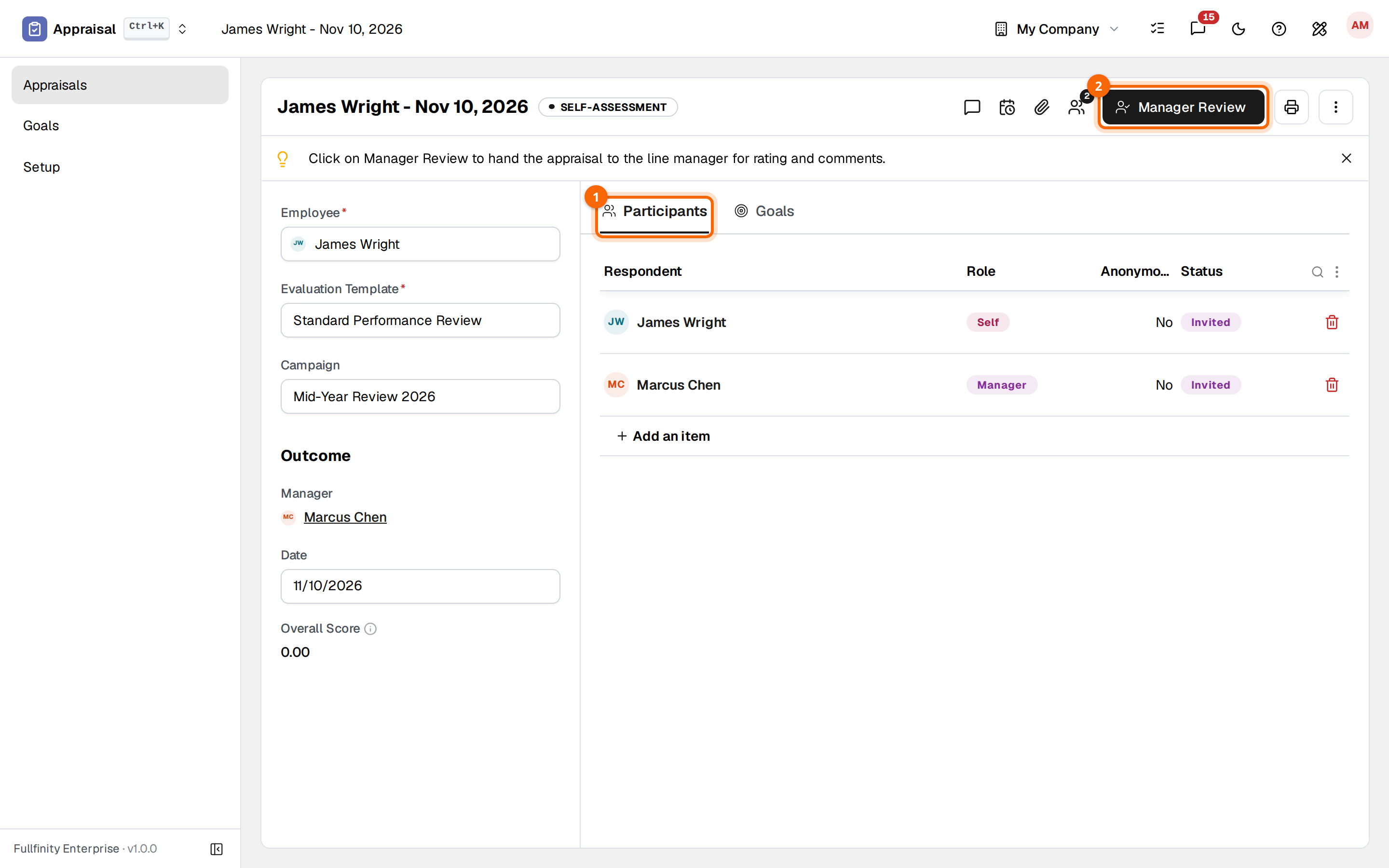
- Click Start. The employee and their manager are added as participants on the Participants tab, each with a blank answer for every question, and the appraisal moves to Self-Assessment.
Ask colleagues for feedback
On the Participants tab, add a line: the Respondent, their Role — Peer (a colleague) or Upward (someone who reports to the employee) — and whether they are Anonymous. An anonymous respondent's name is removed from their feedback the moment they submit it, so it can never be traced back to them.
Tell each participant it is their turn: they fill it in as described in How do I fill in an appraisal?
Was this article helpful?