How do I set up performance reviews?
Write the review form as an evaluation template, and group a review cycle's appraisals in a campaign.
An appraisal is one employee's review: they assess themselves, their manager reviews them, and the result is a score and a record of what was said. What the review asks comes from an evaluation template.
1. Write the evaluation template
Go to Employees → Setup and click Evaluation Templates, then New. Add one line per question on the Items tab:
- Item — the question (Quality of work delivered).
- Section — a heading to group questions under (Performance, Development).
- Type — Rating (scored 0–5), Competency (scored 0–5 against a skill — the manager's score updates the employee's skill level), or Text (a written answer).
- For a competency, the Competency — the skill it rates.
The same templates are used for interview scorecards in Recruitment.
2. Create a campaign (optional)
A campaign is a review cycle — Mid-Year Review 2026 — that collects that cycle's appraisals. Go to Appraisal → Setup and click Campaigns, then New.
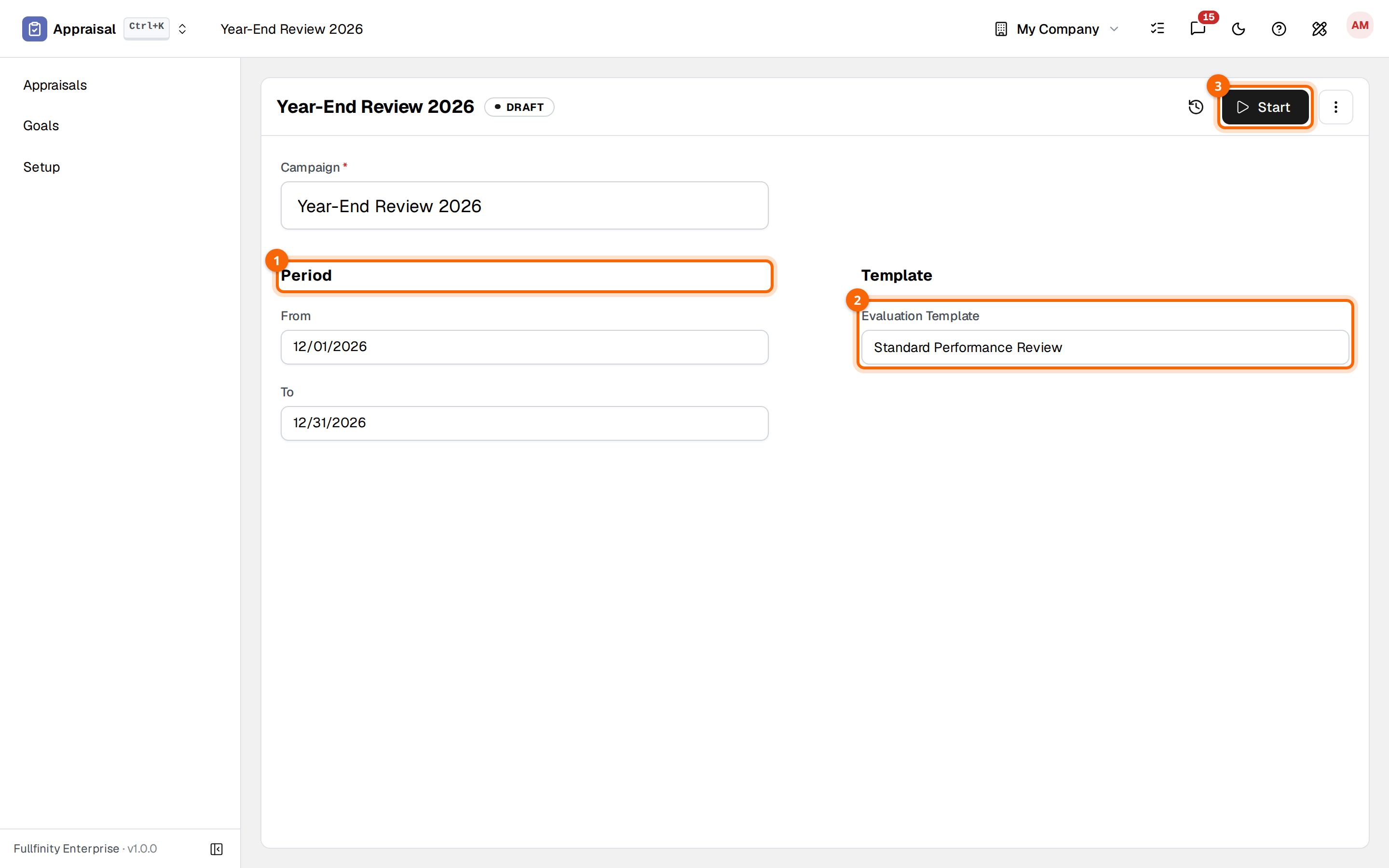
- Its period, From and To.
- Evaluation Template — every appraisal you raise under the campaign uses it, unless you choose another.
- Start when the cycle opens, and Close when it is over.
Was this article helpful?