How do I fill in an appraisal?
Answer an appraisal's questions one at a time — as the employee, the manager or a colleague.
Whether you are reviewing yourself, someone who reports to you or a colleague, you fill in the appraisal the same way.
- Go to Appraisal → Appraisals and open the appraisal. You see only the ones you take part in.
- On the Participants tab, open your own line (its Status is Invited).
- Click Fill Evaluation.
- The questions come one at a time, under their section. Give a Rating from 0 to 5, or type your Answer. Click Next, or Back to change an earlier one.
- On the last question, click Submit. Your status becomes Submitted.
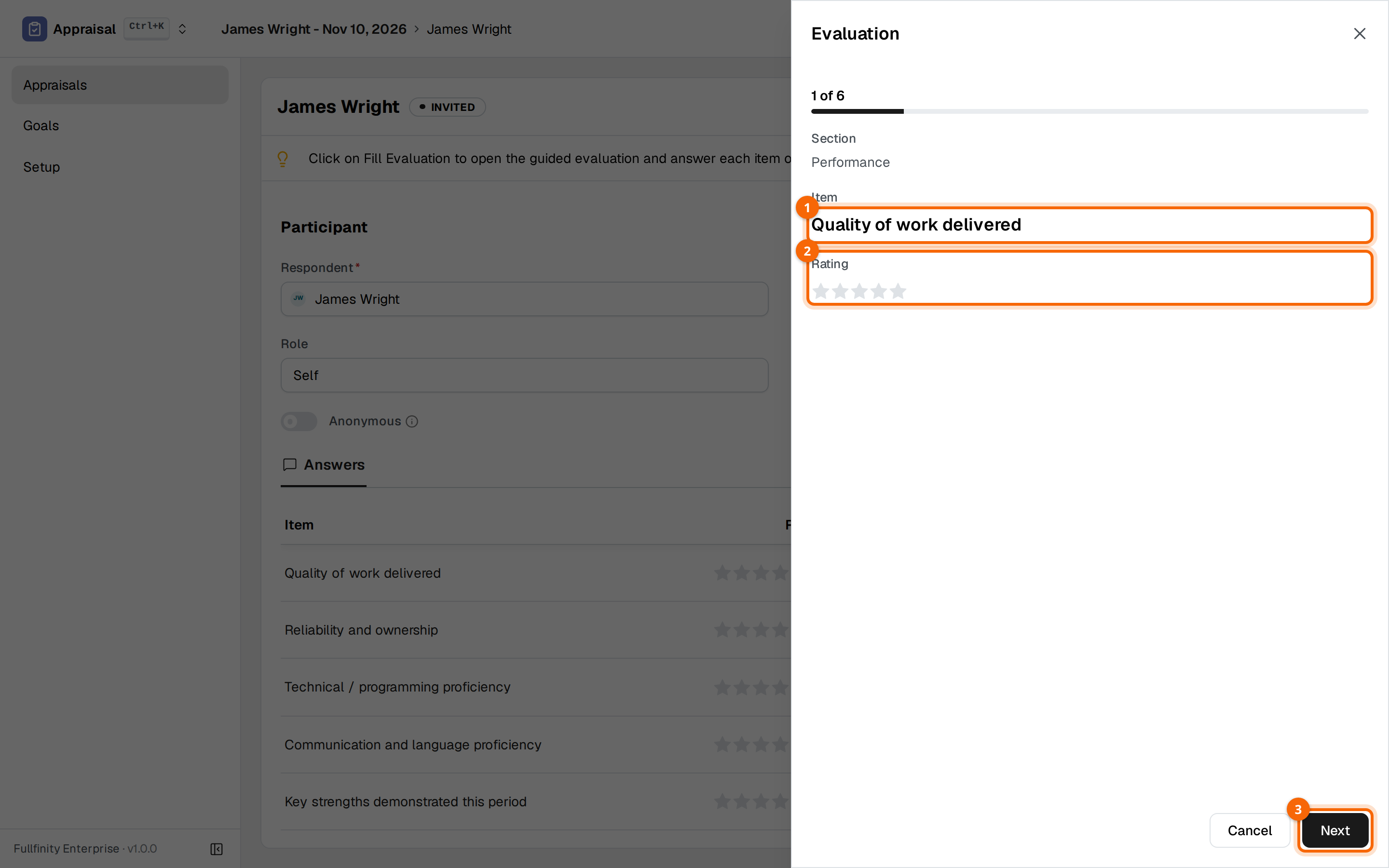
Your answers are saved as you go, so you can close the window and come back. After you submit, they can't be changed.
Was this article helpful?