What do the invoice statuses mean?
Understand Draft, Posted and Cancelled — and the Unpaid / Partially Paid / Paid payment status.
Every invoice carries two status badges at the top: where it is in its life, and how much of it has been paid. They also explain why a button appears or disappears.
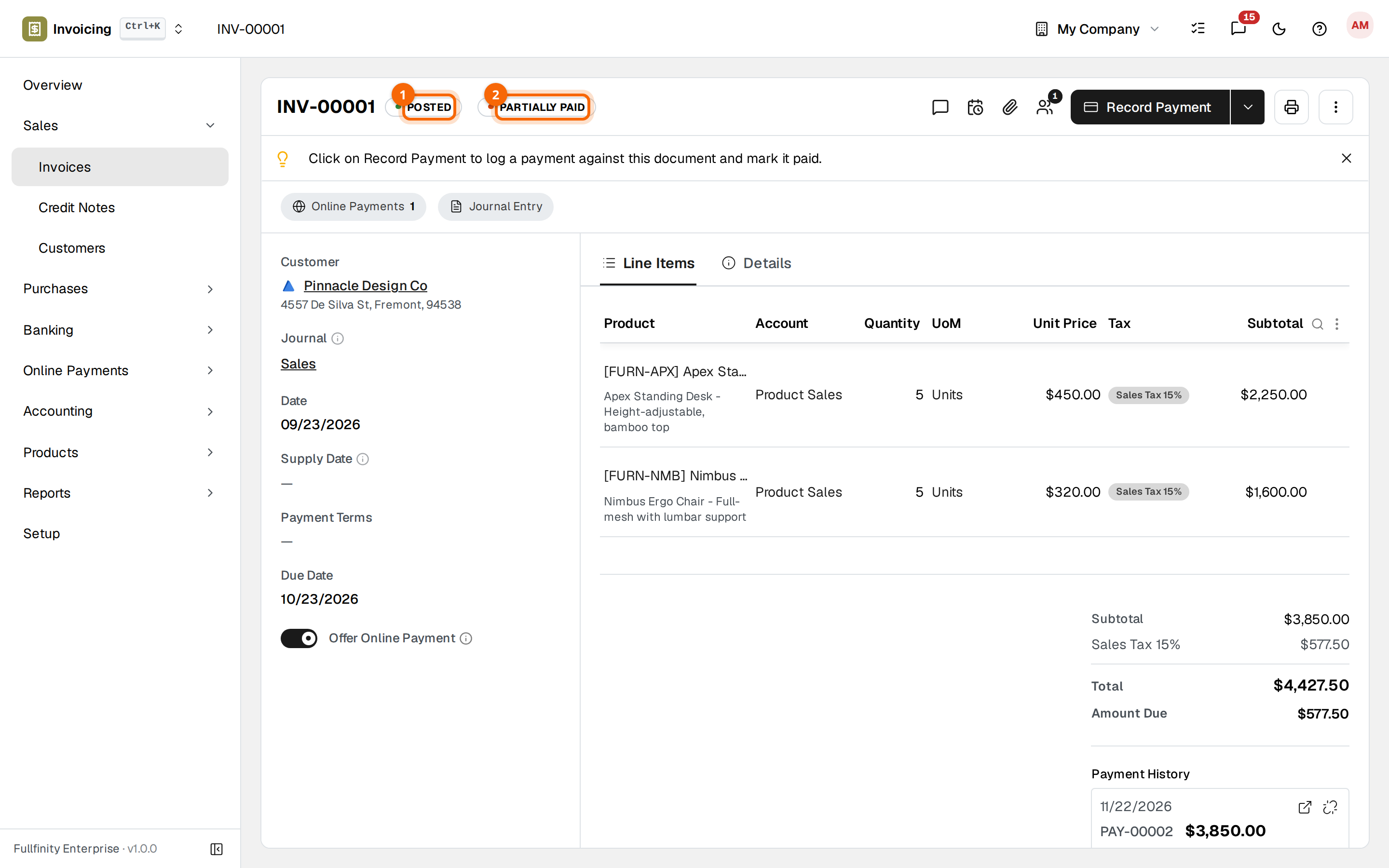
1. The document status
| Status | What it means | Can you edit it? |
|---|---|---|
| Draft | A work in progress. No number, nothing recorded in your accounts. | Yes — freely. |
| Posted | Final. It has its number and a journal entry. | No — only its Terms & Conditions. |
| Cancelled | Voided. Its journal entry is cancelled, so it no longer counts. | No — use Reset to Draft first. |
2. The payment status
Once an invoice is Posted, a second badge tracks payment:
| Payment status | Meaning |
|---|---|
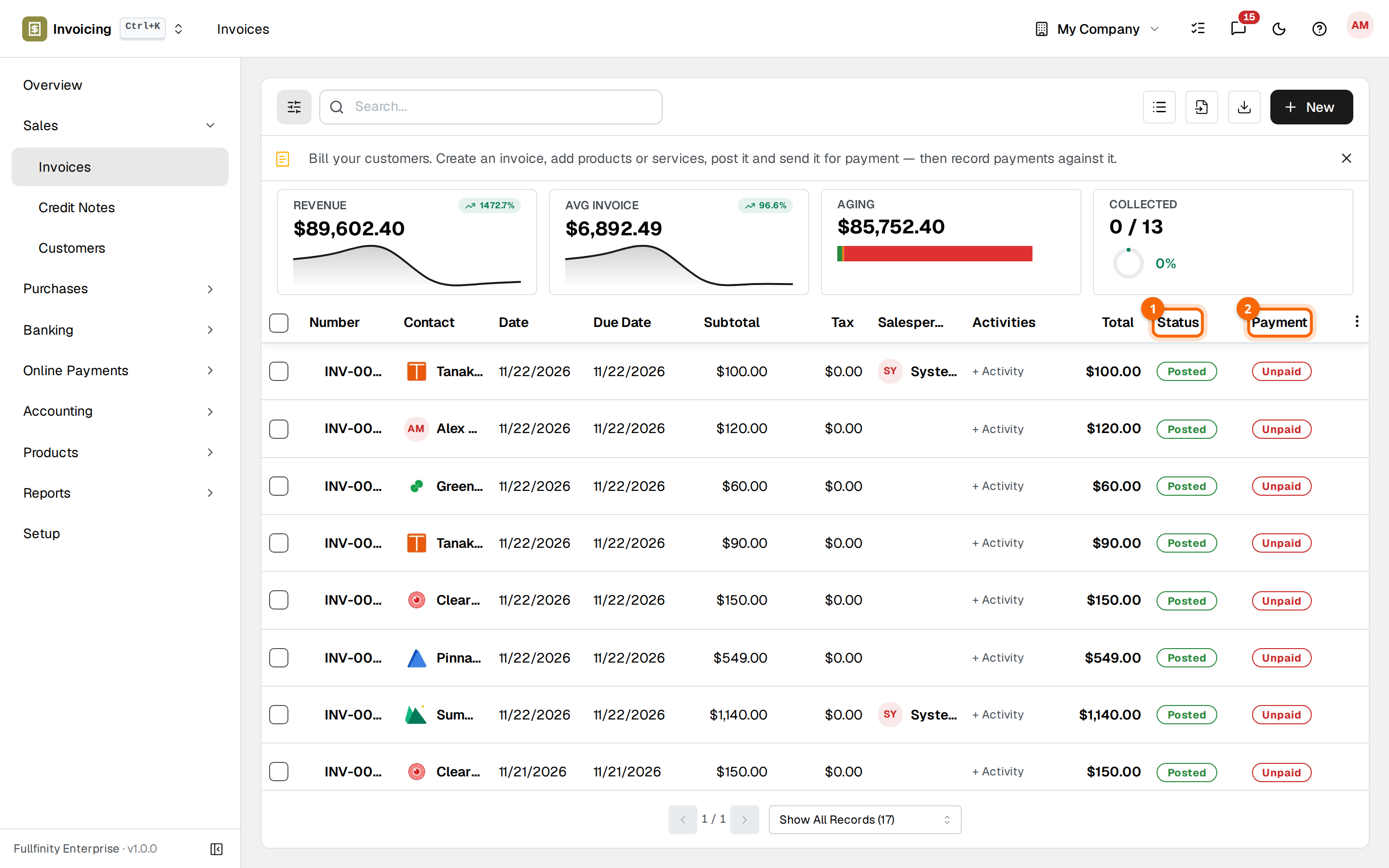
| Unpaid | Nothing received yet. |
| Partially Paid | Some of the balance has been paid or credited; Amount Due shows what's left. |
| Paid | Settled in full. |
The invoice list shows both as coloured badges in the Status and Payment columns — orange for Draft and Partially Paid, green for Posted and Paid, red for Unpaid and Cancelled.
Which buttons appear, and when
| You'll see… | …when the invoice is |
|---|---|
| Post | Draft |
| Record Payment | Posted and not yet Paid |
| Send | Posted (customer invoices and credit notes) |
| Create Credit Note | Posted (customer invoices) |
| Cancel | Saved and not already Cancelled |
| Reset to Draft | Cancelled |
Buttons beyond the main one are in the menu beside it — click the arrow.
Related: Why can't I change a posted invoice?
Was this article helpful?