How do I turn survey responses into CRM leads?
Create a lead from every completed response, filled in from the answers.
With the CRM app installed, a survey can create a lead for every completed response — a "contact us" form, a product interest questionnaire, an event follow-up. The lead's fields are filled in from the answers you choose.
- On the survey, switch on Create CRM lead from responses.
- Open each question whose answer belongs on the lead. On its Logic tab, pick where it goes in Map answer to CRM lead field: Lead Name, Contact Name, Email, Phone or Notes.
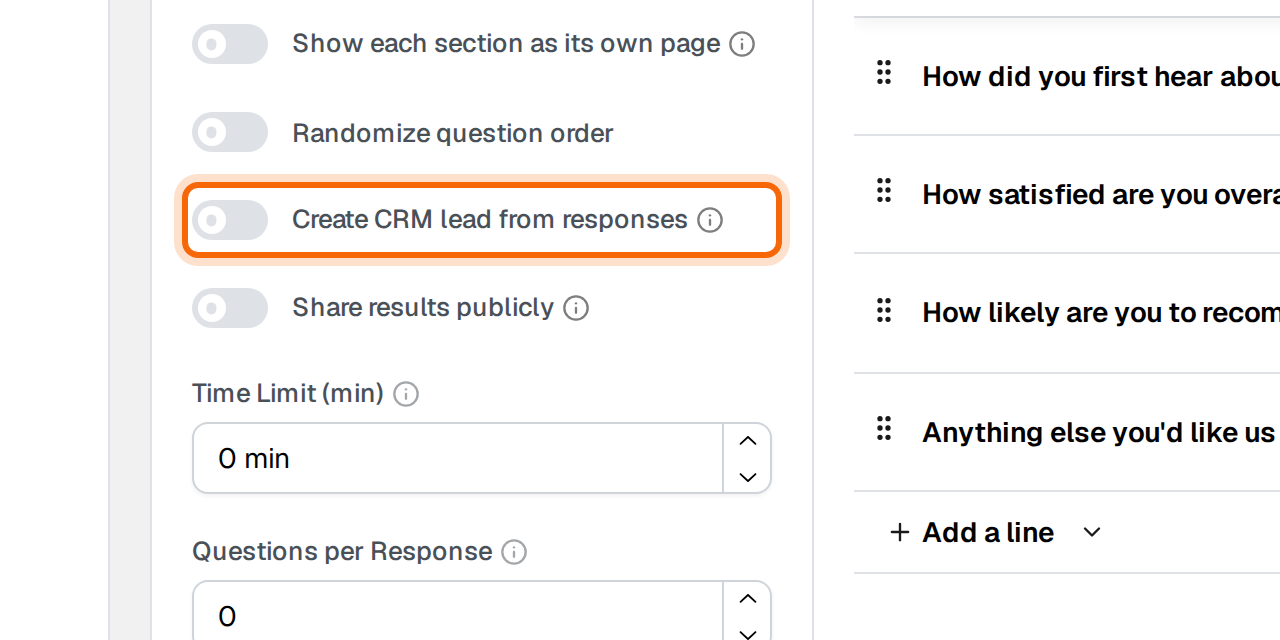
What the lead gets
- Each mapped answer goes into its field. Answers mapped to Notes are written into the lead's description, each after its question.
- Without a Lead Name answer, the lead is named after the contact name, or Survey: and the survey's title.
- An invited respondent's email is used when no answer is mapped to Email.
The leads appear in your CRM pipeline like any other. Each response shows the lead it created under Generated Lead.
Was this article helpful?