How do I set up a recurring invoice, bill or journal entry?
Have Fullfinity create the same invoice, bill or journal entry every week, month or year — and pause, stop or run it early.
A recurring entry is a template plus a schedule: a monthly subscription invoice, the rent bill, a depreciation journal entry. Fullfinity creates each one on its date.
1. Create the template
- Go to Accounting → Recurring Entries and click New. Give it a name.
- Document Type — what to create: Customer Invoice, Vendor Bill, Credit Note, Debit Note or Journal Entry.
- Contact — the customer or vendor (not used for a journal entry). Set Payment Terms and Tax Rule if they apply.
- On Line Items, add the lines: products, quantities and prices for a document, or accounts with Debit and Credit for a journal entry.
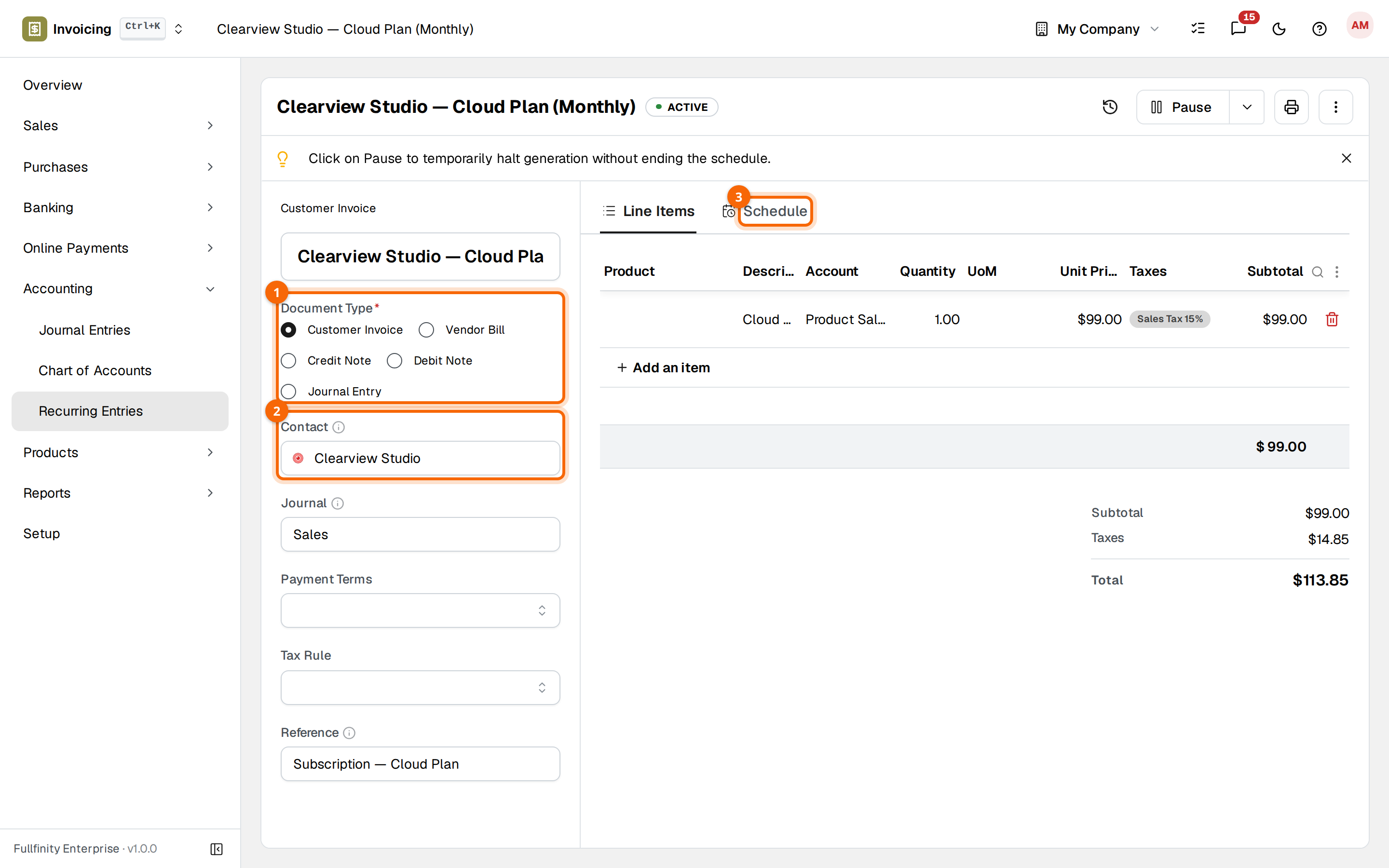
Reference is copied onto every document it creates (it defaults to the name), and Narration onto every journal entry.
2. Set the schedule
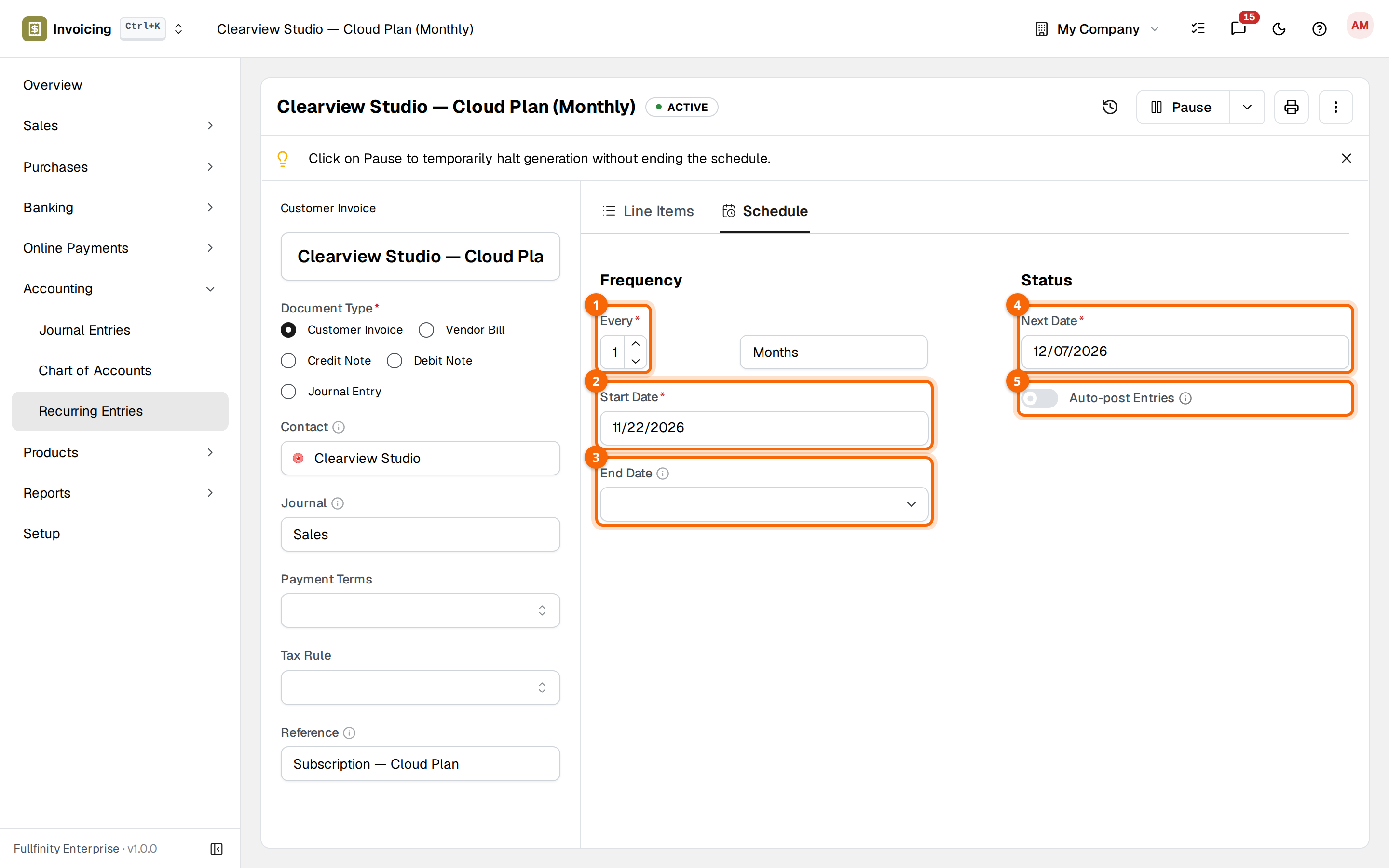
On the Schedule tab:
- Every — how often: a number and Days, Weeks, Months or Years (e.g. every 1 Months).
- Start Date — the first occurrence. Later ones fall on the same day of the period.
- End Date — optional; leave it empty to repeat until you stop it.
- Next Date — when the next one will be created.
- Auto-post Entries — on, each one is posted straight away; off, it's created as a draft for you to check and post.
3. Start it
Click Start. The status changes from Draft to Active, and Fullfinity creates each entry on its Next Date — once a day it catches up on every date that has come due, even ones it missed.
Run, pause or stop it
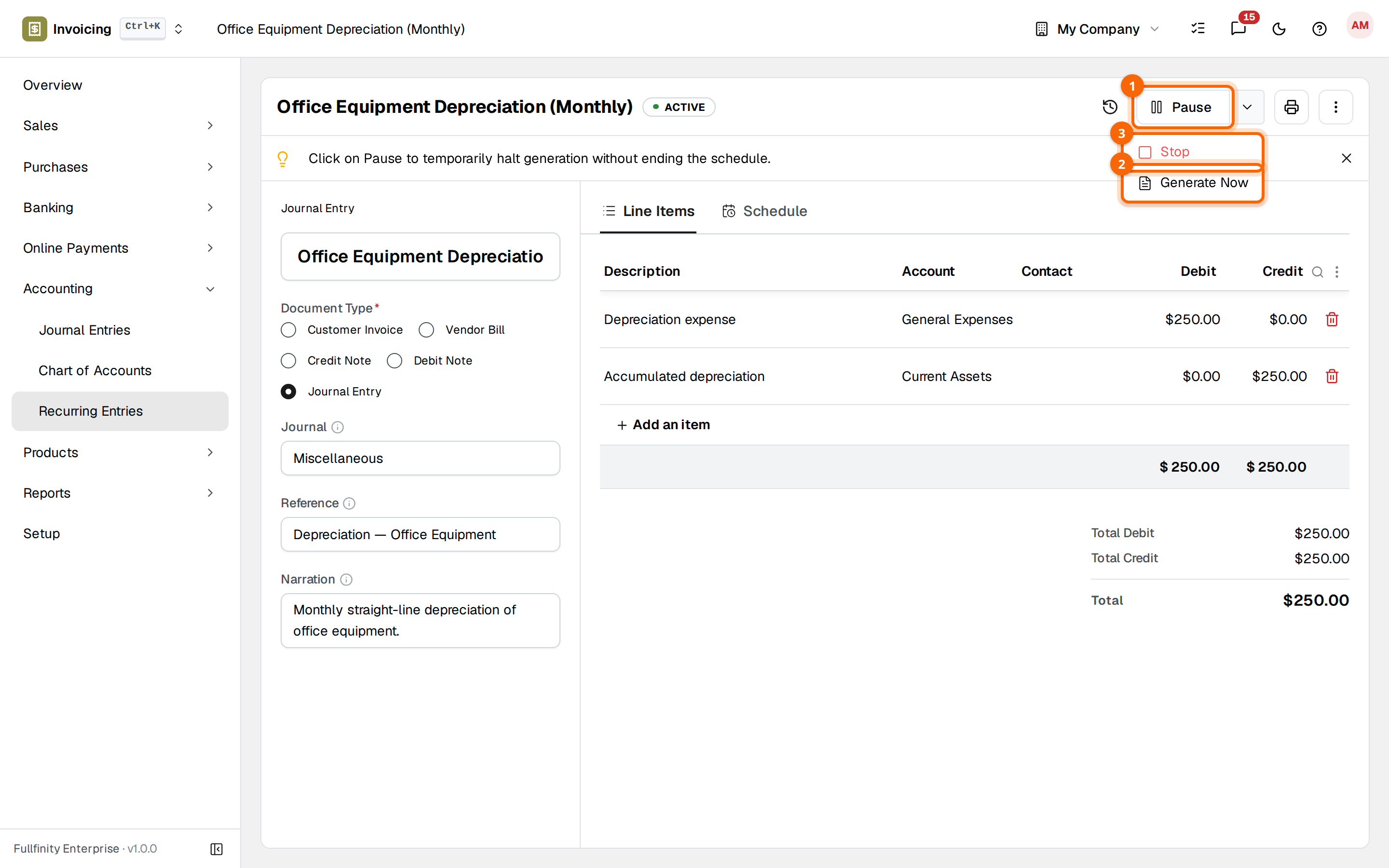
- Pause — stop creating entries for now; Resume picks up again.
- Generate Now — create the next one straight away and open it.
- Stop — end the schedule for good (status Done). It also stops by itself after its End Date. Reset to Draft reopens a finished schedule.
The Entries Generated button lists everything it has created, and Last Generated shows when it last ran. If an entry can't be created (for example a rate is missing), the schedule keeps trying each day and writes a note in its messages saying why.