How do I see who owes me and whom I owe?
Run Aged Receivables and Aged Payables to see each customer's and supplier's open balance, split by how overdue it is.
Aged Receivables lists what each customer owes you; Aged Payables what you owe each supplier. Both split every balance by how long it has been overdue, so you can see at a glance whom to chase and what to pay first.
Run the report
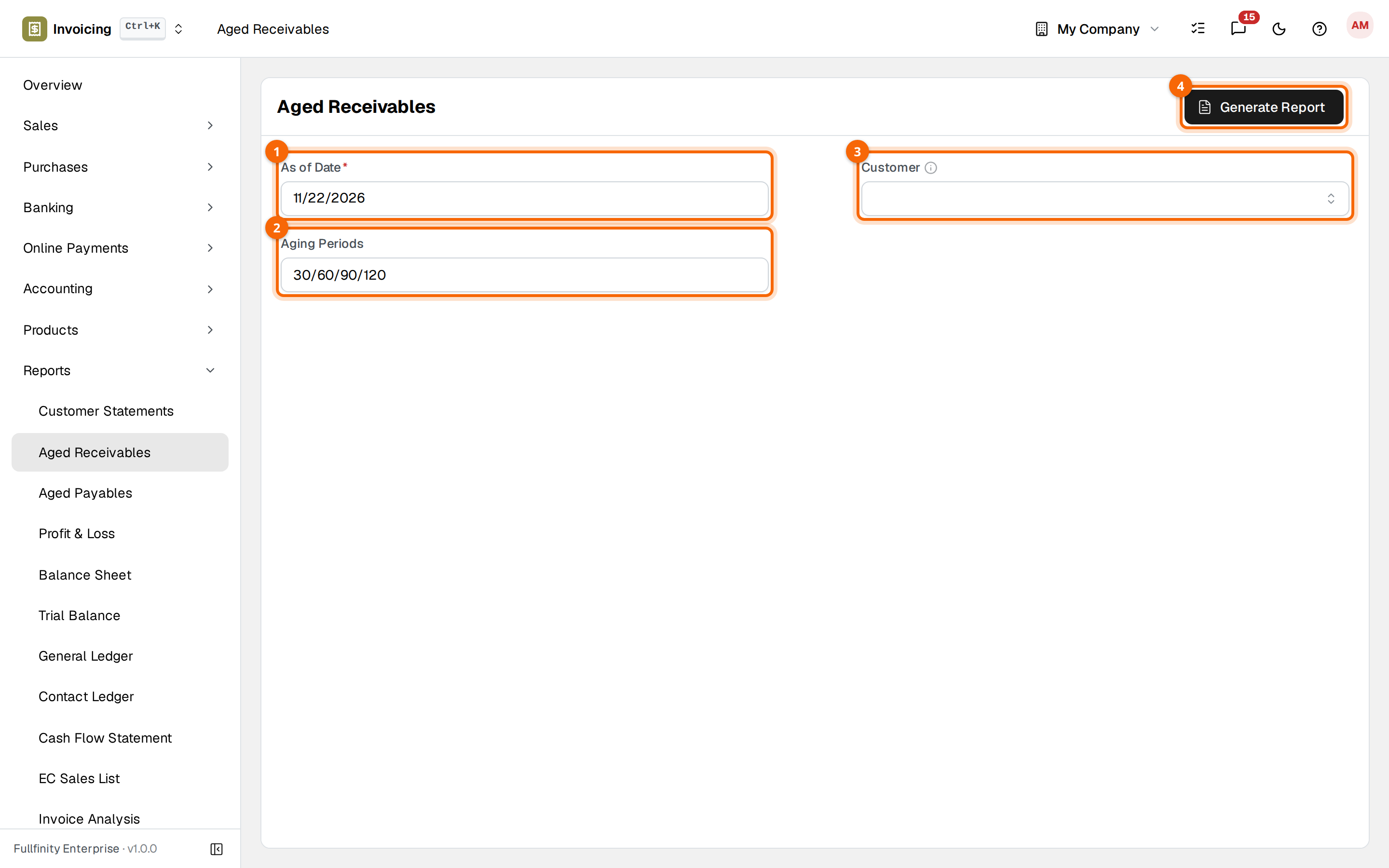
- Go to Reports → Aged Receivables (or Reports → Aged Payables).
- As of Date — the day to age the balances to. It starts as today; set an earlier date to see the position then.
- Aging Periods — the columns: 30/60/90/120, 30/60/90 or Monthly.
- Customer (or Vendor) — leave it empty for everyone, or pick one.
- Click Generate Report. The report is produced as a PDF.
Reading it
Each row is a customer (or supplier) with their total and how it splits:
| Aging Periods | Columns |
|---|---|
| 30/60/90/120 | Current, 1-30 Days, 31-60 Days, 61-90 Days, 91-120 Days, 120+ Days |
| 30/60/90 | Current, 1-30 Days, 31-60 Days, 61-90 Days, 90+ Days |
| Monthly | Current, 1 Month, 2 Months, 3 Months, 4+ Months |
- An amount ages from its due date — Current means not yet due.
- Payments and credits not yet set against a specific invoice are taken off the oldest amounts first. Credit beyond everything owed shows as a negative Current amount.
- Amounts are in your company currency, and the total equals the balance of your receivable (or payable) accounts.
Was this article helpful?