How do I reorder automatically (replenishment rules)?
Set a minimum and maximum for a product so stock is topped up whenever it runs low.
A replenishment rule keeps a product between a minimum and a maximum at one location. When stock drops below the minimum, Fullfinity tops it back up to the maximum.
Create a rule
- Go to Inventory → Inventory Control → Replenishment Rules and click New.
- Choose the Product (1) and the Location (2) to keep stocked.
- Set the Minimum Quantity (3) — the reorder point — and the Maximum Quantity (4) to order up to.
- Optionally set a Quantity Multiple (5) to order in whole cartons (e.g. 10), and the expected Lead Time (days).
- Choose the Replenishment Method: Buy raises a purchase order to the product's vendor, Manufacture a manufacturing order, and Transfer moves stock from another location. It's offered when more than one method is available — Buy comes with the Purchase app, Manufacture with the Manufacturing app — and a new rule buys when Purchase is installed.
- For a Transfer rule, set the Source Location to take the stock from (it needs Storage Locations or Multi-Warehouses switched on).
- Click Save.
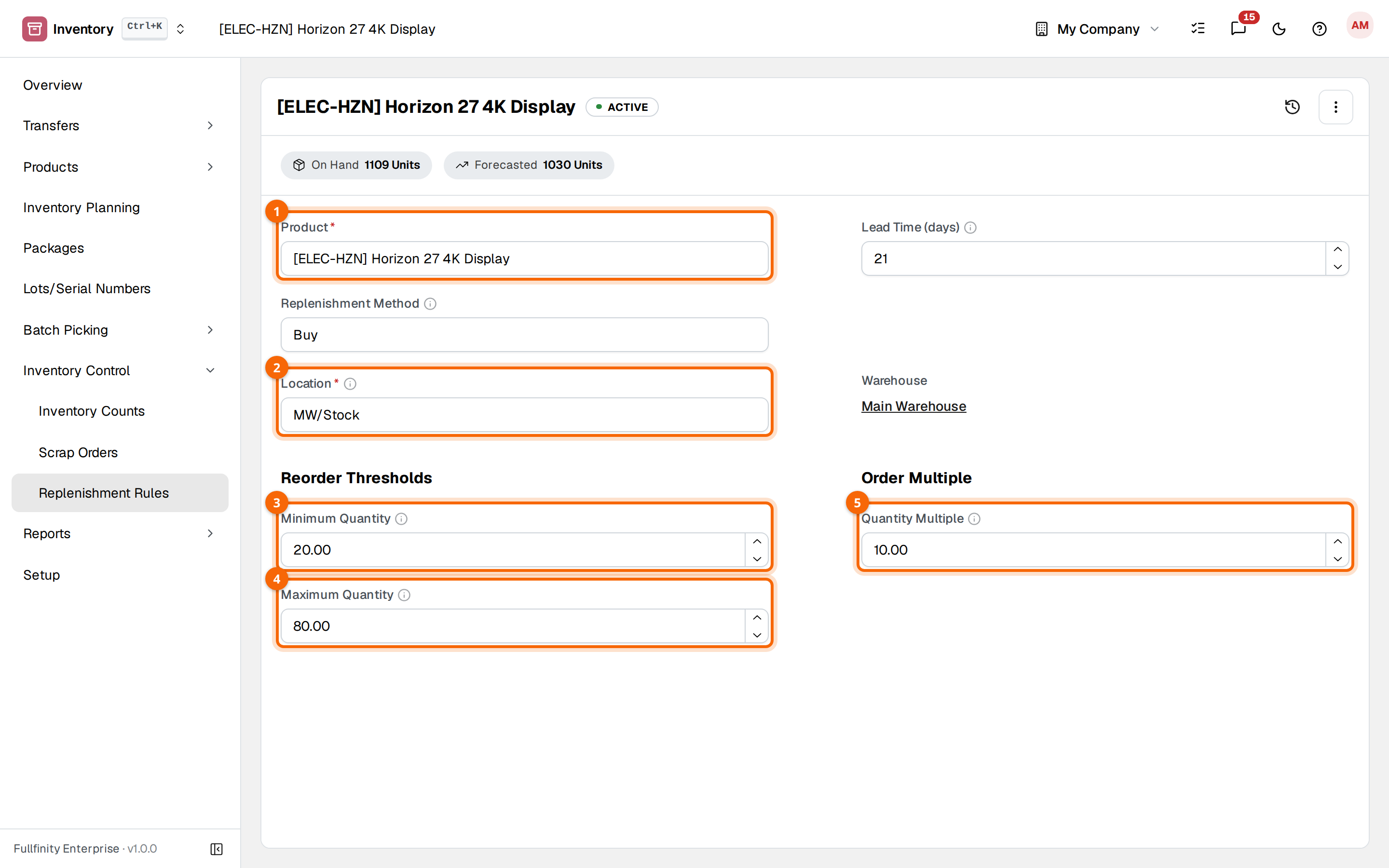
The buttons at the top show the On Hand quantity at the location and the Forecasted quantity: on hand, plus what is on its way in, minus what is due to leave. When a top-up is due, To Order shows how much will be topped up.
How the order is placed
- A scheduled job checks every rule once a day and tops up each one whose forecasted quantity is below its minimum.
- To top up straight away, open the rule and click Run Replenishment. It appears when stock on hand is below the minimum; if what is already on its way covers it, you're told there is nothing to order.
- The quantity is the maximum minus the forecasted quantity, rounded up to the Quantity Multiple. With 12 on hand, nothing on order, a maximum of 80 and a multiple of 10, it orders 70.
- What is on its way counts: open purchase orders (including requests for quotation not yet confirmed), manufacturing orders and incoming transfers. So a rule doesn't order again while its last order is still to arrive.
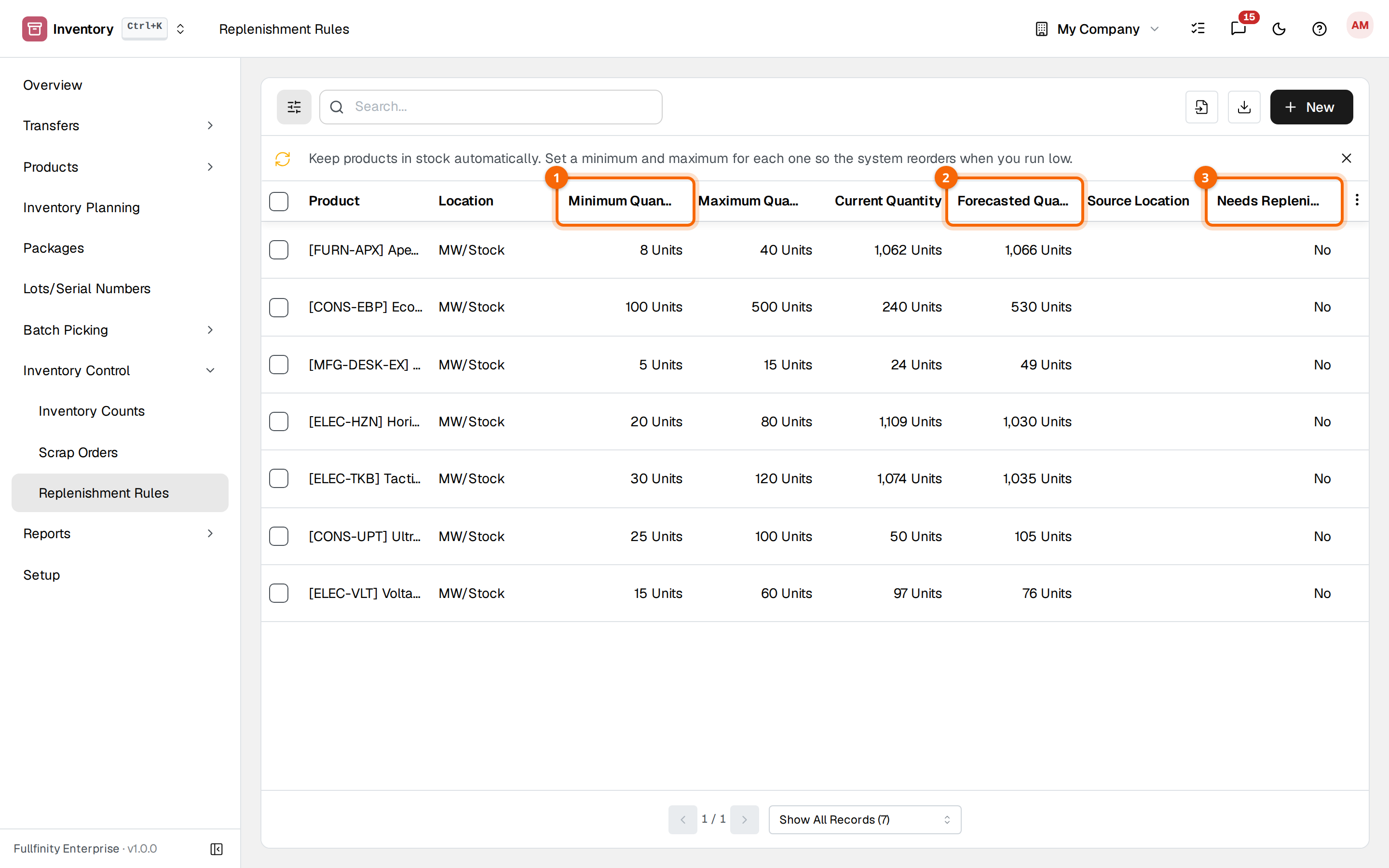
The list shows every rule's Minimum Quantity, Forecasted Quantity and whether it Needs Replenishment, so you can spot what is about to be reordered.
Was this article helpful?