How do I sell products as kits?
Sell a bundle as one product while the warehouse picks and ships its individual components.
A kit is a bundle — say, a desk set made of a desk, a chair and a lamp — that you sell as one product. The kit itself is never stocked: when it's ordered, the delivery lists its components, and stock is taken from each of them.
1. Mark the product as a kit
- Open the product (or create one) in Inventory → Products → Products.
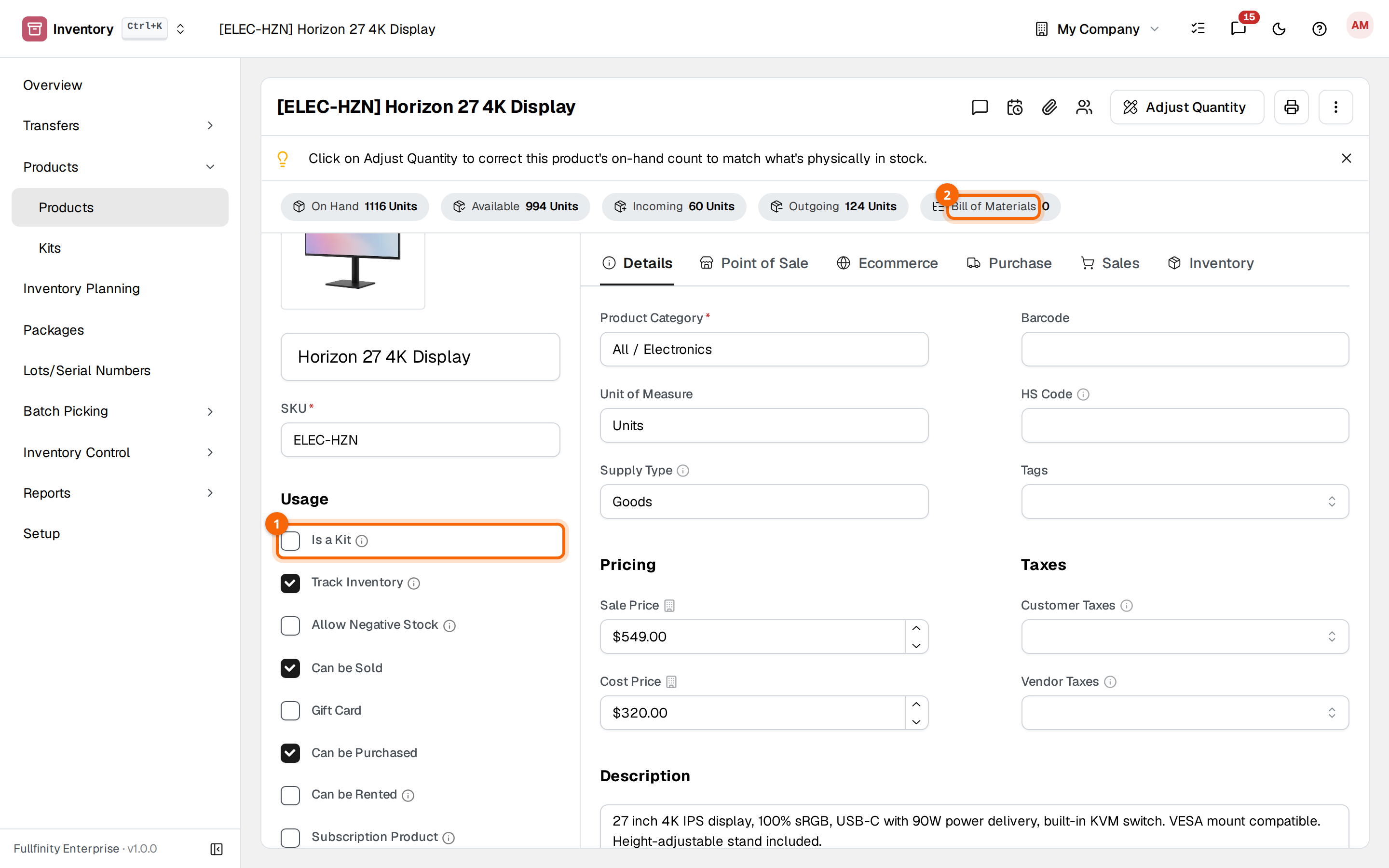
- Under Usage, tick Is a Kit (1) and click Save. A kit doesn't track its own inventory, so Track Inventory is hidden.
2. Say what's in it
- Click Bill of Materials (2) on the product, or go to Inventory → Products → Kits and click New.
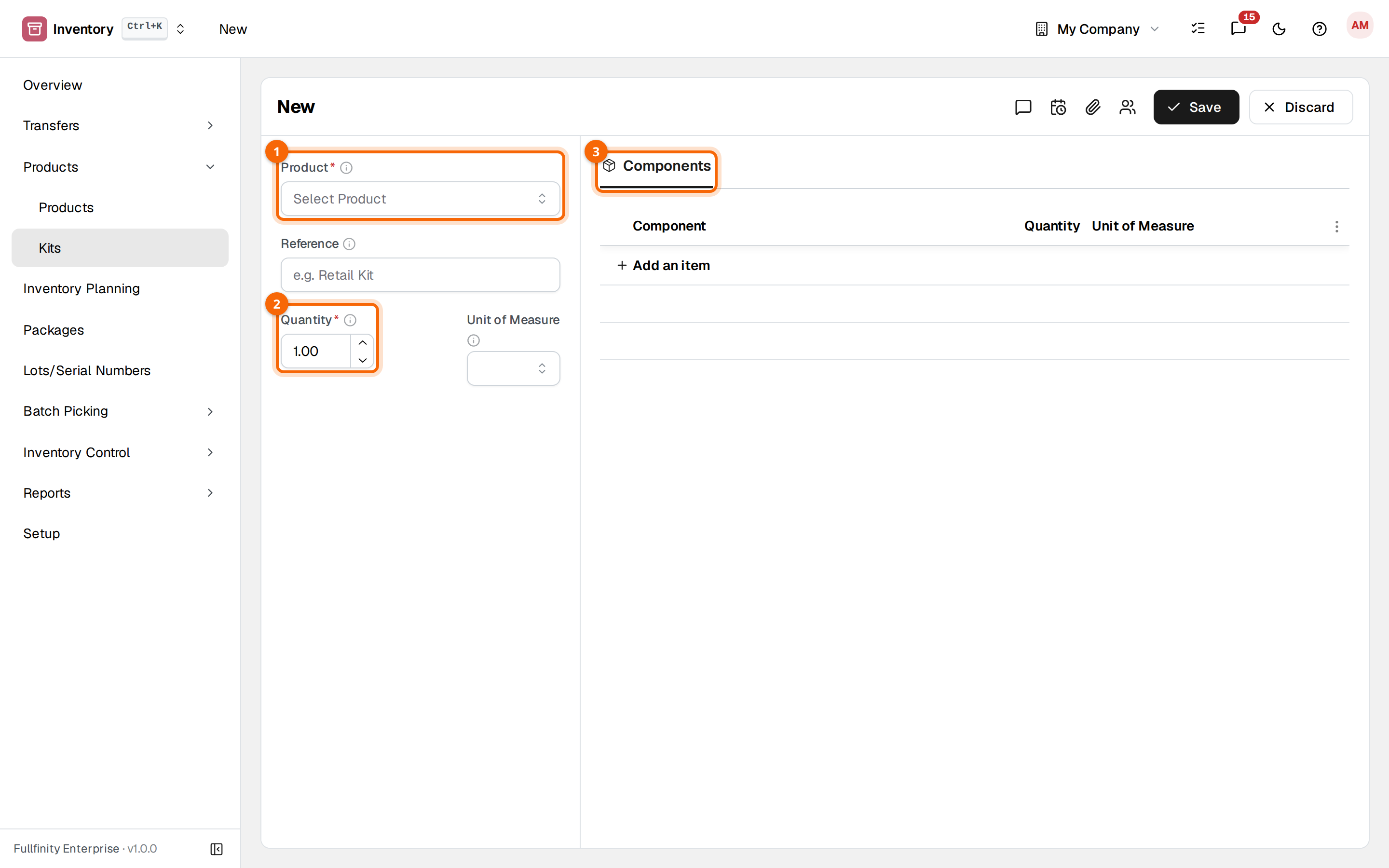
- Choose the kit Product (1) and the Quantity (2) of kits this list makes — usually 1.
- On the Components tab (3), add each Component with its Quantity.
- Click Save.
What happens when you sell it
- The kit's Available quantity is how many complete kits your components can make right now.
- Confirming a sales order for the kit creates a delivery with the components, not the kit.
- A customer return of the kit puts its components back in stock.
Was this article helpful?