How do I invoice a field service job?
Bill the customer for a job's billable parts and labor, and what to do if a billed job has to be cancelled.
A job can be invoiced once the technician is on site or the job is done.
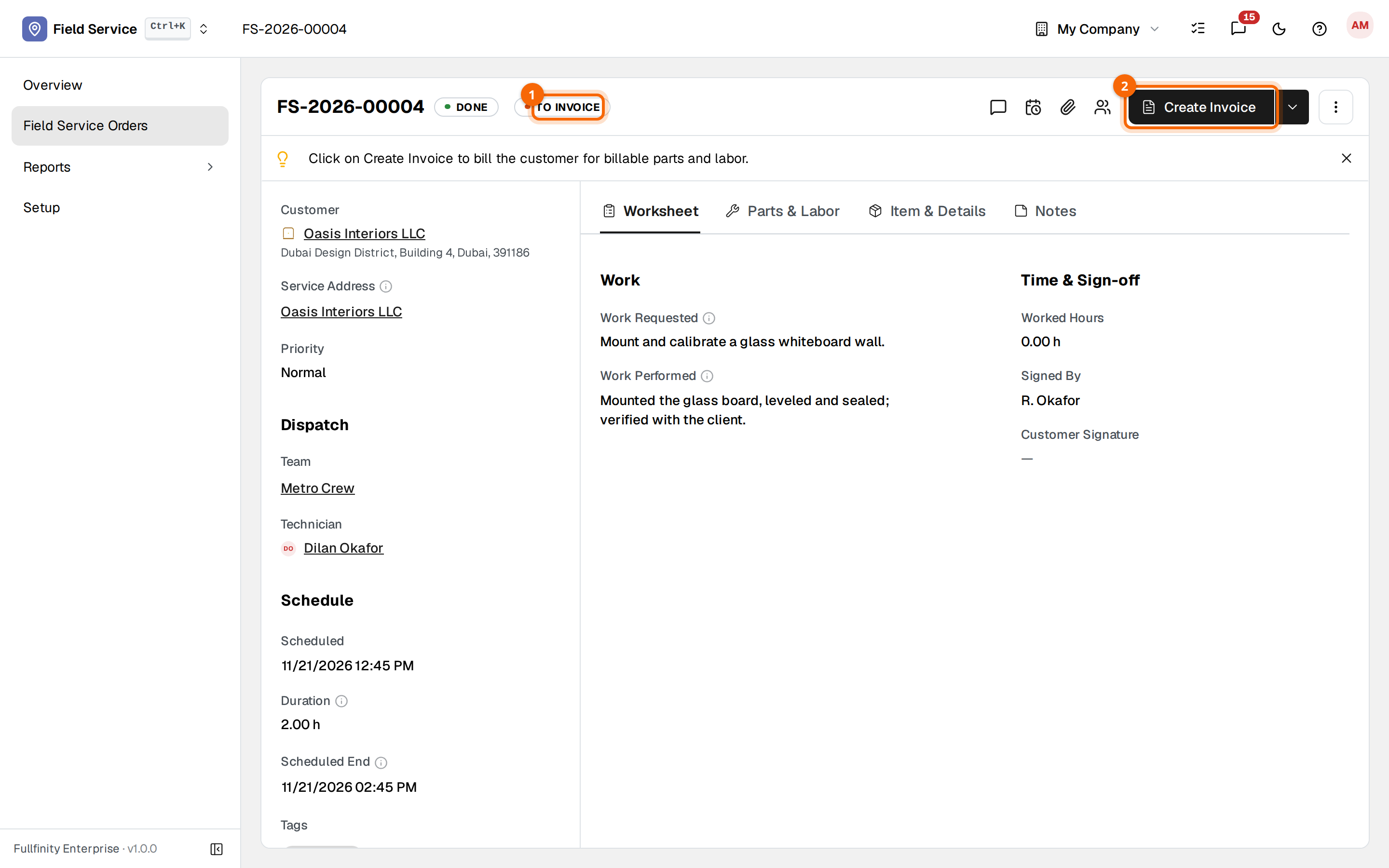
- Open the job. Its invoice status reads To Invoice (1).
- Click Create Invoice (2). A draft customer invoice opens with each billable line, its price, discount and taxes, and the job's reference.
- Post and send the invoice as usual. When it is posted, the job reads Fully Invoiced.
The invoice statuses are the same as a repair's: Nothing to Invoice, To Invoice, Fully Invoiced and No Charge (nothing billable). While the invoice is a draft, Create Invoice won't bill the same lines again — open it from the Invoices button.
Cancel a job
Click Cancel to call a job off, even one that is done: the parts it used go back into stock. A job that has been invoiced can't be cancelled until its invoice is cancelled. Reset to Draft brings a cancelled job back.
Was this article helpful?