How do I choose who can use a kind of record?
Give user groups permission to read, change, create or delete records of a model.
Every kind of record says which user groups may read, change, create and delete it. A model you created starts open to administrators and internal users; narrow or widen that here.
- Open the model in the Builder (any of its screens) and click Access Rights in the toolbar.
- The table lists each Group with Read, Write, Create and Delete. Tick or untick them on rows marked Custom.
- To give another group access, click Add Access Rights, choose the Group, tick what it may do and click Add.
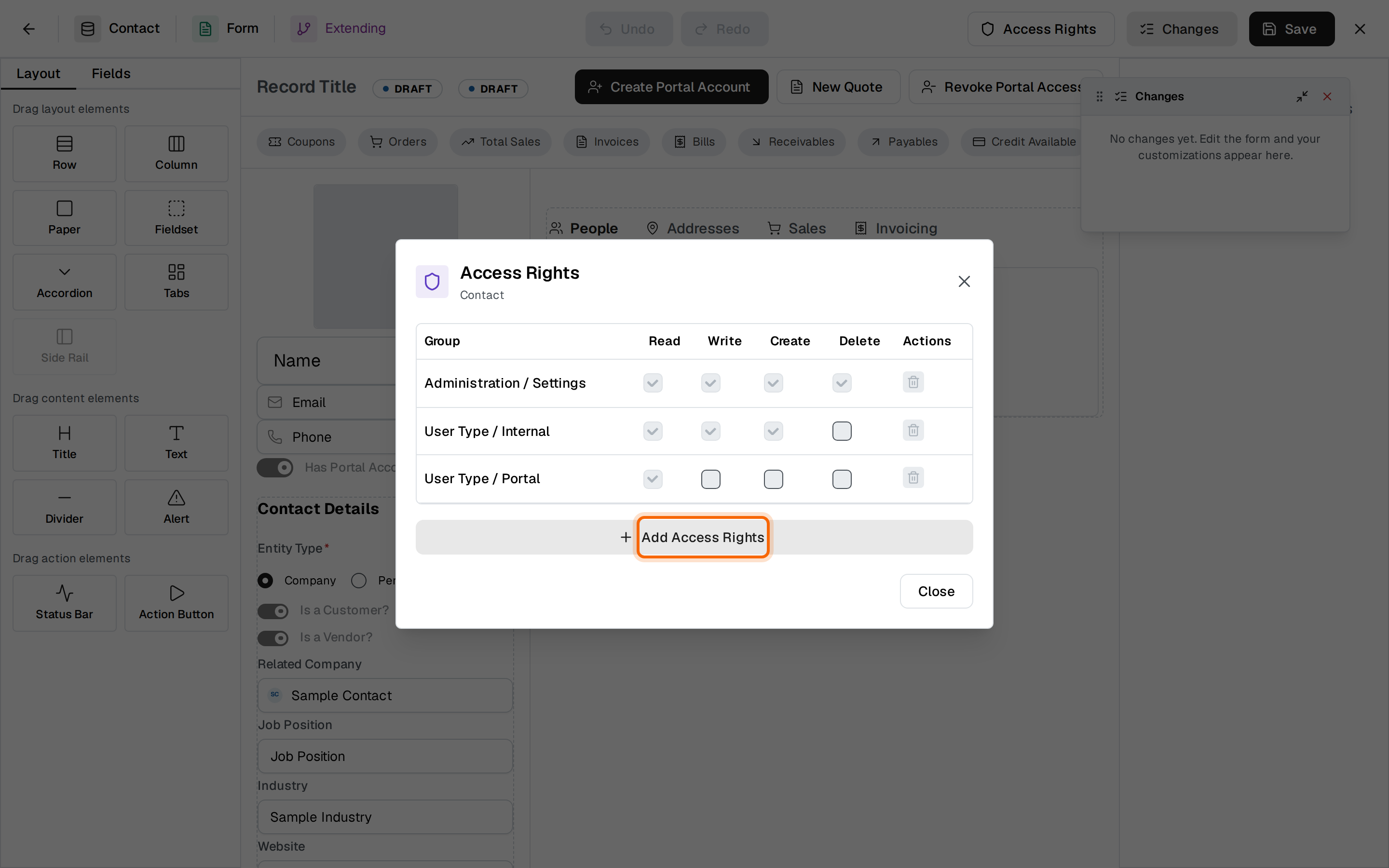
The product's own access rights are shown for reference and can't be removed here. A group with no row has no access at all.
Was this article helpful?