How do I track income and costs by department, project or location?
Switch on Dimensions, set up dimensions such as Departments or Projects and their values, split invoice lines across them and read the Dimension Report.
Dimensions let you see where money comes from and goes to beyond your chart of accounts — by department, project, location, cost center or anything else. You split invoice, bill and journal lines across a dimension's values, and the Dimension Report totals them.
1. Switch on Dimensions
- Click Setup and stay on the Invoicing tab.
- Under Features, switch on Dimensions.
- Click Save. Fullfinity installs Dimensions and reloads.
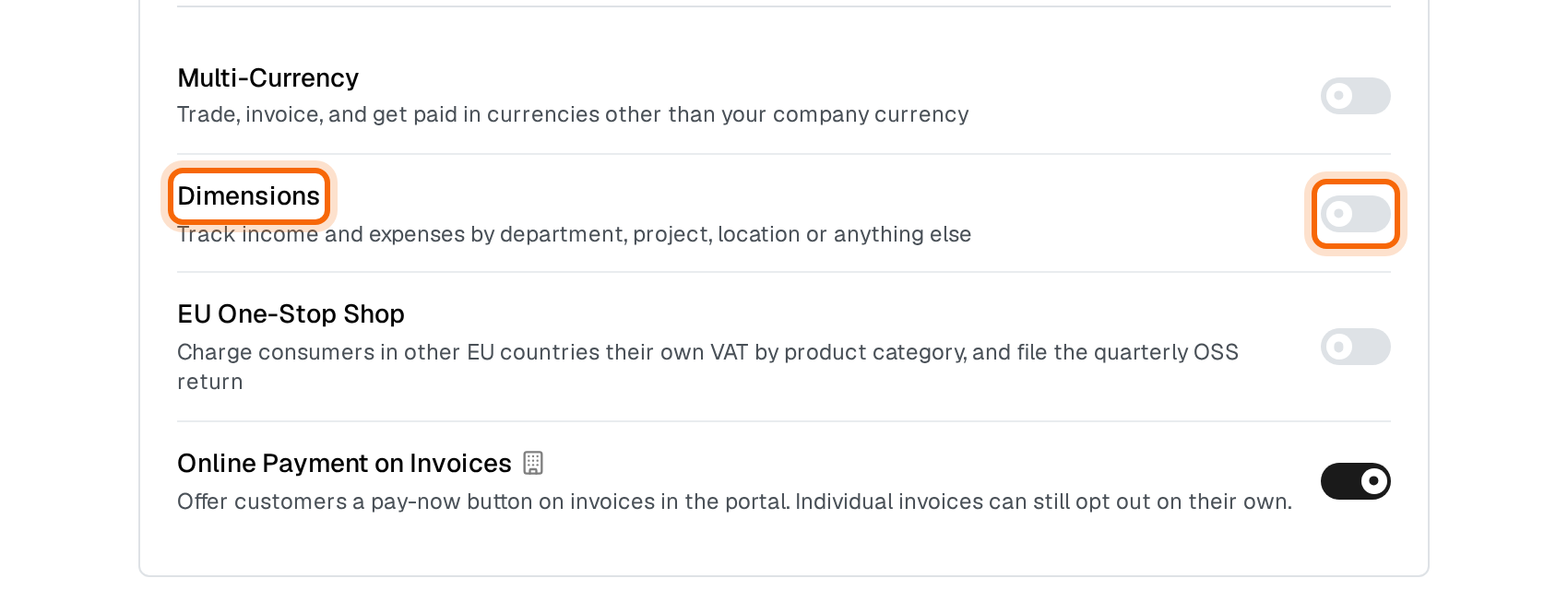
Three menus appear under Accounting: Dimension Values, Dimensions and Dimension Report.
2. Create dimensions and their values
A dimension is one way of slicing your figures (e.g. Departments); its values are the slices (e.g. Sales, Support, R&D).
- Go to Accounting → Dimensions, click New, name the dimension and add its values in the list below.
- Or go to Accounting → Dimension Values to add one on its own: give it a name, an optional Reference, and pick its Dimension.
Each value shows its Balance: everything posted against it so far.
3. Split your lines
- On an invoice or bill line, open the line's details. Below Tax there is a Dimensions list: add a Value and the share of the line it gets.
- On a journal entry, each journal item has the same Dimensions list in its details panel.
You can split one line across several values — 60% to Sales and 40% to Support, for example. Within one dimension the shares can't add up to more than 100%; less than 100% leaves the rest unassigned in that dimension. A line can carry values from several dimensions at once.
4. Read the Dimension Report
Go to Accounting → Dimension Report. It shows each dimension and value by month, from posted documents only — drafts don't count. Revenue shows as positive and costs as negative; use the Costs and Revenue filters to see one side.