How do I reply in a thread, react, or edit a message?
Keep side conversations in threads, react with an emoji, and correct or delete your own messages.
Point at any message to see what you can do with it. A small bar appears at its top right.
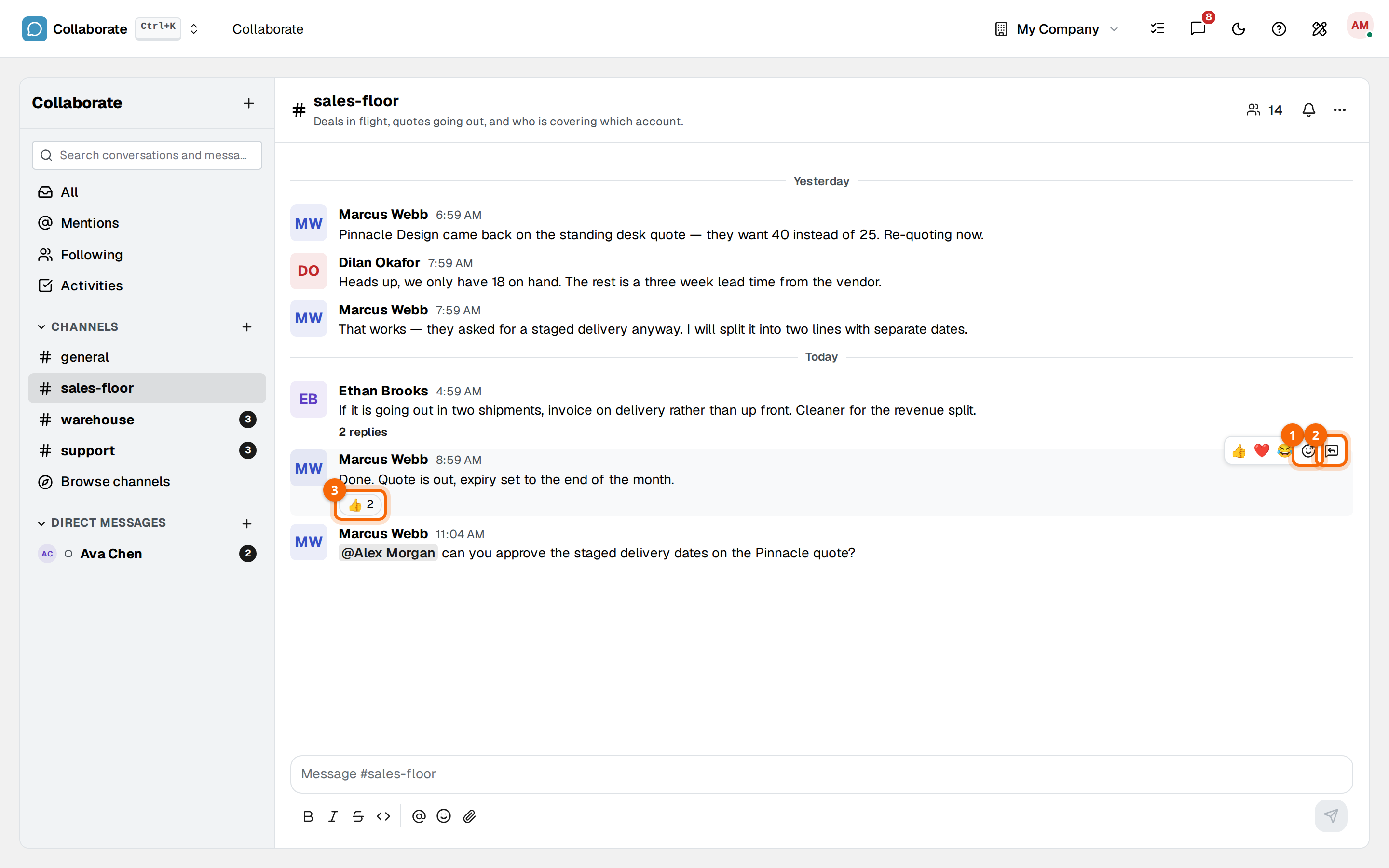
React
Click one of the emoji on the bar, or Add reaction for the full set. Reactions show under the message with a count. Point at one to see who reacted, and click it to add or take back your own.
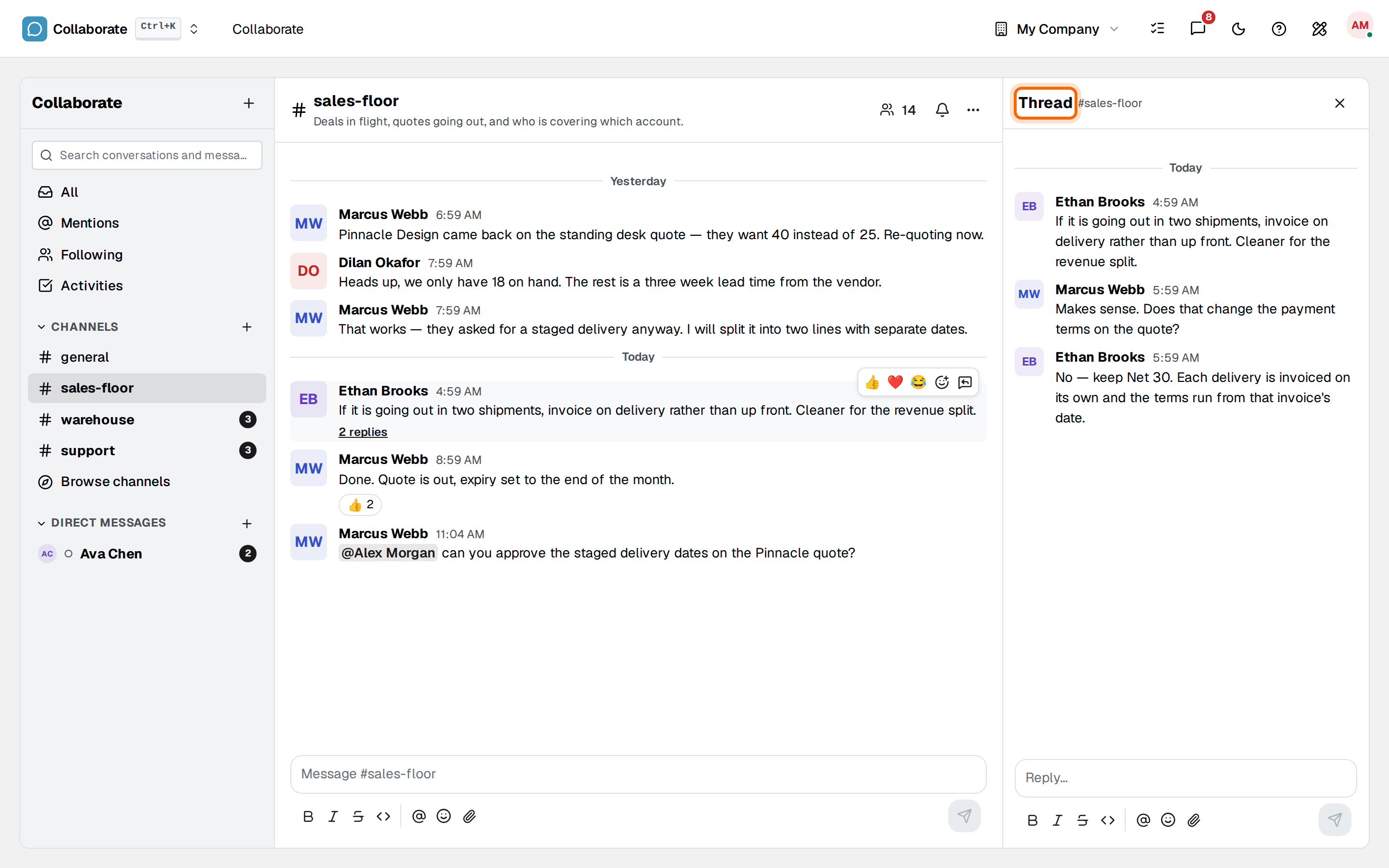
Reply in a thread
Click Reply in thread to answer a message without adding to the channel's main conversation. The thread opens beside the channel. Its replies don't make the channel unread, but everyone already in the thread is notified of each new one. Under the message, a link such as 2 replies opens the thread again.
Edit or delete your own message
- Point at a message you sent and click Edit. Change the text, then click Save or press Enter. Cancel or Esc leaves it as it was. An edited message says (edited).
- Click Delete and confirm to remove a message along with its files. If other people have replied to it in a thread, the replies stay and the message shows as deleted above them.
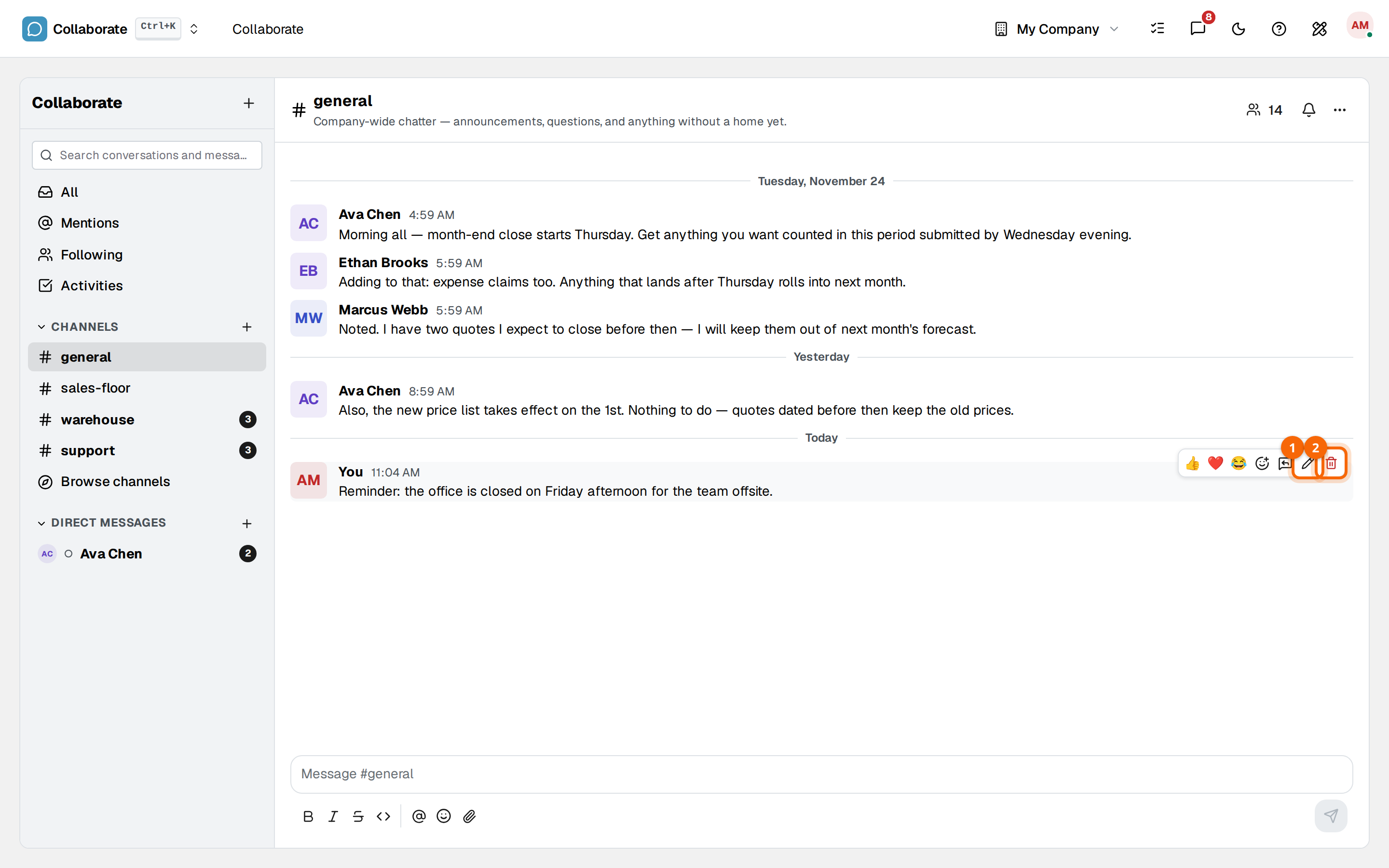
You can only edit and delete messages you wrote.
Related: How do I chat with my team?