How do I record one payment against several invoices?
Select a customer's invoices in the list and settle them with one payment, or record a payment on account and apply it later.
When a customer sends one transfer for several invoices, record it once from the invoice list. Fullfinity spreads it over the invoices, oldest due date first.
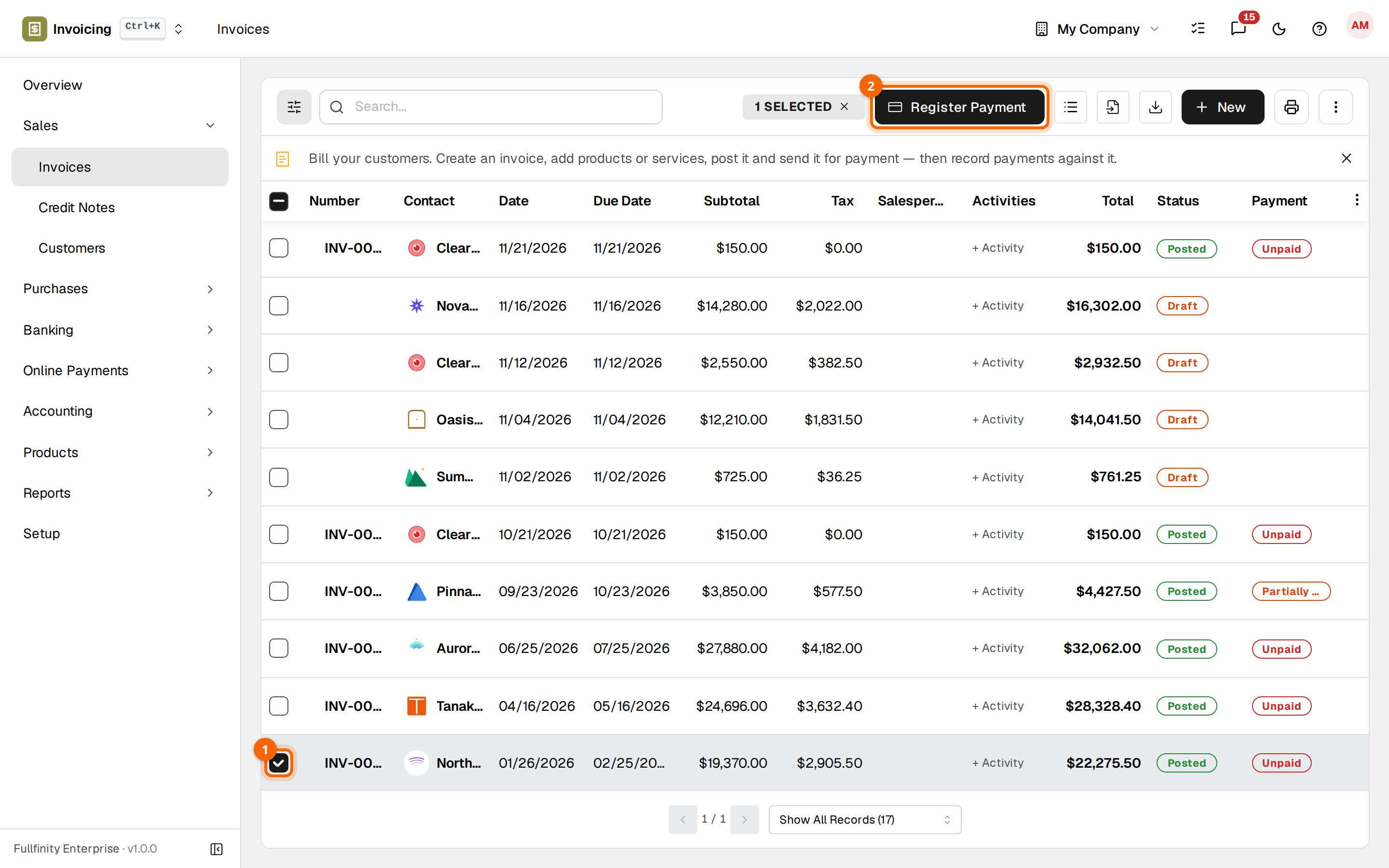
1. Select the invoices
- Go to Sales → Invoices and tick the invoices being paid. They must all be Posted, for the same customer and company, and in your company currency.
- Click Register Payment at the top of the list.
2. Check the allocation and record it
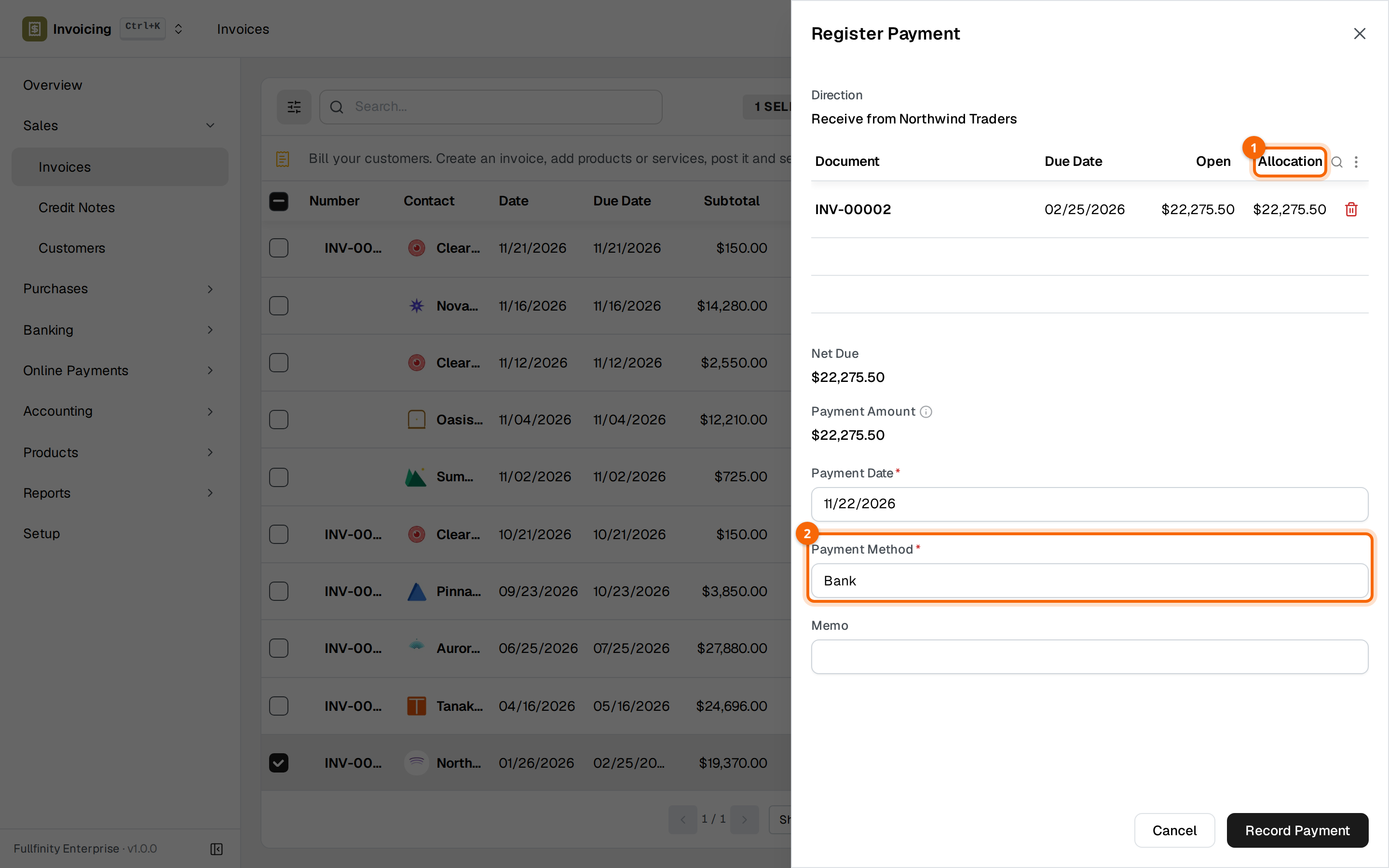
The Register Payment panel lists each selected document with its Due Date, what's Open on it and its Allocation.
- Change an Allocation to pay less of one invoice. Payment Amount adds the allocations up.
- Check the Payment Date and the Payment Method the money arrived in, add a Memo if you like, and click Record Payment.
Select a credit note for the same customer along with their invoices and it is set against them first: Net Due and Payment Amount show only the cash still to come in. A selection that nets to nothing is refused — use Apply Credit instead.
Don't know yet which invoices it's for?
Record it as a payment on account and apply it later:
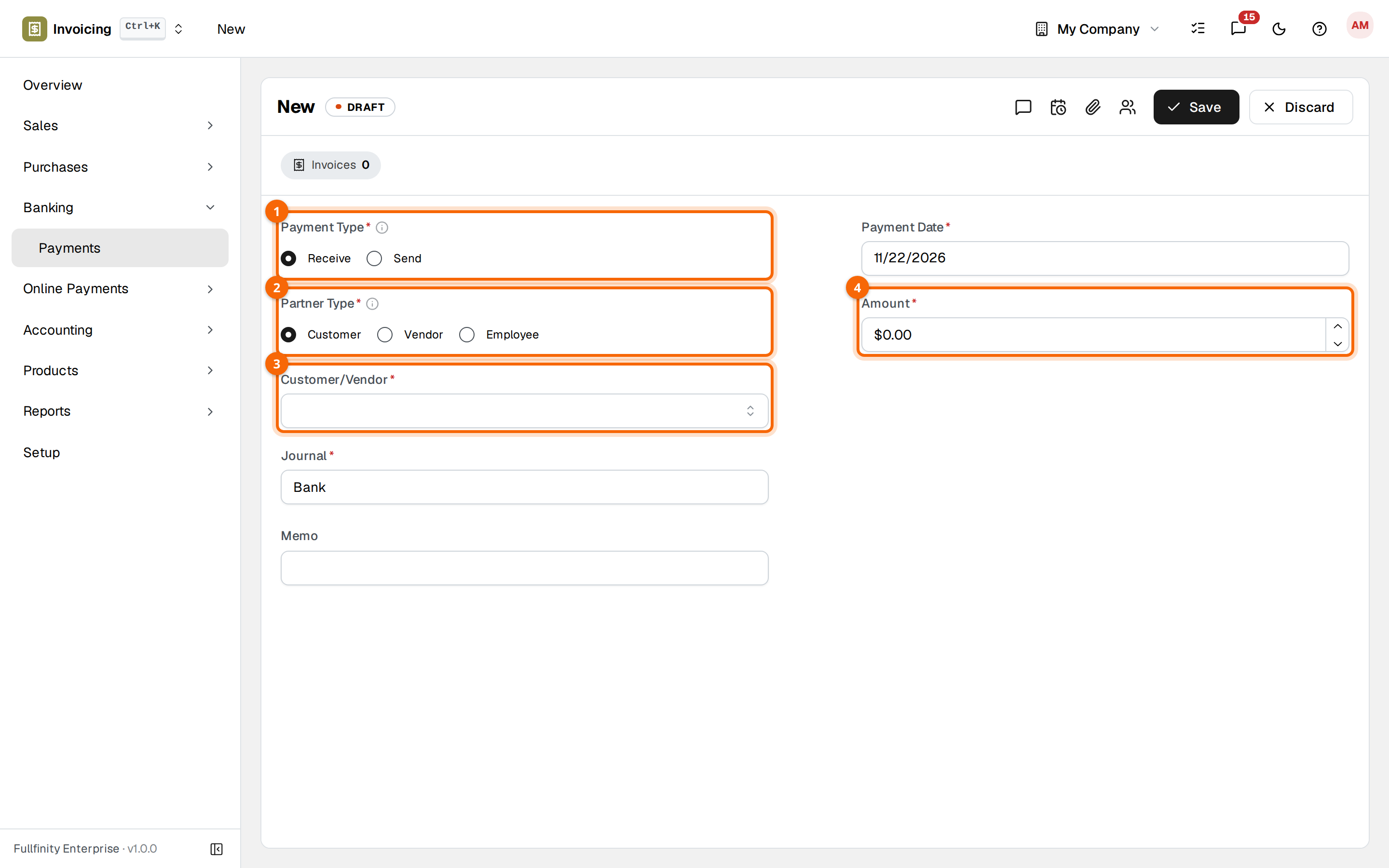
- Go to Banking → Payments and click New.
- Set Payment Type to Receive, Partner Type to Customer, choose the Customer/Vendor and enter the Amount and Journal. Payment Date starts as today; change it to the day the money arrived.
- Click Post.
The payment then shows under Available Credits on each of that customer's unpaid invoices — apply it there as described in How do I apply a credit note to an open invoice?