How do I choose who approves, and in how many steps?
Add approval levels — by group, by person or by a person named on the record — and how many approvals each needs.
A rule's levels are the steps of sign-off, taken in order: a manager first, then finance. A request moves to the next level only when the current one is satisfied.
On the rule's Approval Levels tab, add a level and fill it in:
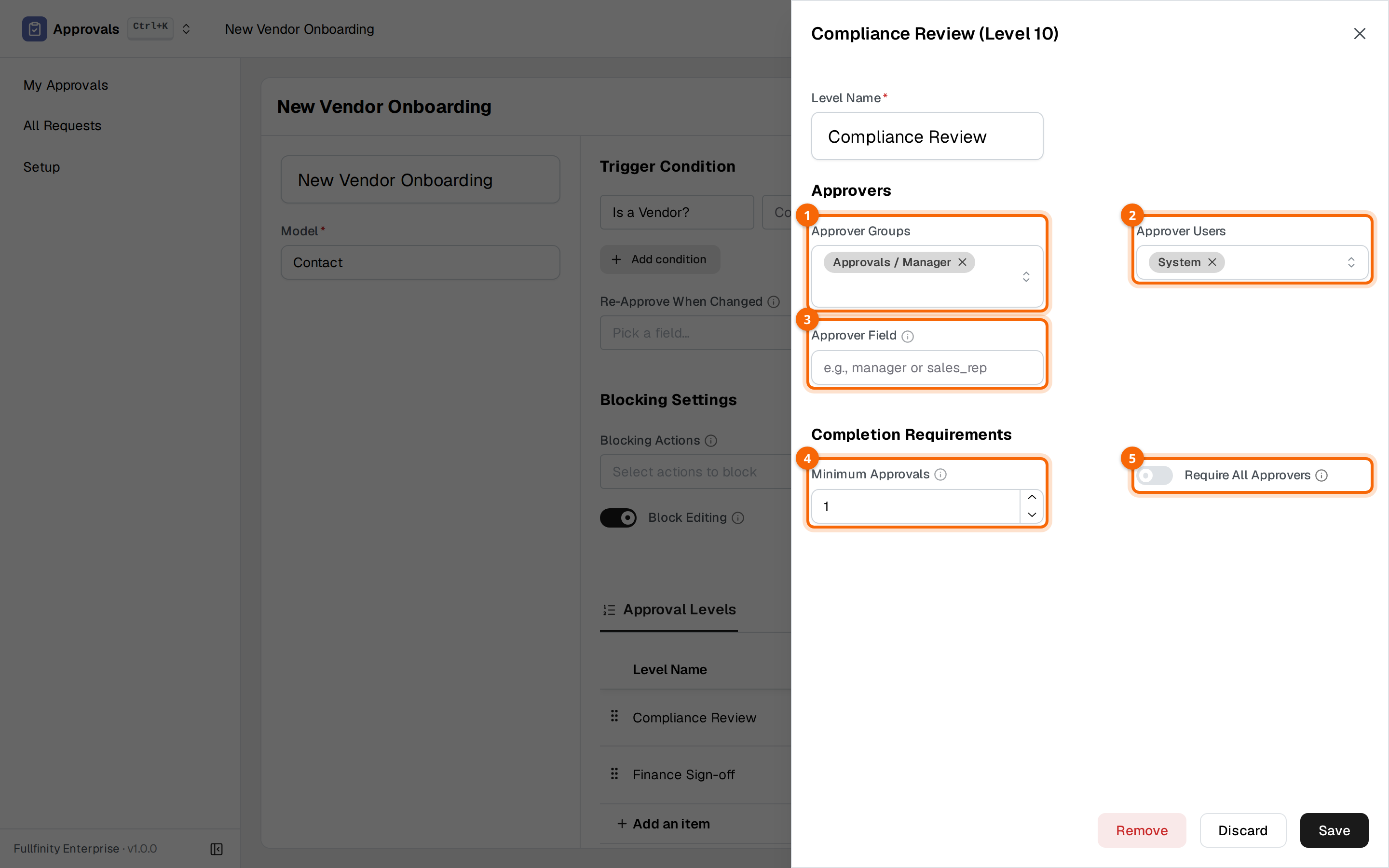
- Approver Groups — anyone in these groups can approve (Purchase Manager).
- Approver Users — named people who can approve.
- Approver Field — a person named on the record itself, such as its salesperson or the employee's manager. Type the field's name; you can use this alone or with the others.
- Minimum Approvals — how many different approvers must approve at this level. One person's approval counts once.
- Require All Approvers — every eligible approver must approve.
Drag the levels into the order they happen. Approvals administrators can always approve at any level.
Was this article helpful?