How do I approve or reject a request?
Find the requests waiting for you and approve or reject them, from the request or from the record itself.
When something needs your approval you get an email titled Approval Required, with a link to it.
See what is waiting for you
Go to Approvals → My Approvals. It shows the pending requests you can approve, grouped by status. Approvals → All Requests shows everyone's, with the Pending filter on.
Approve or reject
Open a request:
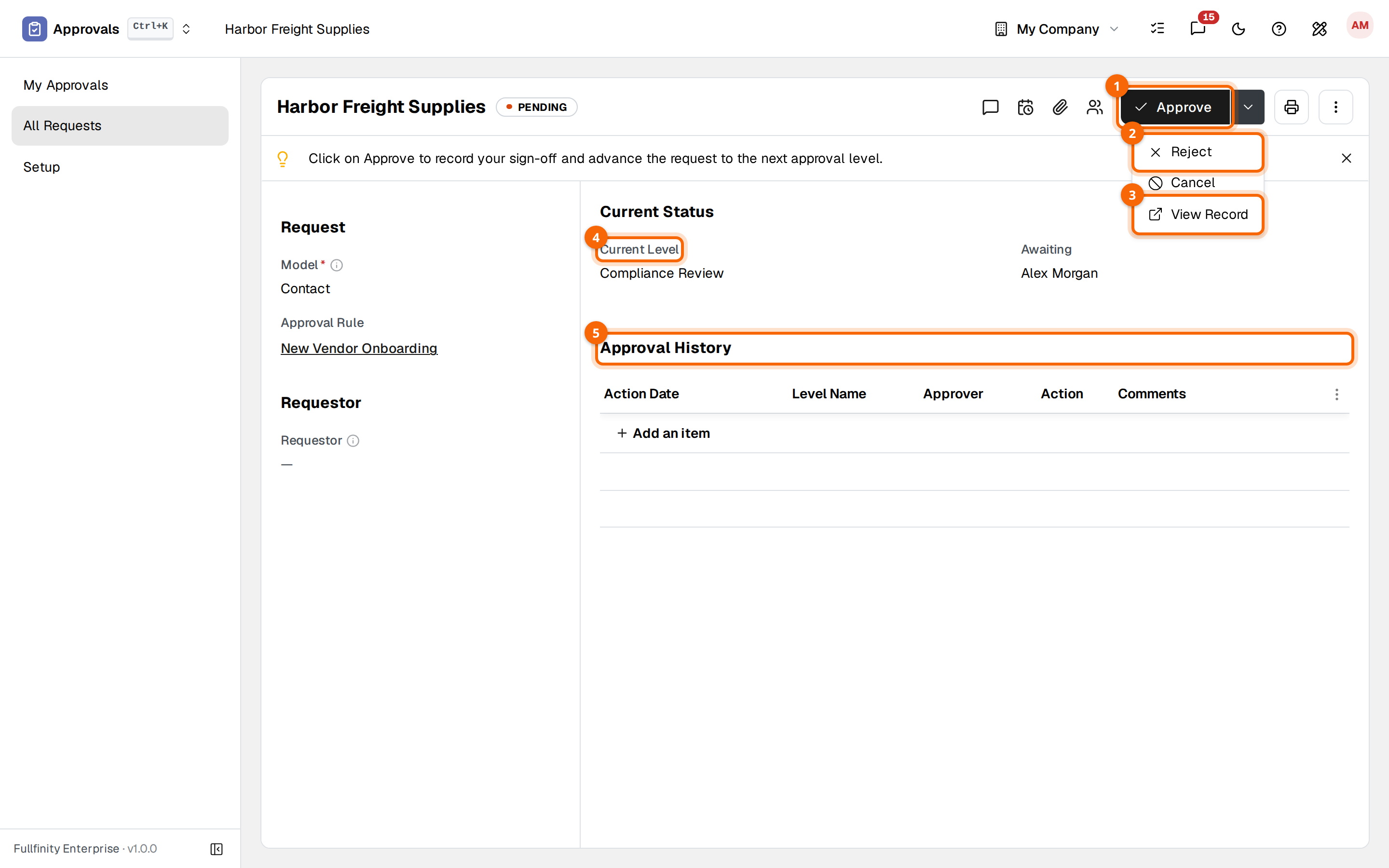
- Approve — your approval is recorded. Once the level has enough approvals the request moves to the next level (its approvers are emailed), or, at the last level, becomes Approved.
- Reject — the request becomes Rejected straight away, whatever the level.
- View Record opens the record being approved, so you can check it first.
- Current Level and Awaiting show which step it is at and who can approve it.
- Approval History lists each decision so far, with its comments.
From the record itself
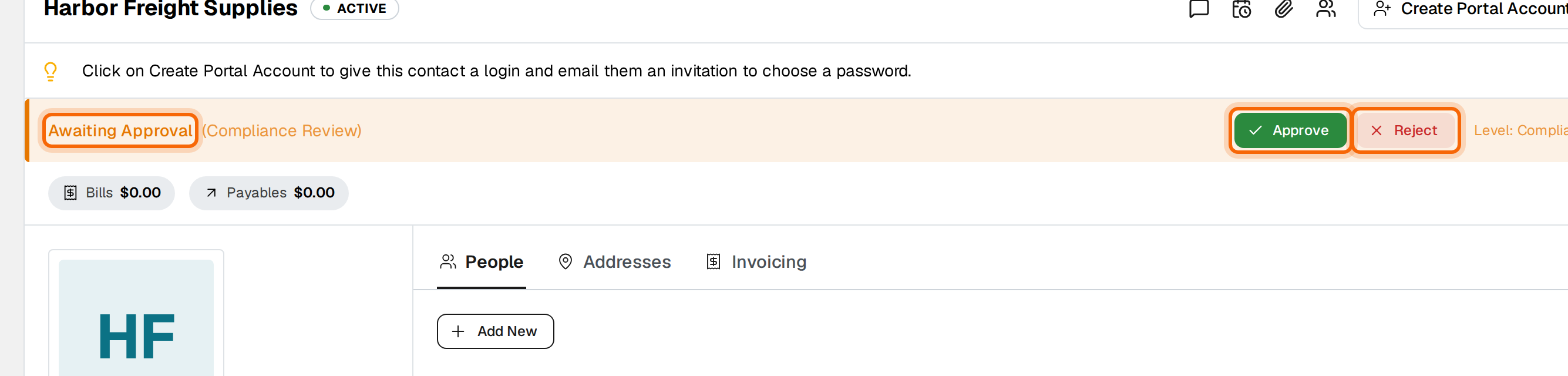
A record waiting for approval shows a bar at the top: Awaiting Approval and the level. If you are an approver it has Approve and Reject buttons. Rejecting there asks for comments first; they are sent to the person who raised the request and kept in the history.
The person who raised the request is emailed when it is approved — after each level, and when fully approved — or rejected.