Get it signed. Keep the proof.
Get contracts signed in minutes and keep proof that holds up. Every signed PDF comes back sealed, with a record of who signed, when, and from where.

Print, sign, scan, email, repeat.
A contract goes out as an attachment, someone prints it, signs the wrong line, scans it crooked and sends it back. And when it matters most, a scanned signature proves nothing about who actually signed it — or whether the page was changed after.
Send it once. It comes back proven.
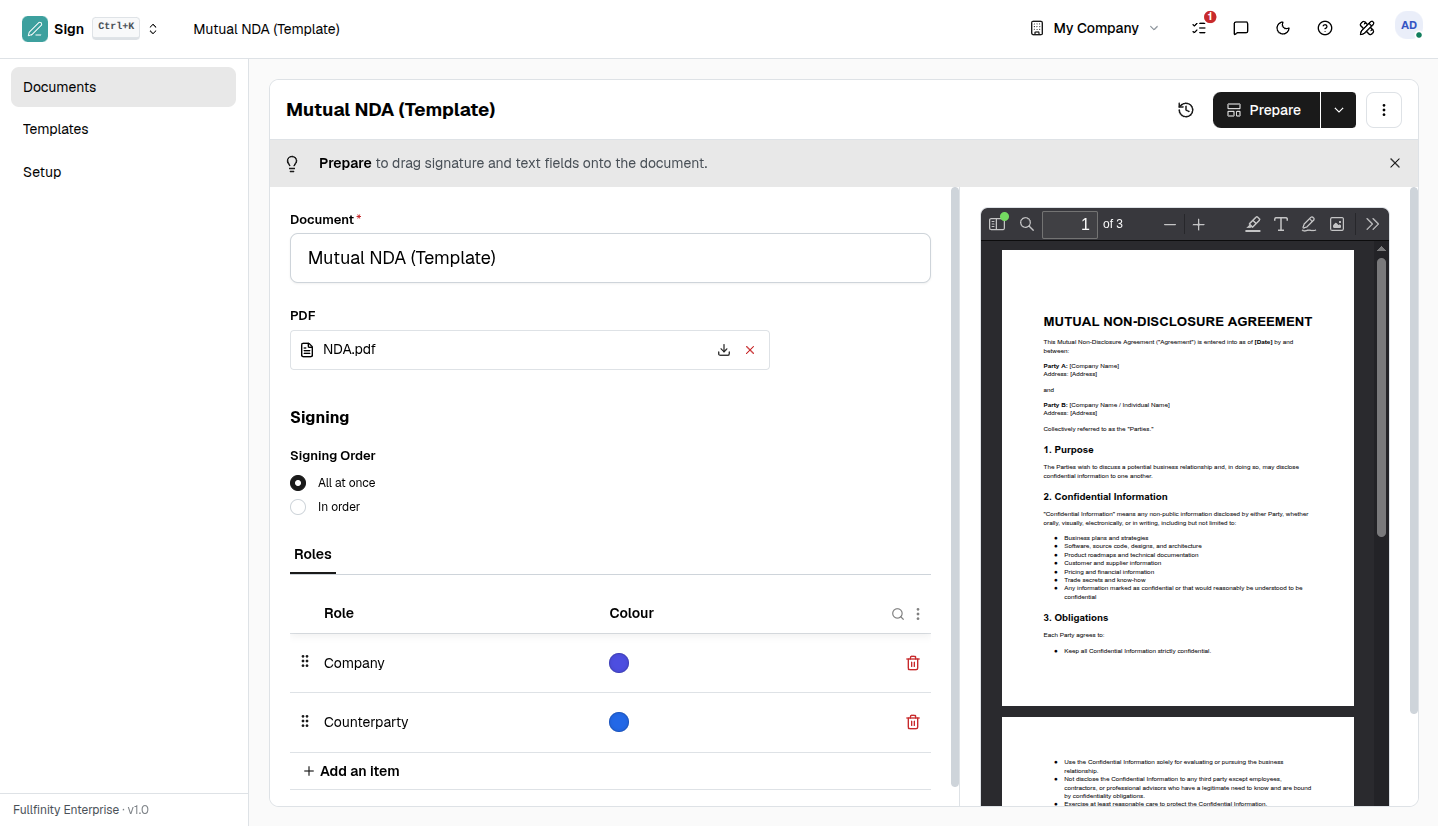
Place the fields where they belong, send the document, and each signer signs in their browser from a link that's theirs alone. When the last one signs, their marks are stamped onto the page, a certificate is bound to the back, and the whole file is sealed so it can't be quietly altered later.
Every document arrives with its receipt.
Bound to the back of each finished file is a certificate that names every signer, the moment they signed, the address they signed from, how they were verified and the consent they gave. If anyone ever asks how you know it was really them, the answer is already in the document.
Set up the NDA once. Reuse it forever.
Save a document with its fields and roles as a template, and next time it's a fresh request in a click — drop in the signers and send. Route everyone at once, or in order so each person is only invited when the one before them has signed.
One connected system
The same customers, products and stock run through Sign and every other app — nothing kept in a separate tool.
Open-core
The core apps are open source, and the whole thing is yours to self-host.
Free, unlimited users
Self-host the Free edition with your whole team on it — no per-seat fees, no seat counting, no trial running out.
Only what you need
Run Sign on its own, and switch on the rest of the suite when you're ready.
E-signature software, answered.
Is a document signed here legally valid?+
Yes. Every finished document carries a Certificate of Completion — each signer with the time they signed, their IP address, how they were verified and their consent to sign electronically — and the PDF is digitally sealed so any later change to it is detectable.
Do signers need an account or an app?+
No. Each signer gets their own private link by email and signs in the browser — nothing to install, no login. You can add an emailed one-time code as a second check when a document warrants it.
Can more than one person sign?+
Yes. Send to as many signers as the document needs, all at once or in a set order where each person is invited only once the one before them has signed.
Can I self-host it?+
Yes — the Free edition runs on your own server, free, with your whole team on it. Prefer not to run servers? We host a managed cloud. Same product either way.
Apps that pair with Sign
Run Sign — and the rest of your business — in one place.
Join the waitlist and be first through the door when Fullfinity launches.
Join the waitlist