Tickets that don't fall through.
Every request lands with an owner and a next step, and closes before the clock runs out. Nothing sits unanswered in someone's inbox.

Support@ is where requests go to be forgotten.
Two people reply to the same email, a third goes unanswered for a week, and nobody can say how long anything actually takes. The same five questions come in every day — and get answered from scratch every time.
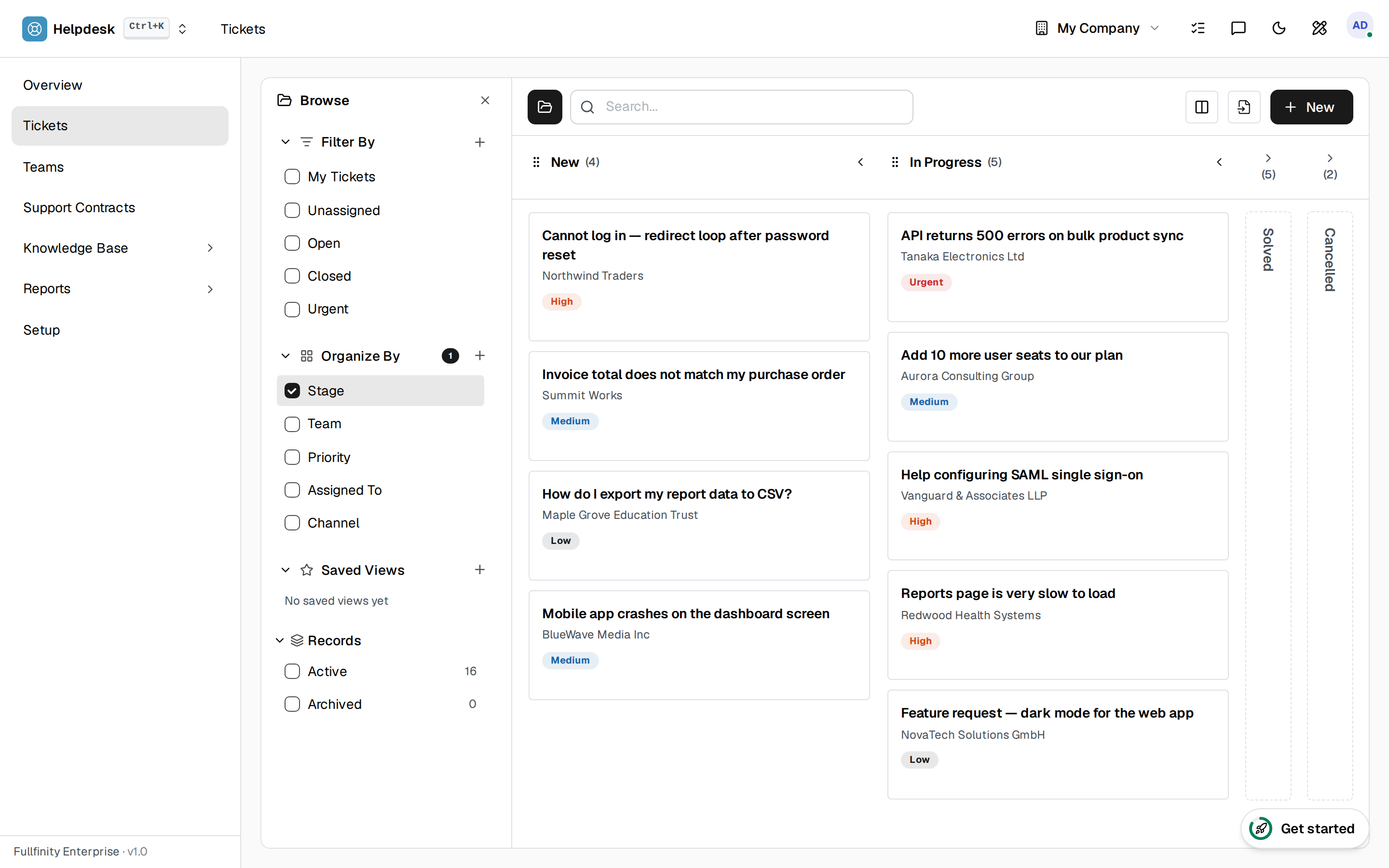
Every ticket has a next step and an owner.
A request comes in, lands with the right team, moves across the board, and closes — with an agent's name on it the whole way, so nothing sits unanswered.
The best ticket is the one nobody had to raise.
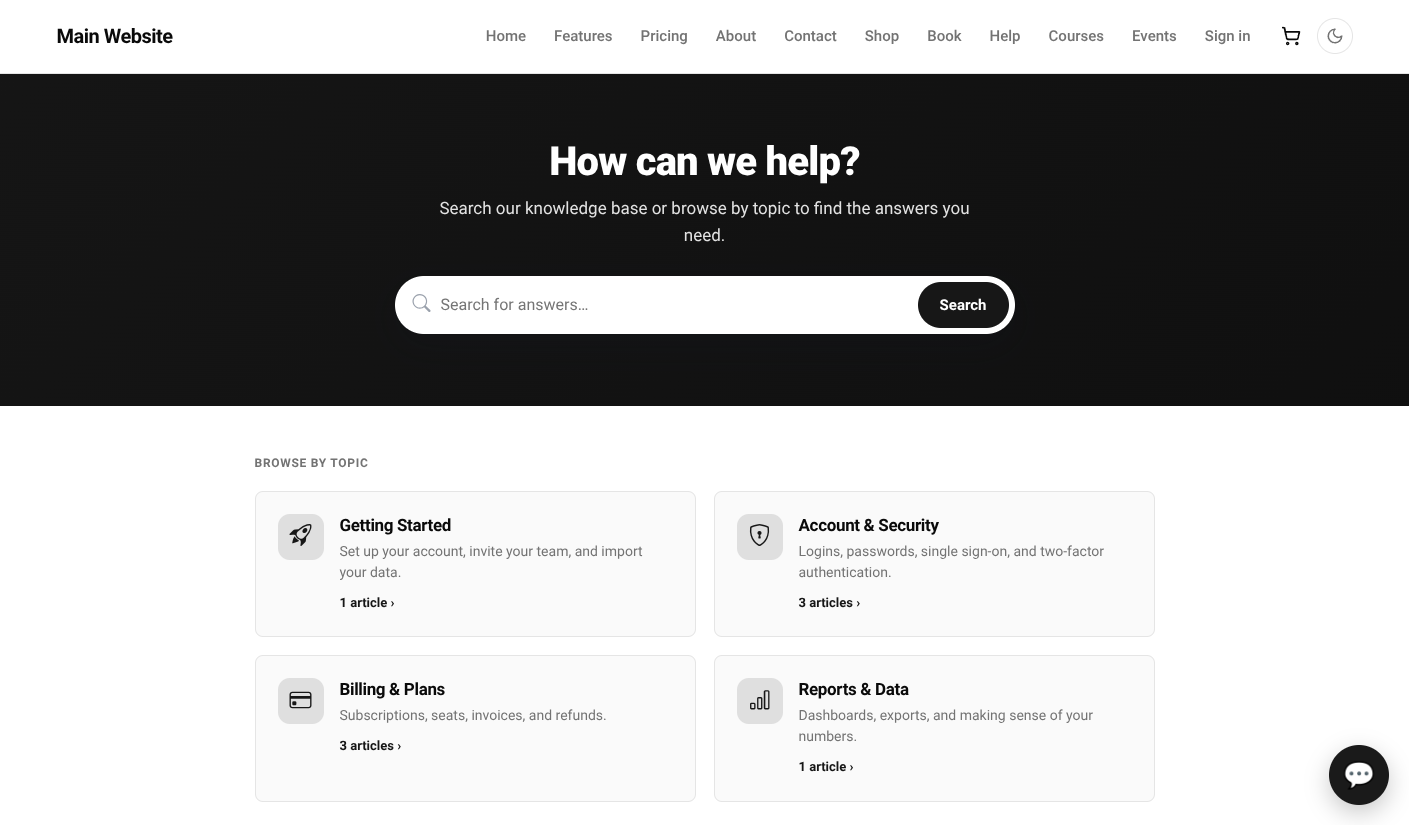
Write the answer once and publish it to a help centre on your own domain — organised into categories, each article on its own address, and searchable. Customers find it before they reach for the contact form, and your agents answer the rest by pointing at it instead of retyping it.

Catch them while they're still on the page.
Put a chat widget on your site and answer the quick ones in the moment. When something needs real work, the conversation becomes a ticket with the whole history attached — so nobody has to explain themselves twice to a second person.
Support that scales with you.
A shared queue, assigned.
Every request lands in one place and gets a team and an agent — no tickets lost in a personal inbox.
SLA timers on every ticketEnterprise
Set response and resolution targets per team; a live countdown on each ticket means a breach is something you prevent, not discover.
Satisfaction ratingsEnterprise
Capture a rating when a ticket closes and watch how the team is doing — plus a self-serve knowledge base to cut the tickets you never needed.
One connected system
The same customers, products and stock run through Helpdesk and every other app — nothing kept in a separate tool.
Open-core
The core apps are open source, and the whole thing is yours to self-host.
Free, unlimited users
Self-host the Free edition with your whole team on it — no per-seat fees, no seat counting, no trial running out.
Only what you need
Run Helpdesk on its own, and switch on the rest of the suite when you're ready.
Helpdesk software, answered.
How do tickets get to the right person?+
Requests land in a shared queue and move across stages on a board. Assign them to a team and an agent, and everyone sees what is open, in progress and resolved.
Do I get SLA timers?+
Yes, with the enterprise add-on. Set response and resolution targets per team, and every ticket carries a live countdown so nothing quietly breaches.
Can customers rate the support they got?+
Yes — satisfaction ratings are an enterprise add-on. Capture a rating when a ticket closes and track how your team is doing over time.
Is there a knowledge base?+
Yes, as an enterprise add-on. Write articles, group them into categories, and publish them to a help centre on your own domain — each article on its own address so search engines and customers can find it. You can keep articles internal instead if they are only for agents.
How do I know which help articles actually work?+
Every article counts its views and asks readers whether it helped. An article with plenty of traffic and a poor helpful score is telling you exactly what to rewrite — and the questions still arriving as tickets tell you what to write next.
Can visitors chat with us live?+
Yes. Add a chat widget to your site and handle the quick questions in the moment. Anything that needs follow-up becomes a ticket with the conversation attached, so the customer never repeats themselves to the next person.
Can I self-host it?+
Yes — the Free edition runs on your own server, free, with your whole team on it. Prefer not to run servers? We host a managed cloud.
Apps that pair with Helpdesk
Run Helpdesk — and the rest of your business — in one place.
Join the waitlist and be first through the door when Fullfinity launches.
Join the waitlist