Let customers help themselves.
Customers check their own quotes, orders and invoices instead of emailing to ask — the same live records your team works from, minus the back-and-forth.
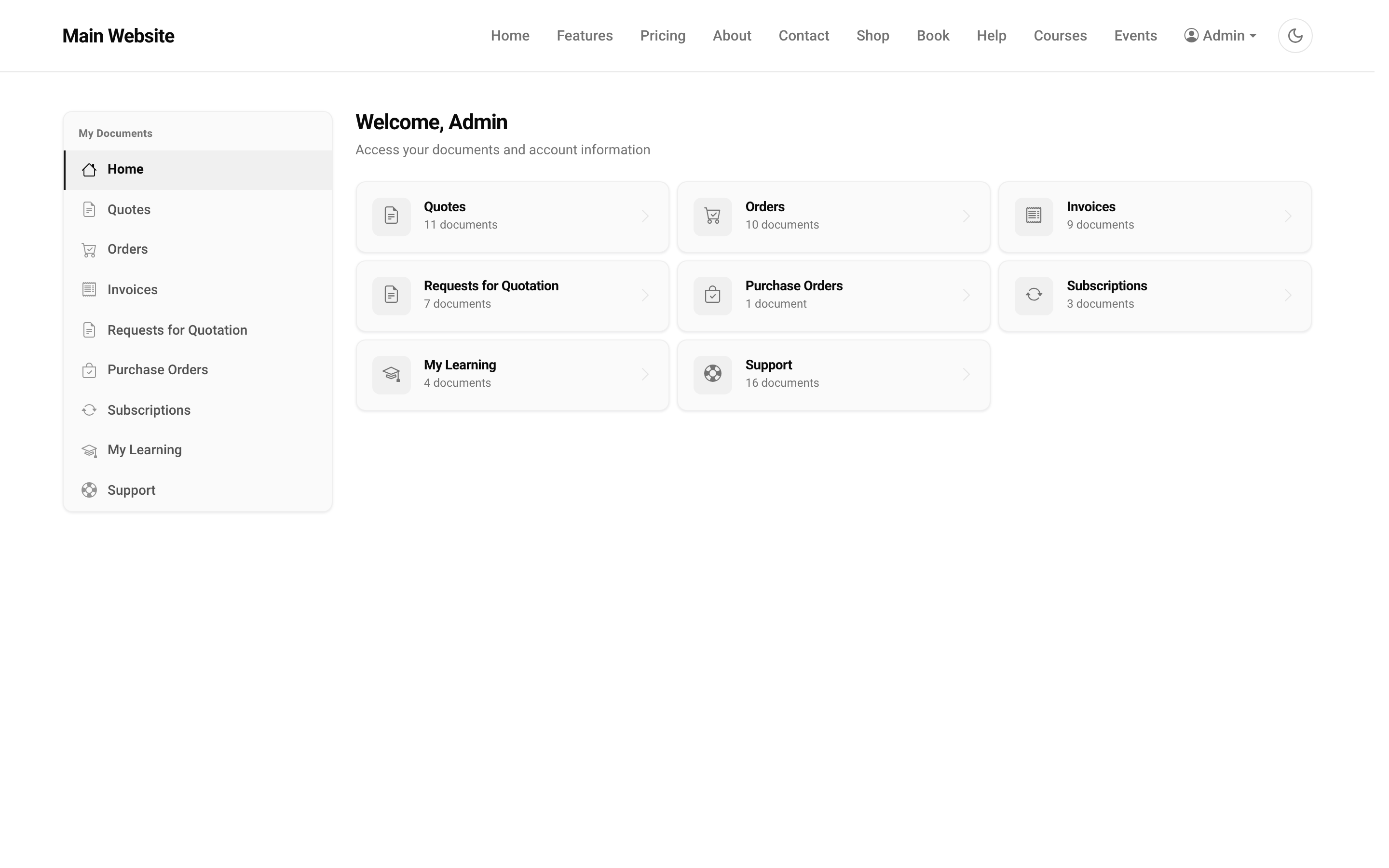

Half your support is people asking for things they own.
"Can you resend the invoice?" "What's the status of my order?" "Where's the quote?" Every one is a record that already exists — just locked inside your tools, so answering means someone digs it out and emails it back.
They see the real record — the second it exists.
A quote your team sends, an order it confirms, an invoice it raises: the customer sees the very same document, live, in their portal. Nothing is exported, copied or synced — it's your record, shown to the person it belongs to.
Accept a quote. Pay an invoice. Raise a ticket.
The portal isn't a filing cabinet of PDFs. A customer accepts a quotation and it becomes an order in your system; they pay an invoice online; they open a support ticket and follow it to resolution — all without an email to you, and all landing straight in the records your team already runs.
One connected system
The same customers, products and stock run through Customer Portal and every other app — nothing kept in a separate tool.
Open-core
The core apps are open source, and the whole thing is yours to self-host.
Free, unlimited users
Self-host the Free edition with your whole team on it — no per-seat fees, no seat counting, no trial running out.
Only what you need
Run Customer Portal on its own, and switch on the rest of the suite when you're ready.
Customer Portal, answered.
What can a customer see and do in the portal?+
Their own quotes, orders, invoices and support tickets — with real actions: accept a quote, pay an invoice, download a document, raise and follow up a ticket. It is self-service, not a read-only PDF dump.
Are they seeing a copy, or the real record?+
The real record. A quote your team sends, an order it confirms, an invoice it raises — the customer sees the same live document the moment it exists. There is no separate portal database to sync.
How is each customer kept to their own data?+
Every document is scoped to the logged-in contact, so a customer only ever sees records that belong to them — never another customer’s. It is enforced server-side, on every request.
Does it work for vendors too?+
Yes. The same portal serves vendors their requests for quotation and purchase orders, so both sides of your business can self-serve from one place.
Can I self-host it?+
Yes — the Free edition runs on your own server, free, with your whole team on it. Prefer not to run servers? We host a managed cloud. Same product either way.
Apps that pair with the Customer Portal
Give customers a portal — and run the rest of your business — in one place.
Join the waitlist and be first through the door when Fullfinity launches.
Join the waitlist